

Alternatives to Subclip
Subclip is an AI video editor that effortlessly adds subtitles, edits, and dubs in multiple languages, streamlining your creative process.
9 alternatives found

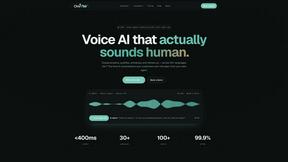
Oravaa
Oravaa is the elite enterprise Voice AI platform that autonomously handles phone tasks with human-like conversations, replacing your manual workflows.

Hush Touch | Voice-to-Text for MacOS
Hush Touch delivers intelligent offline voice-to-text dictation for Mac, learning your vocabulary for flawless.

Glossa
Glossa delivers real-time AI translation of sermons in 100+ languages, bridging language gaps for your international.

Bantr: Offline & Unlimited TTS for Mac
Bantr delivers unlimited, private text-to-speech entirely on your Mac.

KaiCalls
KaiCalls is your 24/7 AI voice agent that effortlessly captures and qualifies leads, ensuring instant customer.

Vowen
Vowen transforms your voice into a private AI command center for dictation and seamless workflow automation.

Bargou One
Bargou One elevates your creativity by seamlessly creating, translating, and transcribing across diverse media.

About Subclip Alternatives
Subclip is an innovative AI-powered video editing tool that revolutionizes the way content creators, marketers, and educators approach video production. By integrating advanced features like voice cloning, auto-subtitles, silence removal, and multi-language dubbing, Subclip allows users to edit videos as effortlessly as editing text documents. This seamless approach simplifies the video editing process, making it ideal for those who wish to enhance their content without the steep learning curve associated with traditional editing software. Users often seek alternatives to Subclip for various reasons, including pricing considerations, specific feature requirements, or compatibility with their preferred platforms. When evaluating alternatives, it is crucial to consider factors such as the range of editing capabilities offered, ease of use, and the flexibility of pricing plans. Additionally, potential users should reflect on their specific needs—whether they prioritize advanced features or user-friendly interfaces—to ensure that their choice aligns with both their budget and creative goals.
FAQs about Subclip Alternatives
What is Subclip?
Subclip is an AI-powered video editor designed to streamline the video editing process for creators, marketers, and educators. It enables users to edit videos by manipulating transcripts, allowing for a highly intuitive editing experience. With features like voice cloning, silence removal, and automatic subtitle generation, Subclip simplifies complex editing tasks into manageable actions.
Who is Subclip for?
Subclip is tailored for a diverse audience that includes YouTubers, podcasters, course creators, and content teams. It caters to individuals and organizations looking to enhance their video content with advanced editing capabilities without the need for extensive technical expertise. Subclip's versatile features make it suitable for anyone aiming to produce high-quality videos efficiently.
Is Subclip free?
Subclip offers a freemium pricing model, which includes a free tier that allows users to explore its functionalities without any financial commitment. For those seeking more advanced features, Subclip provides affordable paid plans to accommodate various user needs. This pricing structure makes it accessible for both casual content creators and professional teams.
What are the main features of Subclip?
Subclip boasts a comprehensive suite of features that includes transcription services, automatic subtitle generation, voice cloning, silence removal, and multi-language dubbing. These capabilities allow users to edit and enhance their videos quickly and efficiently, significantly reducing the time and effort typically associated with traditional video editing. Subclip’s AI-driven technology ensures that users can produce high-quality content with remarkable ease.