
Best Web Design tools (8+)
Discover 8+ best web design tools. Compare features, pricing, and reviews. Free and paid options available.
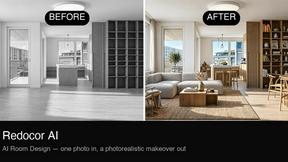
Metal Font Generator
Explore 3D metal lettering for compact titles and visual studies, with controls for finish, viewing angle, extrusion, light and letter spacing.
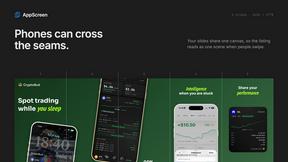
AppScreen
AppScreen lays out App Store and Google Play screenshots on a panorama canvas and exports individual PNGs at store dimensions.
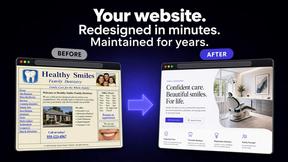
Revamp
Revamp creates AI redesigns from existing websites, with editable previews and tools for ongoing business site updates.
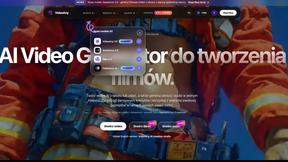
VideoAny
VideoAny is an AI studio for making videos from text or images, alongside image editing and audio generation tools.
Biovelt
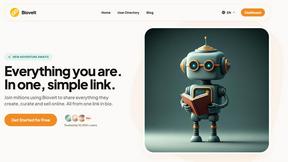
Biovelt gives creators a free, customizable link-in-bio page with unlimited links and analytics for organizing social profiles and online work.

idearium
A Toronto-based web design and marketing agency creating custom websites, SEO strategies, and digital experiences for businesses.
Tini.bio
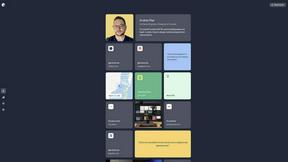
Tini.bio gives freelancers and small businesses a drag-and-drop page for sharing links, profiles, portfolios, and practical business details.
Wobbio
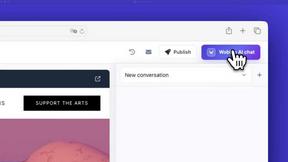
Wobbio builds an editable website from a prompt and combines publishing, ecommerce and optional backend tools in one platform.
Popular Alternatives in Web Design
About Web Design tools
Web Design tools help designers and developers create visually compelling, responsive, and functional websites through design editors, prototyping tools, CSS frameworks, and collaborative design platforms. This category includes website builders, wireframing tools, design system managers, responsive testing tools, and visual development environments.
Whether you are designing landing pages, building complete websites, creating design systems, testing responsive layouts, or collaborating with development teams on web projects, these tools provide the creative and technical capabilities needed for modern web design workflows.
Compare web design tools by their design capabilities, responsive features, code output quality, collaboration tools, and pricing to find the right platform for your web design projects and team.
FAQs for Web Design
What types of web design tools are included?
This category includes website builders, wireframing and prototyping tools, CSS framework generators, responsive design testers, visual development environments, design system managers, typography tools, and color scheme generators for web projects.
Do I need coding skills for web design tools?
Many modern web design tools offer no-code visual builders that produce professional websites without coding. However, knowledge of HTML, CSS, and basic web principles helps you customize designs further and troubleshoot layout issues.
How do web design tools handle responsive design?
Most tools include responsive preview modes, breakpoint editors, flexible grid systems, and auto-layout features that help ensure your designs adapt properly to all screen sizes from mobile phones to large desktop monitors.
Can web design tools export production code?
Yes. Many tools export clean HTML, CSS, and JavaScript code that developers can use directly. Some generate framework-specific code for React, Vue, or other platforms. Code quality varies by tool, so evaluate output quality for your standards.
Are web design tools suitable for teams?
Yes. Many tools offer real-time collaboration, shared design libraries, version control, commenting, and developer handoff features designed for teams working together on web design projects.
Are there free web design tools?
Yes. Several web design tools offer free tiers with core design features, templates, and basic export options. Premium plans unlock team collaboration, advanced components, custom code export, and more design resources.