

Alternatives to Caption.IM
Caption.IM transforms any Mac audio into real-time captions, translations, and summaries with elite privacy.
20 alternatives found

Safe Outreach
AI-powered platform that evaluates the safety of LinkedIn automation tools and helps reduce the risk of account restrictions.

How Long How Many Tool
Timers and hourly checks to figure how out long until a certain time or how many days away.

Memorable Contact
AI-powered personal CRM that remembers where you met people and what you talked about. Save, scan, and recall contacts instantly.


ButterShare
Realtime peer-to-peer file transfer in the browser. Send files directly between devices, no account and no upload to a server.

Emailyy
Free email tools for signatures, subject lines, HTML previews, word counts, and email headers. Browser-based, simple to use, and no signup required.

Uniclip
Clip pages, take full-page screenshots and batch-capture list data to Notion, Feishu, Obsidian, Markdown, CSV or JSON.

TroveKey
Search tabs, Chrome bookmarks and history, run browser commands, and save webpages and social posts locally—no account.

Foreman
See every app and what it's using in plain English, and end or slow down the one that's hogging your Mac.

Todowing
Chrome extension that nests Todoist sub-tasks in Today, Upcoming, filter and label views. Free tier, $19.99 one-time lifetime unlock.
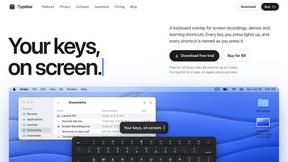
Typebar
Every key you press lights up on an on-screen keyboard, and each shortcut is named as you press it.

Notchpals
Little characters peek out of your Mac's notch to remind you to drink water, eat, sit up and get to bed. Quiet during calls. $4.99 once.

AI Agent Task Manager
An AI-powered task management tool that helps you organize tasks, track progress, and manage AI agent workflows efficiently. Plan, prioritize, and mon

LightScreen
Free light screen tool online. Turn any display into a flashlight, ambient light, or solid-color screen. No download or sign-up.

Inkling
Catch a thought without leaving what you are doing. Notes, checklists and a little companion in your Mac's notch. $12 once.

Everywhere
Fast file search for the Mac. Results as you type, files inside Mail and Photos, works with Wi-Fi off. $19 once.

Basalt
Eighteen PDF tools in one native Mac window: merge, split, compress, OCR, Bates numbering, forms, signing and redaction. Offline. $29 once.

Voice Keyboard Pro
Hold a key, say what you mean, let go. Clean, punctuated text lands at the cursor in any app on your Mac or iPhone.

Mainspring
Mainspring turns the settings macOS hides into 90+ one-click, fully reversible power-ups for Finder, Dock, screenshots and more. $29 once.

Context Board
Context Board brings your numbers, docs, clients, content and day into one workspace that Claude and Codex can read and update.
About Caption.IM Alternatives
In the sophisticated ecosystem of productivity tools, Caption.IM occupies a distinct and powerful niche as a real-time AI captioning and transcription assistant native to macOS. It falls squarely within the Productivity & Management category, offering a seamless bridge between audio content and actionable text—from live subtitles for meetings to structured summaries and mind maps. However, discerning users frequently seek alternatives due to specific constraints: the exclusivity of the macOS platform, a desire for different pricing structures, or the need for features that extend beyond local processing, such as cloud-based collaboration or support for Windows and Linux environments. Others may find that their workflow demands deeper integration with specific enterprise tools or a user interface that aligns with a different aesthetic or complexity level. When evaluating a replacement for a tool of this caliber, one must prioritize several non-negotiable criteria. First, assess the processing architecture: does the alternative offer true privacy-first, on-device AI, or does it rely on cloud servers that may compromise confidentiality? Second, consider the breadth of application support—the ideal solution must capture system audio across all conferencing platforms, media players, and livestreams without requiring browser extensions or intrusive bots. Finally, examine the output quality and versatility: can it generate not just captions, but also intelligent summaries, action items, and translations in real time? The highest-tier alternative will balance these elements with an intuitive interface, ensuring that your productivity is elevated, not encumbered, by the technology.
FAQs about Caption.IM Alternatives
What is Caption.IM?
Caption.IM is a premium, privacy-first AI captioning assistant designed exclusively for macOS. It transforms any audio from your Mac into real-time captions, instant translations, recordings, and structured meeting notes, all processed locally on your device. Unlike browser extensions or meeting bots, it captures system audio directly, making it compatible with virtually any application including Zoom, Google Meet, Microsoft Teams, YouTube, podcasts, and webinars.
Who is Caption.IM for?
Caption.IM is built for professionals, executives, and knowledge workers who demand top-tier productivity and accessibility without compromising privacy. It is ideal for individuals who participate in frequent virtual meetings, consume multilingual content, attend webinars, or need to generate detailed summaries and action items from audio. Its macOS exclusivity positions it as a tool for those within the Apple ecosystem seeking a seamless, bot-free experience.
Is Caption.IM free?
The provided content does not specify a free tier or pricing model for Caption.IM. However, given its positioning as a premium, privacy-first tool with local AI processing and advanced features like real-time translation and mind map generation, it is likely offered under a subscription or one-time purchase model. Users should consult the official website for the most current pricing and availability of any free trial or freemium version.
What are the main features of Caption.IM?
Caption.IM offers a suite of elite features including real-time AI captions for any audio on your Mac, instant translation of multilingual content, and the ability to record important audio sessions. It goes beyond simple transcription by transforming long discussions into structured summaries, key points, action items, and even mind maps. All processing is performed locally on your device, ensuring maximum privacy and eliminating the need for meeting bots or browser dependencies.