
Caption.IM
Caption.IM transforms any Mac audio into real-time captions, translations, and summaries with elite privacy.
Visit
About Caption.IM
Caption.IM is a premium, privacy-first AI captioning assistant engineered exclusively for macOS. It transforms any audio emanating from your Mac into real-time captions, instant translations, structured recordings, and intelligent meeting notes, all powered by local processing on your device. Unlike conventional browser extensions or intrusive meeting bots, Caption.IM captures system audio directly, providing seamless compatibility across virtually every application you use, including Zoom, Google Meet, Microsoft Teams, YouTube, online courses, podcasts, livestreams, webinars, and pre-recorded videos.
This product is designed for discerning professionals who demand both productivity and absolute privacy. By leveraging local AI and Local LLMs, Caption.IM ensures that your conversations never leave your Mac, eliminating the need for third-party servers or data exposure. The result is a tool that not only enhances accessibility and information equity but also elevates your workflow with elegant, real-time subtitles, multilingual translation capabilities, and automated generation of clear summaries, key points, action items, and mind maps from lengthy discussions. Whether you are a remote executive, a multilingual team leader, a content creator, or a researcher, Caption.IM delivers an exclusive, frictionless experience that redefines how you capture and interact with spoken content. Its optimized performance for Apple Silicon guarantees ultra-fast speech recognition with minimal latency and efficient power usage, making it an indispensable asset for the modern Mac user.
Features of Caption.IM
Real-Time Transcription
Generate live captions for any audio source on your Mac with exceptional accuracy. This feature operates entirely on-device, ensuring that every word from meetings, videos, podcasts, and calls is transcribed instantly into a floating subtitle window. The transcription engine is optimized for Apple Silicon, delivering ultra-low latency and precise speech recognition that adapts to various accents and speaking speeds, providing a seamless and reliable experience for critical conversations.
Instant Multilingual Translation
Break down language barriers in real time with translated subtitles that appear as you listen. Caption.IM supports multiple languages, allowing you to understand foreign-language content during live meetings, webinars, or recorded videos without any delay. This feature is ideal for global teams and multilingual environments, as it processes translations locally, preserving privacy while enabling effortless cross-language communication and comprehension.
Floating Subtitle Window
An elegant, transparent overlay that integrates gracefully with macOS, providing unobtrusive captions that float above any application. This customizable window ensures you never miss a word during video calls, lectures, or streaming content, while maintaining a clean and professional desktop aesthetic. You can reposition and resize the window to suit your workflow, making it a powerful yet subtle addition to your productivity toolkit.
AI Meeting Summaries and Insights
Automatically transform lengthy discussions into structured summaries, key points, action items, and even mind maps. After any meeting or conversation, Caption.IM generates a concise, searchable record that captures the essence of the dialogue. This feature leverages local AI to analyze the transcript, extracting critical information and organizing it into actionable formats, saving you hours of manual note-taking and ensuring that no valuable insight is lost.
Use Cases of Caption.IM
Remote Team Meetings and Collaboration
For remote professionals and distributed teams, Caption.IM provides real-time captions and summaries for platforms like Zoom, Google Meet, and Microsoft Teams. This ensures that every participant, regardless of hearing ability or language proficiency, can follow discussions accurately. The AI-generated action items and key points eliminate the need for separate note-taking, allowing teams to focus on collaboration and decision-making while maintaining a complete, searchable record of every meeting.
Online Learning and Academic Research
Students, educators, and researchers can benefit from live subtitles for online courses, lectures, and webinars. Caption.IM captures system audio from any educational platform, providing instant transcription and translation for foreign-language materials. The ability to generate structured notes and mind maps from recorded lectures enhances comprehension and retention, making it an invaluable tool for academic success and efficient study sessions.
Multilingual Business Communication
Global enterprises and multilingual teams can use Caption.IM to bridge language gaps during international calls and negotiations. The instant translation feature displays subtitles in the user's preferred language, enabling real-time understanding without interrupting the flow of conversation. This capability fosters clearer communication, reduces misunderstandings, and supports inclusive collaboration across diverse linguistic backgrounds, all while keeping sensitive business discussions private on the local device.
Content Creation and Media Analysis
Content creators, journalists, and podcasters can leverage Caption.IM to generate accurate transcripts and subtitles for their audio and video projects. The tool works seamlessly with YouTube, recorded videos, and live streams, providing a quick way to repurpose spoken content into written formats for blogs, social media, or accessibility compliance. The AI summaries also help in distilling long interviews or podcasts into digestible highlights, streamlining the content editing and publishing workflow.
Frequently Asked Questions
How does Caption.IM ensure my data privacy?
Caption.IM is built with a privacy-first architecture. All speech recognition and AI processing are performed locally on your Mac using on-device AI models. Your audio data never leaves your computer, is not uploaded to any cloud server, and is not accessible by third parties. This ensures that sensitive conversations from meetings, calls, or recordings remain completely confidential, making it a secure choice for professionals handling proprietary or personal information.
Does Caption.IM work with any application on my Mac?
Yes, Caption.IM captures system audio directly, which allows it to work with virtually any application that produces sound on your Mac. This includes video conferencing tools like Zoom, Google Meet, and Microsoft Teams, as well as media players, web browsers, online course platforms, podcast apps, and live streaming services. There is no need for browser extensions or integration plugins, and the setup is minimal and straightforward.
What are the system requirements for Caption.IM?
Caption.IM is designed for macOS and requires macOS 15.6 or later. It is optimized for Apple Silicon Macs (M1, M2, M3, and later models) to deliver the best performance with ultra-fast speech recognition and low power consumption. While it may function on Intel-based Macs, the local AI processing is significantly more efficient on Apple Silicon, ensuring minimal latency and a smooth user experience.
Can I use Caption.IM for offline transcription?
Yes, because all processing is done locally on your device, Caption.IM can generate real-time captions, translations, and summaries without an internet connection. This makes it ideal for use in environments with limited or no connectivity, such as airplanes, remote work locations, or secure facilities. You only need an internet connection for initial software download and updates, but the core functionality remains fully operational offline.
Pricing of Caption.IM
Caption.IM is available for free download on the Mac App Store with optional in-app purchases. The free version provides access to core features such as real-time transcription and the floating subtitle window. For users who require advanced capabilities like instant translation, AI meeting summaries, and unlimited usage, a subscription plan is available. Subscription details, including pricing tiers and billing cycles, are presented within the app. Subscriptions automatically renew unless canceled at least 24 hours before the end of the current billing period. For the most current pricing information, please refer to the app listing on the Mac App Store.
Explore more in this category:
Similar to Caption.IM

Product Launch Checklist
A free launch checklist for SaaS, apps, AI tools and more. Every step says why it matters and when you can skip it.

HomeAnswerBook
Practical, independent guides to home repairs, maintenance, costs, troubleshooting, and everyday fixes.

BlazePDF
Highlight faster. Study in flow with custom shortcuts and a workflow built around you. Print smarter, or turn any page into a tiled poster.
JsonTranslate
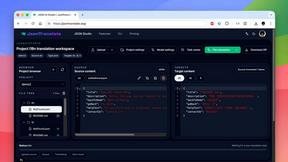
Translate JSON, Markdown, and TXT files while preserving keys, nested paths, and project structure.

Build Mode for Mac
Build Mode is a Mac app that turns focused sessions into visible progress, so you can see the work adding up before the results arrive.


