
RecordFlow
RecordFlow automatically saves Zoom cloud recordings to Google Drive with optional auto-delete to free storage, requiring just 60 seconds to set up.
Visit
About RecordFlow
RecordFlow is a premium, enterprise-grade automation tool designed for professionals who demand absolute reliability in their digital asset management. It serves as the definitive bridge between Zoom cloud recordings and Google Drive, eliminating the manual, time-consuming process of downloading, organizing, and uploading meeting files. The product automatically archives every Zoom cloud recording to a designated Google Drive folder the moment a meeting concludes, and it can backfill up to two years of past recordings for immediate, comprehensive access. This solution is meticulously crafted for coaches, consultants, therapists, professors, small teams, and IT administrators who cannot afford to lose a single recording. Its core value proposition is effortless, perpetual synchronization: setup takes just sixty seconds with a secure sign-in, and from that point forward, every video (MP4), audio (M4A), transcript (VTT plus a formatted Google Doc), and chat log is transferred reliably, organized by year and date, without any further user intervention. RecordFlow also offers an optional auto-delete feature that safely removes recordings from Zoom storage once the Drive copy is verified, freeing up costly storage space automatically. Built with chunked transfers, smart deduplication, automatic retries, and an hourly safety net, it is designed for uncompromising reliability. All data is encrypted in transit and at rest using OAuth 2.0 and AES-256, and recordings stream directly to the user's Drive without ever being stored on RecordFlow servers. This is the ultimate tool for professionals who value their time, their data security, and a flawless, hands-off workflow.
Features of RecordFlow
Automatic, Hands-Free Sync
RecordFlow eliminates the repetitive task of manual downloads and uploads. The moment a Zoom cloud recording finishes processing, the system automatically initiates a transfer to the user's designated Google Drive folder. This includes all associated file types: video (MP4), audio (M4A), transcripts (VTT and a formatted Google Doc), and chat logs. The process is entirely autonomous, requiring zero user intervention after the initial setup. New recordings sync within minutes, ensuring that every meeting is archived without delay, every single time.
Comprehensive File Archiving with Smart Organization
Every file Zoom produces is captured and preserved. RecordFlow transfers not only the primary video file but also the audio-only version, the detailed transcript in both VTT and a clean Google Doc format, and the complete chat log. These files are then meticulously organized within the user's Google Drive by year and date, creating an intuitive, searchable archive. This structured approach ensures that professionals can instantly locate any past meeting, client session, or lecture without wading through a disorganized folder structure.
Secure Auto-Delete to Free Zoom Storage
Zoom's storage limits can be a significant bottleneck, especially for professionals who record frequently. RecordFlow addresses this with an intelligent, optional auto-delete feature. Once a recording is safely transferred and verified in Google Drive, the system can automatically remove the original copy from Zoom's cloud storage. This is executed on a safe, configurable delay to provide an extra layer of security. This feature effectively eliminates the need to purchase expensive additional Zoom storage, freeing up space for new recordings without any manual cleanup.
Robust Reliability and Enterprise-Grade Security
RecordFlow is engineered for absolute dependability. It uses chunked file transfers to handle even the largest, hour-long meeting recordings without timeouts or failures. Smart deduplication ensures that running the sync multiple times is safe and will not create duplicate files. An automatic retry system and an hourly safety net guarantee that no recording is ever lost due to a transient network issue. From a security standpoint, the platform uses OAuth 2.0 for authentication, meaning it never sees user passwords, and AES-256 encryption protects all data in transit and at rest. Critically, recordings stream directly to the user's Google Drive and are never stored on RecordFlow's servers, maintaining the highest level of data privacy.
Use Cases of RecordFlow
Coaches and Consultants Archiving Client Sessions
Coaches and consultants often record multiple client sessions each week, generating a high volume of video files that quickly exhaust Zoom's limited storage. RecordFlow provides an elite, automated solution that instantly backs up each session to a secure, organized folder in Google Drive. This ensures that every client deliverable is preserved, easily shareable, and never accidentally deleted. The professional can focus entirely on their client work, confident that their entire recording history is safely and automatically archived.
Educational Institutions and Professors Preserving Lectures
Universities and professors rely on recorded lectures as a permanent educational resource for students. RecordFlow ensures that every lecture is automatically transferred to a shared Google Drive, providing students with lasting, organized access. This eliminates the risk of losing content due to Zoom retention policies or storage limits. The system's ability to handle large files and organize them by date makes it an indispensable tool for maintaining a comprehensive, accessible academic library of course materials.
Business Teams Managing Meeting Archives
Corporate teams that record all internal and client-facing meetings need a centralized, reliable archive. RecordFlow allows an IT admin to install the tool once and opt-in team members, with all recordings automatically funneling into a single, controlled Google Drive folder. This creates a single source of truth for all company communications, ensuring compliance, enabling easy knowledge retrieval, and preventing the loss of critical discussions. The automatic sync and email notifications keep the entire team informed without manual effort.
IT and Operations Administrators Managing Enterprise Compliance
For IT and Ops admins responsible for an entire Zoom account, RecordFlow offers a powerful administrative control layer. They can install the tool as an admin, point it at a root Drive folder, and automatically create sub-folders for each opted-in member. This provides a centralized, auditable archive of all company recordings. The auto-delete feature can be configured to free up Zoom storage across the entire account, reducing operational costs and ensuring the company never hits a recording block, all while maintaining strict security and compliance standards.
Frequently Asked Questions
What happens if a recording fails to transfer?
RecordFlow is built with multiple layers of reliability. If a transfer fails, the system automatically retries. It uses chunked transfers to handle large files without timeouts, and an hourly safety net ensures that no recording is permanently lost. If a persistent issue occurs, the user will receive a notification, but the system is designed to recover and complete the transfer autonomously in the vast majority of cases.
Is my data secure with RecordFlow?
Absolutely. RecordFlow employs OAuth 2.0 authentication, meaning the service never sees or stores your Zoom or Google Drive passwords. All data is encrypted using AES-256 both in transit and at rest. Furthermore, recordings stream directly from Zoom to your Google Drive; RecordFlow never stores any of your video, audio, or transcript files on its own servers. The product has passed a security review by Zoom and is approved on their marketplace.
Does RecordFlow work with shared Google Drives?
Yes. During setup, you can choose any personal or shared Google Drive as your archive destination. This is particularly useful for teams and organizations that want to centralize all recordings in a single, shared repository. Admins can point the tool at one root folder, and member sub-folders will be created automatically.
Can RecordFlow back up old recordings from the past?
Yes. RecordFlow offers a powerful backfill feature that can archive up to two years of past Zoom cloud recordings. When you first set up the tool, it will automatically scan and transfer any eligible recordings from your Zoom account to your Google Drive, ensuring you have a complete historical archive from day one. This feature runs in the background and is fully automated.
Explore more in this category:
Similar to RecordFlow
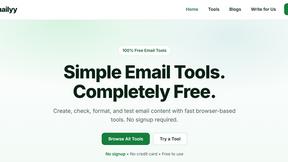
Emailyy
Free email tools for signatures, subject lines, HTML previews, word counts, and email headers. Browser-based, simple to use, and no signup required.
Uniclip
Clip pages, take full-page screenshots and batch-capture list data to Notion, Feishu, Obsidian, Markdown, CSV or JSON.
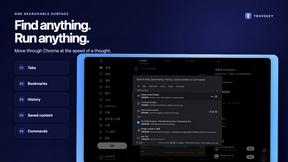
TroveKey
Search tabs, Chrome bookmarks and history, run browser commands, and save webpages and social posts locally—no account.
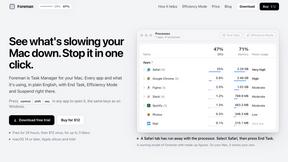
Foreman
See every app and what it's using in plain English, and end or slow down the one that's hogging your Mac.
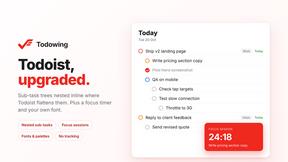
Todowing
Chrome extension that nests Todoist sub-tasks in Today, Upcoming, filter and label views. Free tier, $19.99 one-time lifetime unlock.
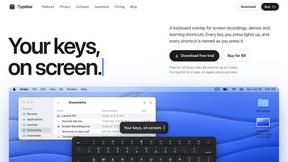
Typebar
Every key you press lights up on an on-screen keyboard, and each shortcut is named as you press it.
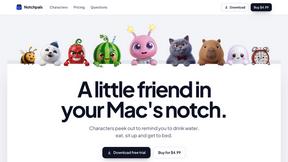
Notchpals
Little characters peek out of your Mac's notch to remind you to drink water, eat, sit up and get to bed. Quiet during calls. $4.99 once.
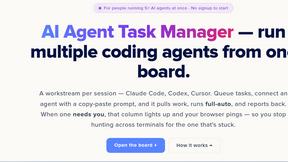
AI Agent Task Manager
An AI-powered task management tool that helps you organize tasks, track progress, and manage AI agent workflows efficiently. Plan, prioritize, and mon