

Alternatives to Shrinkpad
Shrinkpad is the elite Mac app that compresses images and videos locally with perfect quality.
20 alternatives found


Flux3Max.io
Make 5–20 s videos with sound from text, a photo or a first and last frame with FLUX 3 Max. 720p or 1080p, pay per second.



Goshortsai
Turn photos into AI videos for free with Goshortsai. Sign in daily to get free credits.
Bicep Heart
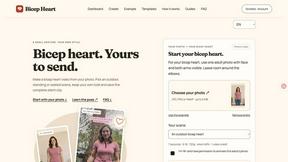
Turn one photo into a 7-second bicep heart video with outdoor, standing or seated scenes and a silent vertical MP4.

VirtualTryOn
Try on clothes, glasses, rings, hairstyles, and hair colors on your own photos with AI.

VD6S
VD6S is a free online YouTube video downloader that supports HD, 4K and up to 8K downloads. Save videos in MP4 or audio in multiple formats.
Rhinobird
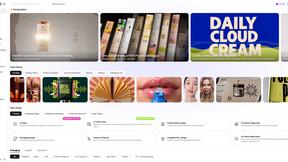
AI video ads, UGC-style videos, and product visuals for cross-border sellers and e-commerce brands.


Vikas Editor AI
AI creative studio for cinematic photo edits, fashion transformations, festive greetings, and photo-to-video concepts.
Outstanding Tiny Desk AI
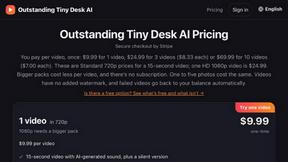
Upload photos of you and up to 4 friends and get a 15-second Outstanding Tiny Desk AI video with AI-generated sound, in 9:16 for TikTok and Reels.

Tip Toeing in My Jordans
Upload a photo and get a 12-second Tip Toeing in My Jordans video: you play the AI Rumpelstiltskin, a friend can play the woman in the hay.

AI Tiny Desk
Make a 19-second desk-concert video with lead and sax, full band, Halloween or pet-band modes; audio and silent MP4.
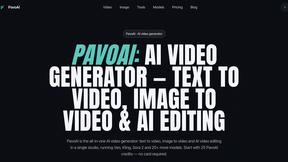
PavoAI
All-in-one AI video creation for text-to-video, image-to-video, editing, avatars, music, subtitles, and upscaling.

The Kiss
Turn two photos into a cinematic AI kissing video. Pick one of 13 kiss video templates; 30 free credits on sign-up.

trykissai
AI kiss generator: add a photo of each person, pick a kiss scene, and get a kiss photo or a 5–7 second clip. 30 free credits.
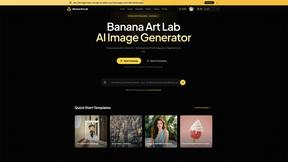
Banana Art Lab
Create and edit AI images with Nano Banana models, GPT Image 2, prompt templates and a node-based canvas.

GPT Image Hub
31,000+ free AI image prompt templates for GPT Image 2, Nano Banana and Seedream. Copy any prompt, or generate images and videos online.
About Shrinkpad Alternatives
Shrinkpad is the definitive, elite macOS application for local image and video compression, engineered for professionals who prioritize quality, speed, and absolute data privacy. It operates within the specialized category of native desktop media optimization tools, setting a high benchmark for performance. Users may explore alternatives for various reasons, including budget constraints, a need for cross-platform compatibility beyond macOS, or specific feature requirements not covered by a single solution. The search often stems from a desire to balance professional-grade output with practical considerations. When evaluating any alternative, discerning professionals should prioritize core principles: genuine local processing to ensure data sovereignty, intelligent batch handling for efficiency, and precision quality controls that preserve artistic integrity. The tool must seamlessly integrate into an elite workflow without compromise.
FAQs about Shrinkpad Alternatives
What is Shrinkpad?
Shrinkpad is a powerful native macOS application that instantly compresses images and videos locally on your Mac, delivering radical storage savings while perfectly preserving quality.
Who is Shrinkpad for?
It is designed for elite photographers, designers, developers, and content creators who demand uncompromising quality, speed, and privacy in their media optimization workflow.
Is Shrinkpad secure?
Yes, Shrinkpad guarantees complete data sovereignty by processing all files locally on your device using native macOS frameworks; your assets are never uploaded to external servers.
What are the main features of Shrinkpad?
Its core features include uncompromising local processing, an intelligent batch compression engine for hundreds of mixed-format files, and sophisticated precision quality control for output.