
Shrinkpad
Shrinkpad is the elite Mac app that compresses images and videos locally with perfect quality.
Visit
About Shrinkpad
Shrinkpad is the definitive, native macOS application engineered for elite professionals who refuse to compromise on quality, speed, or privacy. It is a powerful desktop solution that performs batch compression of images and videos directly on your Mac, eliminating the inefficiencies and security vulnerabilities inherent in cloud-based alternatives. By leveraging native Apple frameworks and optimized for Apple Silicon, Shrinkpad processes hundreds or even thousands of files locally in seconds, ensuring your sensitive creative assets never leave the sanctity of your device. It delivers radical storage savings—up to 90%—while intelligently preserving visual fidelity through automatic analysis of each asset's unique complexity. Designed for discerning photographers, designers, developers, and content creators, Shrinkpad transforms bloated media libraries and project folders into optimized, web-ready assets with a single click. It is the essential tool for reclaiming valuable disk space, accelerating critical workflows, and maintaining absolute, uncompromising control over your digital content portfolio.
Features of Shrinkpad
Intelligent Quality Optimization
Shrinkpad eliminates the guesswork from compression. It automatically analyzes the visual complexity of each image and video to apply the perfect compression ratio, aggressively reducing file sizes while meticulously preserving detail and preventing artifacts. This ensures professional-grade results every time, whether you're compressing a simple icon or a detailed photograph.
Lightning-Fast Batch Processing
Engineered for performance, Shrinkpad leverages multi-threaded processing and native macOS frameworks to handle massive queues with ease. Process thousands of images and videos in a single batch within minutes, not hours. Unlike web-based tools, it operates entirely offline, utilizing your Mac's full power without crashes or bandwidth limitations.
Privacy-First Local Processing
Your creative work remains exclusively on your machine. Shrinkpad is built on a core principle of absolute privacy; all compression happens locally. There are no cloud uploads, no external servers, and no risk of your sensitive or unreleased assets being exposed to third parties.
Comprehensive Format Support & Folder Mode
Shrinkpad offers universal compatibility, automatically detecting and supporting over 30 image formats (including professional RAW and HEIC) and all major video codecs like MP4 and MOV. Its revolutionary Folder Mode allows you to simply drag and drop any project folder; it instantly identifies all media files within, including subfolders, for effortless one-click compression of entire projects.
Use Cases of Shrinkpad
Web Developers Optimizing Site Assets
Dramatically improve website performance and Core Web Vitals like Largest Contentful Paint (LCP) by batch-compressing entire directories of hero images, product shots, and promotional videos. Shrinkpad reduces bundle sizes, accelerates load times, and delivers web-ready formats like WEBP and AVIF without manual conversion.
Photographers Managing Large Libraries
Professional photographers can reclaim terabytes of disk space by compressing portfolios, client delivery galleries, and archival images. Shrinkpad intelligently compresses even RAW and HEIC files while retaining critical quality, making it ideal for creating leaner backup libraries and faster online galleries.
Designers & Studios Streamlining Workflows
Eliminate tedious manual exports from Figma, Sketch, or Photoshop. Designers can export assets at 2x/4x resolution for flexibility and then use Shrinkpad to batch-optimize and auto-rename the entire set for production, saving hours of repetitive busywork and ensuring consistent file sizes across projects.
Content Creators Preparing Social Media Content
Quickly prepare batches of high-quality images and videos for platforms like Instagram, YouTube, and TikTok. Shrinkpad reduces upload times and storage constraints without visible quality loss, enabling creators to maintain a prolific output schedule with optimized, platform-friendly media files.
Frequently Asked Questions
Can I use Shrinkpad for free?
Yes, Shrinkpad offers a Free Starter tier that provides essential compression tools for casual use. This plan includes standard compression for common formats like JPG and PNG, with a limit of 10 files per batch and a maximum 1GB file size. It's a perfect way to experience the core functionality.
What file formats does Shrinkpad support?
Shrinkpad supports an extensive range of over 30 image and video formats. This includes standard web formats (JPG, PNG, WEBP, AVIF), professional image formats (RAW, HEIC, SVG), and major video formats (MP4, MOV). It automatically detects and optimally processes each type within a mixed batch.
Does Shrinkpad support video compression?
Absolutely. Shrinkpad is a comprehensive media optimization tool that includes powerful video compression. It can process videos in formats like MP4 and MOV, significantly reducing their file size—often by 65% or more—while maintaining a high visual standard, all performed locally on your Mac.
Are my files uploaded to the cloud?
No. Privacy is a foundational principle of Shrinkpad. All processing occurs 100% locally on your Mac. Your files are never uploaded to the cloud, sent to external servers, or accessed by any third party. You maintain complete and sovereign control over your assets at all times.
Pricing of Shrinkpad
Shrinkpad offers simple, one-time payment pricing with no subscriptions. You own the software forever.
The Free Starter plan ($0) is for essential, casual use with limits of 10 files per batch and 1GB max file size, supporting common formats.
The Personal license ($14 one-time) is the best value for individual creators and photographers. It includes unlimited batch processing, support for all formats (RAW, HEIC, WEBP), mixed image & video batches, no file size limits, and a license for 1 device.
The Team license ($35 one-time) is designed for small studios and teams, including everything in the Personal plan plus licenses for up to 10 devices and access to priority support.
Explore more in this category:
Similar to Shrinkpad
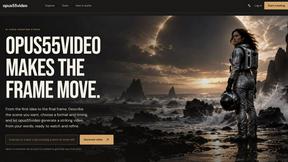
opus55video
Opus55video turns written ideas into cinematic motion. Describe a scene, choose the format and duration, and create a striking video in a few steps.

hotel-lobby
Two-person AI video concept in a warm orange recording booth with a natural call-and-response duet.
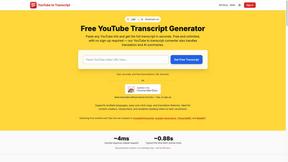
GetYouTubeTranscript
Free YouTube transcripts on the web, a Chrome extension, and an API + MCP server so AI assistants can read YouTube.
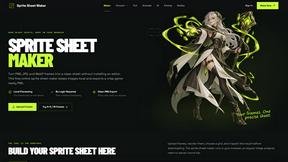
Sprite Sheet Maker
A free browser-based toolkit for creating, cutting, converting, and previewing sprite sheet animations.
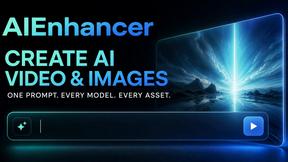
AIEnhancer
Enhance photos, create images, and generate videos with flexible AI workflows, creative effects, production-tested models, and a shared asset library.

Product Launch Checklist
A free launch checklist for SaaS, apps, AI tools and more. Every step says why it matters and when you can skip it.

GenVideo AI
Generate AI videos from text or images with GenVideo's free AI video generator. Turn prompts into video with Veo 3.1, Seedance, Kling, Wan, and Grok I
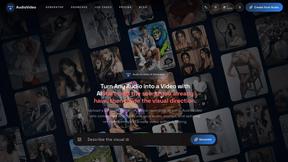
AudioVideo
Turn podcasts, narration, voice recordings, or music into visual content with an audio-aware AI video generator.