

Alternatives to ShadowLock
ShadowLock gives elite IT teams total visibility and control to stop data leaks from unapproved AI tools.
20 alternatives found
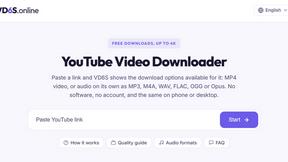
VD6S
VD6S is a free online YouTube video downloader that supports HD, 4K and up to 8K downloads. Save videos in MP4 or audio in multiple formats.
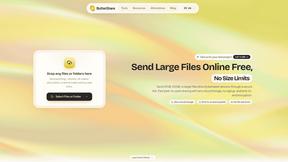
ButterShare
Realtime peer-to-peer file transfer in the browser. Send files directly between devices, no account and no upload to a server.

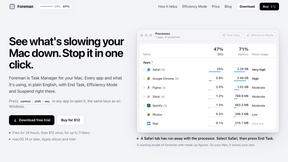
Foreman
See every app and what it's using in plain English, and end or slow down the one that's hogging your Mac.
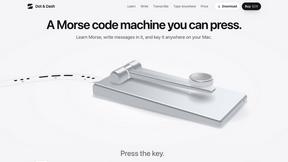
Dot & Dash
Learn Morse code on a machine you can press. Write and send messages, turn Morse into text and back, and key Morse in any app on your Mac.
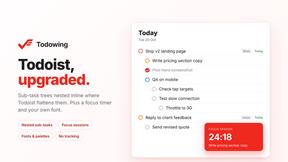
Todowing
Chrome extension that nests Todoist sub-tasks in Today, Upcoming, filter and label views. Free tier, $19.99 one-time lifetime unlock.
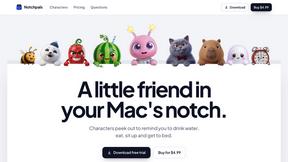
Notchpals
Little characters peek out of your Mac's notch to remind you to drink water, eat, sit up and get to bed. Quiet during calls. $4.99 once.
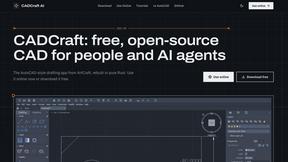
CADCraft
Free, open-source 2D CAD in Rust with precision drafting, layers, dimensions, and DWG, DXF, PDF, SVG, and PNG support.


Inkling
Catch a thought without leaving what you are doing. Notes, checklists and a little companion in your Mac's notch. $12 once.
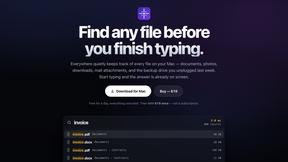
Everywhere
Fast file search for the Mac. Results as you type, files inside Mail and Photos, works with Wi-Fi off. $19 once.
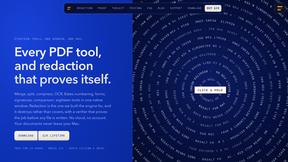
Basalt
Eighteen PDF tools in one native Mac window: merge, split, compress, OCR, Bates numbering, forms, signing and redaction. Offline. $29 once.
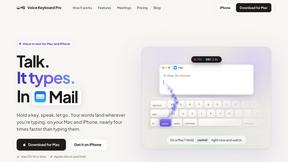
Voice Keyboard Pro
Hold a key, say what you mean, let go. Clean, punctuated text lands at the cursor in any app on your Mac or iPhone.
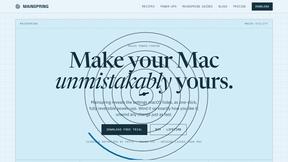
Mainspring
Mainspring turns the settings macOS hides into 90+ one-click, fully reversible power-ups for Finder, Dock, screenshots and more. $29 once.
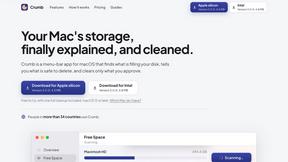
Crumb
A Mac menu bar app for a full disk. See what is using your space, read whether it comes back on its own, and remove only what you tick.
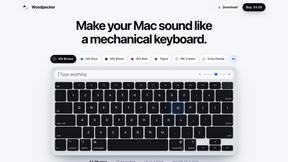
Woodpecker
Make your Mac sound like a real mechanical keyboard. Every key plays its own recording, 22 switches, quiet on calls. $4.99 once.
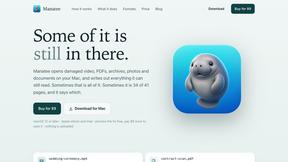
Manatee
A Mac app that opens damaged video, PDFs, archives and documents and writes out everything it can still read. $9 once, no uploads.
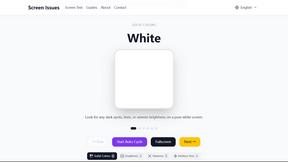
Screen Issues
Free Online Screen Test Tool - Instantly diagnose dead pixels, lines, color issues, and flickering. Multiple test modes, no download needed.
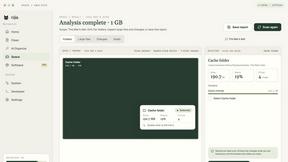
Nijia
Understand your Mac's disk usage, find large files, and reclaim space. Try all Nijia features free for 7 days.
About ShadowLock Alternatives
In the rapidly evolving landscape of enterprise security, ShadowLock stands as a premier, purpose-built solution for shadow AI detection and governance, positioning itself squarely within the elite tier of data loss prevention and endpoint compliance software. It offers Managed Service Providers and IT teams a sophisticated, real-time command center to monitor and control how sensitive data interacts with unauthorized AI tools, from browser-based extensions to local large language models. However, even the most discerning organizations may seek alternatives when specific operational constraints arise, such as a need for a different pricing model that aligns with non-MSP budgets, a requirement for deeper integration with a legacy endpoint detection stack, or a desire for a platform that emphasizes a distinct balance between user privacy and granular policy enforcement. When evaluating a replacement for a system of this caliber, the discerning IT leader must prioritize a solution that offers equivalent, if not superior, visibility into the blind spots of managed devices, including personal accounts and desktop AI applications. The core criteria should include the ability to intercept and classify data in transit without compromising endpoint performance, a deployment mechanism that is as silent and seamless as existing RMM tools, and a multi-tenant dashboard capable of generating audit-ready reports. Furthermore, the ideal alternative must maintain a private-by-design architecture, ensuring that while governance is strict, the system never resorts to keystroke logging or unauthorized content transmission, preserving the trust and integrity of the enterprise environment.
FAQs about ShadowLock Alternatives
What is ShadowLock?
ShadowLock is a premium shadow AI detection and governance platform designed to prevent sensitive data from leaking to unapproved AI tools. It provides MSPs and IT teams with real-time visibility and control over how employees interact with AI applications, including browser extensions, desktop apps, and local LLMs like Ollama, before data leaves the endpoint. The platform is private by design, with no keystroke logging and zero content transmission, ensuring compliance without compromising user privacy.
Who is ShadowLock for?
ShadowLock is specifically built for Managed Service Providers (MSPs) and enterprise IT teams who need to govern AI usage across multiple clients or departments from a single, centralized dashboard. It is ideal for organizations that require audit-ready reports and silent deployment via existing RMM tools, enabling them to enforce policies on personal accounts and managed devices alike. This makes it a top-tier choice for professionals who demand elite-level control over shadow AI risks without adding friction to user workflows.
Is ShadowLock free?
ShadowLock is a premium, commercial-grade software solution and is not offered as a free product. Its pricing reflects the sophisticated, multi-tenant architecture and real-time classification capabilities that are essential for enterprise-grade governance. For specific pricing tiers and licensing options, prospective clients should contact the sales team to discuss a plan that aligns with their operational scale and security requirements.
What are the main features of ShadowLock?
ShadowLock features a browser extension that intercepts and classifies risky pastes to AI sites, a Windows agent that blocks desktop AI apps and deploys silently via existing RMM tools, and a multi-tenant dashboard for auditing or blocking controls with audit-ready reports. The platform covers blind spots that standard managed-device controls miss, such as local LLMs and personal account usage. It is built for MSPs to govern AI across every client from one place, maintaining a private-by-design ethos with no keystroke logging.