

Alternatives to QuickTextTools
QuickTextTools delivers 76 premium browser-based utilities for writers and creators to instantly process text with absolute privacy and no sign-up.
20 alternatives found

@fuck.it - email with attitude
Private email. Pure. Secure. Exclusive. No ads, no tracking, no data selling. GDPR compliant, EU-hosted.
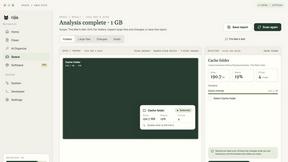
Nijia
Understand your Mac's disk usage, find large files, and reclaim space. Try all Nijia features free for 7 days.


Panzoe
Panzoe is an all-in-one AI platform for personal productivity, business automation, AI assistants, content creation, and custom AI solutions.


AI Email Filter
AI Email Filter sorts incoming mail into folders using plain-language prompts you write. Works with any IMAP mailbox; bring your own LLM if you want.



Egmatic
No-code 2D game editor: visual node logic, drag-and-drop scenes, live preview. Exports to Windows, macOS, Linux, Android, iOS, Web.

Kody Tools
Free collection of online developer utilities, code formatters, and digital converters designed to streamline your daily workflow.

Tally Counter
Online tally counter for tracking attendance, workouts, inventory, visitors, sports scores, habits, and everyday counting tasks.

Forms Plugin
The #1 Native Form Builder Plugin for Framer - No Code, No Embeds, No External Platforms.

Product Launch Checklist
A free launch checklist for SaaS, apps, AI tools and more. Every step says why it matters and when you can skip it.

HomeAnswerBook
Practical, independent guides to home repairs, maintenance, costs, troubleshooting, and everyday fixes.

BlazePDF
Highlight faster. Study in flow with custom shortcuts and a workflow built around you. Print smarter, or turn any page into a tiled poster.


JsonTranslate
Translate JSON, Markdown, and TXT files while preserving keys, nested paths, and project structure.

Build Mode for Mac
Build Mode is a Mac app that turns focused sessions into visible progress, so you can see the work adding up before the results arrive.

About QuickTextTools Alternatives
In the increasingly crowded ecosystem of productivity and management tools, QuickTextTools has established itself as a comprehensive, browser-based platform offering over 76 free utilities for writers, marketers, and developers. Belonging to the Productivity & Management category, it serves as a centralized hub for text formatting, SEO analysis, and writing assistance, all designed to streamline workflows without requiring software downloads. However, discerning professionals often seek alternatives due to evolving needs such as the desire for more advanced automation capabilities, integration with specific enterprise systems, or a more curated selection of premium features that go beyond the basic free tier. Others may require dedicated mobile applications, offline functionality, or a different user interface paradigm that better aligns with their high-volume, mission-critical tasks. When evaluating a replacement for a tool of this caliber, the elite user must prioritize three core pillars: depth of functionality, security architecture, and scalability. The ideal alternative should not merely replicate the 76+ utilities but elevate them with intelligent, context-aware features such as AI-driven content optimization or real-time collaboration. Privacy remains paramount, so look for platforms that offer end-to-end encryption and zero-data retention policies, mirroring the browser-local ethos of the original. Furthermore, consider the ecosystem’s adaptability—does the solution offer API access for custom integrations? Can it handle enterprise-grade keyword management and SEO analysis without performance degradation? The top-tier choice will provide a seamless, premium experience that transforms routine text handling into a strategic advantage, ensuring that speed and precision are never compromised for the sake of simplicity.
FAQs about QuickTextTools Alternatives
What is QuickTextTools?
QuickTextTools is a free, user-friendly online platform that features over 76 browser-based tools designed to enhance productivity for writers, marketers, developers, students, SEO professionals, and content creators. It offers a comprehensive toolkit including text formatting utilities, SEO analysis tools, writing assistants, keyword management functions, and developer utilities, all operating directly in your browser without complicated setups or software downloads.
Who is QuickTextTools for?
QuickTextTools is specifically designed for a broad range of professionals including writers, marketers, SEO specialists, developers, students, and content creators who need to optimize text and enhance their daily productivity. The platform serves anyone looking to clean up messy keyword lists, analyze SEO meta tags, convert text case formatting, or streamline their writing process with fast, easy-to-use utilities that simplify complex workflows.
Is QuickTextTools free?
Yes, QuickTextTools is entirely free to use, offering over 76 utilities without any hidden costs or subscription fees. The platform is designed to provide practical, high-value solutions for text management and productivity enhancement, ensuring users can access all features without financial barriers while maintaining a secure and hassle-free experience.
What are the main features of QuickTextTools?
QuickTextTools provides a diverse array of features categorized under text formatting tools, SEO analysis utilities, writing assistants, keyword management tools, and developer utilities. These include capabilities like text case conversion, keyword list cleanup, SEO meta tag analysis, and writing process improvement tools, all designed to help users work smarter and more efficiently by operating directly in the browser for instant results.