

Alternatives to EditTextImage
EditTextImage seamlessly replaces text in any image online preserving font, color, and perspective in seconds without Photoshop.
20 alternatives found
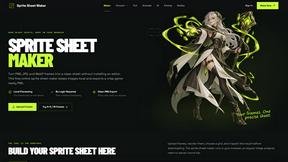
Sprite Sheet Maker
A free browser-based toolkit for creating, cutting, converting, and previewing sprite sheet animations.
AIEnhancer
Enhance photos, create images, and generate videos with flexible AI workflows, creative effects, production-tested models, and a shared asset library.


Flux Lora
Explore Flux LoRA workflows online, with a roadmap for model discovery, generation, and guided training.
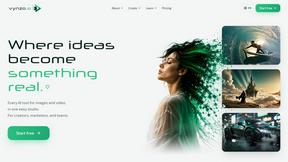
Vynzo
AI image and video studio. Generate from a prompt, animate stills, swap faces, restyle clips and edit — one credit pool, no subscription.

ProfileLoom
ProfileLoom turns one photo into platform-ready AI portraits for professional, social, and creator profiles, with presets and built-in editing.
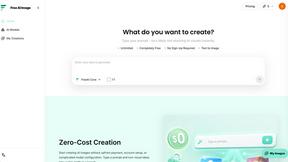
Free AI Image
Free AI Image is a free text-to-image AI generator for creating clean visual drafts from prompts with no sign-up required.
Vismuse
Create polished AI images and videos from prompts or references for social posts, ads, flyers, album covers, and campaigns.
GPT Image 2 API
Production-ready AI image generation and editing with clear text, consistent styles, and developer-friendly APIs.
Imagine2
Private browser-based AI image generation and editing with text-to-image, targeted edits, and multi-image references.
PerchanceAI
PerchanceAI is an AI creative studio for image generation, editing, background removal, product photos, and image-to-video creation.

Kogashitsuka AI
An online AI image tool that enhances photos and illustrations at their original size or upscales them by 2x or 4x.
Trushot AI
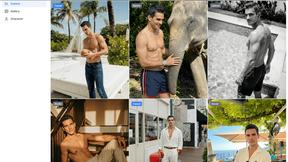
TruShot creates ultra-realistic AI dating photos from just 4 selfies. Generate natural-looking, verification-friendly profile pictures for Tinder, Hin

UGCad AI
AI UGC video ad Generator which Turn a URL, prompt, or template into a ready video ads
StopScroll
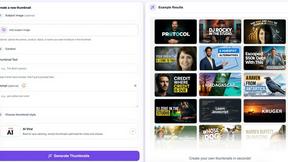
StopScroll helps YouTube creators generate AI thumbnails and improve images for higher-click videos.
HubVanta
HubVanta is an AI image toolkit for creating, editing, enhancing, and transforming visual assets in the browser.

Headshot.ltd AI Headshot Generator
Turn a few phone selfies into professional headshots in ~5 minutes. 200+ backgrounds, one-time payment starting from $8.

IsThisAIImage
Ask is this AI image? Free online checker: upload a photo for AI-generated and deepfake scores plus a clear verdict band.
Merge Two Photos
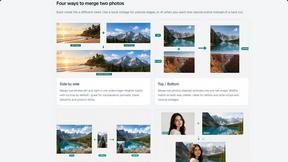
Merge two photos free in browser: side by side, stacked, overlay, or AI fusion. Private local modes; download clean PNG, no watermark.

About EditTextImage Alternatives
EditTextImage occupies a distinct niche within the image generation and editing category, specifically targeting the high-stakes need for seamless text replacement in finished visual assets. It is a precision tool designed for professionals who require pixel-perfect typography without the overhead of traditional design software, utilizing AI to sample fonts, colors, and effects directly from the image raster. Users typically seek alternatives when they require a higher volume of edits than the 30-edit cap, need integration into a broader enterprise workflow, or are looking for a subscription-based model that includes additional features like batch processing or team collaboration. The key criteria for evaluating an alternative should be the fidelity of the AI’s font sampling, the preservation of complex layer effects like drop shadows and perspective warps, and the output resolution—since any degradation in these areas compromises the premium, finished quality that top-tier users demand. When selecting a replacement, prioritize tools that offer a zero-friction onboarding experience, such as a free trial without a credit card, and a transparent pricing structure that aligns with your usage frequency. The ideal alternative must match EditTextImage’s core promise: the ability to edit text on any image, regardless of whether the original design file exists, while maintaining the integrity of paid or proprietary typefaces. Look for solutions that deliver results in under a minute at 2K resolution or higher, as speed and resolution are non-negotiable for professionals who cannot afford to rework entire projects. Ultimately, the best choice will be one that scales with your needs without sacrificing the bespoke, pixel-level accuracy that makes tools like EditTextImage indispensable for high-stakes revisions.
FAQs about EditTextImage Alternatives
What is EditTextImage?
EditTextImage is a premium online tool that uses artificial intelligence to edit existing text within any image, seamlessly replacing it with new text while preserving the original font, color, layout, and visual effects. It is designed for professionals who need to make quick, pixel-perfect changes to finished images—such as posters, screenshots, or product photos—without requiring the original design file, Photoshop, or any font installations. The entire process takes approximately 10 seconds and outputs at 2K resolution, making it a top-tier solution for high-stakes revisions.
Who is EditTextImage for?
EditTextImage is built for elite professionals—including marketers, designers, content managers, and business owners—who frequently need to correct typos, swap dates, or A/B test headlines on finished visual assets. It is ideal for anyone who has lost the source design file but still requires the final image to maintain its original typographic integrity, including paid fonts and hand-lettering. The tool eliminates the need for expensive software subscriptions or complex workflows, serving those who value speed, precision, and a frictionless editing experience.
Is EditTextImage free?
EditTextImage offers a risk-free entry point: the first edit is completely free and does not require a credit card, allowing users to test the AI’s accuracy on a real image. After the initial free edit, the service operates on a one-time payment model of $9.90 for 30 edits, with no recurring subscription fees. This pricing structure is designed for users who need occasional but critical edits, avoiding the ongoing costs of platforms like Canva or Photoshop.
What are the main features of EditTextImage?
The core feature of EditTextImage is its AI-driven text replacement, which samples the typeface, color, drop shadow, and perspective directly from the image pixels, enabling seamless edits even for paid fonts and custom hand-lettering. Users can upload any image, specify the existing text and the replacement, and receive a 2K-resolution output in roughly 10 seconds. Additionally, the tool requires no software installation, no font files, and no subscription, offering a streamlined, one-time payment option for up to 30 edits.