StreamVox - AI Live Translator
StreamVox delivers real-time AI translation and subtitles for calls, streams, and games, breaking language barriers effortlessly.
Visit
About StreamVox - AI Live Translator
StreamVox is a revolutionary AI-powered live translator designed specifically for Windows users, providing real-time subtitles and instant translation for any audio played on your PC. Whether you are participating in international conference calls, enjoying foreign films, diving into multilingual gaming, or streaming content, StreamVox eliminates language barriers and enhances communication. With support for over 49 input and target languages, it ensures that users can interact and engage fully, regardless of their language proficiency. The application is particularly valuable for professionals working in global teams, gamers seeking to connect with players worldwide, and individuals wanting to explore diverse media content without the wait for translations. StreamVox not only facilitates seamless conversations but also prioritizes user privacy by ensuring that audio data is processed in real-time and never stored.
Features of StreamVox - AI Live Translator
Multi-Language Support
StreamVox supports over 49 input languages and provides AI-powered translations into 49 target languages, making it one of the most versatile translation tools available. This extensive language coverage allows users from different linguistic backgrounds to communicate effortlessly, whether in a business meeting or casual conversation.
Per-App Isolation
This feature allows users to capture audio from specific applications, such as Zoom, Discord, or any other audio source, while automatically ignoring background noise. This ensures that users can focus on relevant audio without distractions, enhancing the clarity of translations during meetings or gaming sessions.
Customizable Overlay
StreamVox features a smart overlay that can be adjusted for font size, text color, and transparency. Users can personalize their viewing experience, ensuring that subtitles are easy to read without obstructing their view of the content, whether it be a video, game, or conference call.
Phone Link Integration
With Phone Link integration, StreamVox enables live translation of mobile calls directly on your PC screen. This means users can seamlessly transition between desktop and mobile communications, benefiting from real-time translations during phone conversations without any interruptions.
Use Cases of StreamVox - AI Live Translator
International Business Meetings
StreamVox is essential for professionals engaging in international calls and meetings. With real-time translation, participants can communicate in their preferred languages, fostering collaboration and understanding among diverse teams.
Gaming with Global Friends
Gamers can utilize StreamVox to enjoy multiplayer games without language barriers. The app provides real-time subtitles for in-game voice chats, allowing players from different countries to strategize and communicate effectively during gameplay.
Watching Foreign Content
StreamVox allows users to watch movies, TV shows, or online streams from various countries without waiting for official subtitles. This feature is perfect for cinephiles and anime enthusiasts who want to enjoy content in its original language.
Educational Purposes
Students and learners can benefit from using StreamVox while attending online courses or watching educational videos in different languages. The live translation feature helps them grasp concepts and discussions that would otherwise be lost in translation.
Frequently Asked Questions
How does StreamVox ensure low latency during translations?
StreamVox employs ultra-low latency AI technology, which processes audio in real-time, ensuring that translations keep pace with live conversations, making interactions smooth and natural.
Is my audio data stored when using StreamVox?
No, StreamVox is committed to user privacy. Audio is processed in real-time and is never stored, ensuring that your conversations remain confidential and secure.
Can I customize the appearance of the subtitles?
Absolutely! StreamVox allows you to customize the font size, text color, and overlay transparency, giving you complete control over how the subtitles appear on your screen.
What devices is StreamVox compatible with?
StreamVox is designed for Windows operating systems and is compatible with Windows 10 and 11 (64-bit), ensuring that a wide range of users can access its powerful translation capabilities.
Explore more in this category:
Similar to StreamVox - AI Live Translator
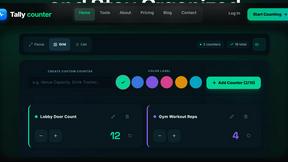
Tally Counter
Online tally counter for tracking attendance, workouts, inventory, visitors, sports scores, habits, and everyday counting tasks.

SnitchFeed
SnitchFeed is an agentic social listening tool that surfaces high-intent conversations on LinkedIn, X, Hackernews, and more for GTM and product teams.

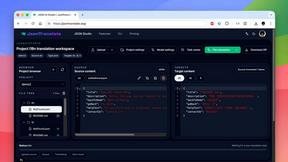
JsonTranslate
Translate JSON, Markdown, and TXT files while preserving keys, nested paths, and project structure.


Flux Lora
Explore Flux LoRA workflows online, with a roadmap for model discovery, generation, and guided training.

Labrynth AI
AI regulatory intelligence platform that turns complex requirements into cited, audit-ready outputs.