
ShinePhoto
ShinePhoto crops photos around detected subjects and applies batch restoration and upscaling in a browser.
Visit
About ShinePhoto
When the job is to get a group of photos framed and presentable, ShinePhoto offers a compact workflow: upload, crop around a detected subject, restore, and download. Users can adjust the crop manually, and restoration tools address scratches, blur, noise, compression artifacts, and faded color. Batch uploads and exports are supported, with HD upscaling available in the finishing flow.
The product may suit people processing scanned memories or other collections where consistent framing saves time. It is less suited to expectations of perfect reconstruction; ShinePhoto states that results depend on the source image. Its privacy description says originals remain on the device while a compressed copy goes to the server for processing. A deletion feature removes associated remote files when a photo is deleted, according to the page.
Features of ShinePhoto
- Subject-aware automatic crop suggestions
- Manual adjustment of crop boundaries
- Batch crop and restoration steps
- Upscaling and high-resolution downloads
Use Cases of ShinePhoto
- Prepare a group of scanned family photos
- Create consistent subject framing across images
- Reduce visible scratches and blur
- Download finished images for sharing or archiving
Frequently Asked Questions
Does it support both single images and batches?
Yes. The described workflow accepts one image or a batch and supports single or batch downloads.
Can restoration fix every defect?
No such guarantee is stated. The product says results depend on the original image.
Is a photo uploaded for processing?
ShinePhoto says it uploads a compressed copy to the server while originals stay on the device.
Pricing of ShinePhoto
ShinePhoto lists three yearly subscription tiers at $9.99, $24.99, and $49.99 per month, billed annually; tax or VAT may apply.
Explore more in this category:
Similar to ShinePhoto

Text Photo AI
Change existing words in photos with credit-based AI, or add a caption free in the browser and download a PNG.

PhotoboothFree
PhotoboothFree is an online photo booth for themed strips, with browser camera capture, photo uploads, filters and print-ready downloads.

MakePiecesOfUs
MakePiecesOfUs turns a pet photo into a private virtual room with puzzles, keepsakes, journals and optional daily stories.
Drawcil
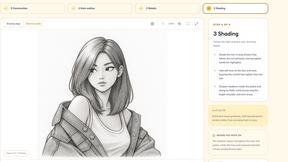
Drawcil turns a reference image into a four-stage pencil guide and supports practice with saved lessons and optional feedback.

RemoveObjectFromPhoto
A browser-based AI photo eraser for removing distractions with a brush selection and reviewing the reconstructed area before download.
LayerSplit
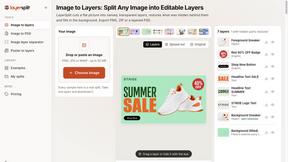
LayerSplit turns a flat image into named, transparent layers with a reconstructed background, for designers reusing or revising finished artwork.

AI Photo Editor
Describe a photo change in plain language, then use AI models to remove objects, restyle portraits or restore old images.

RenderPixels
RenderPixels connects AI assistants to exact-size image rendering for social, web, and brand assets, with checks and downloadable previews.