
CreateImg
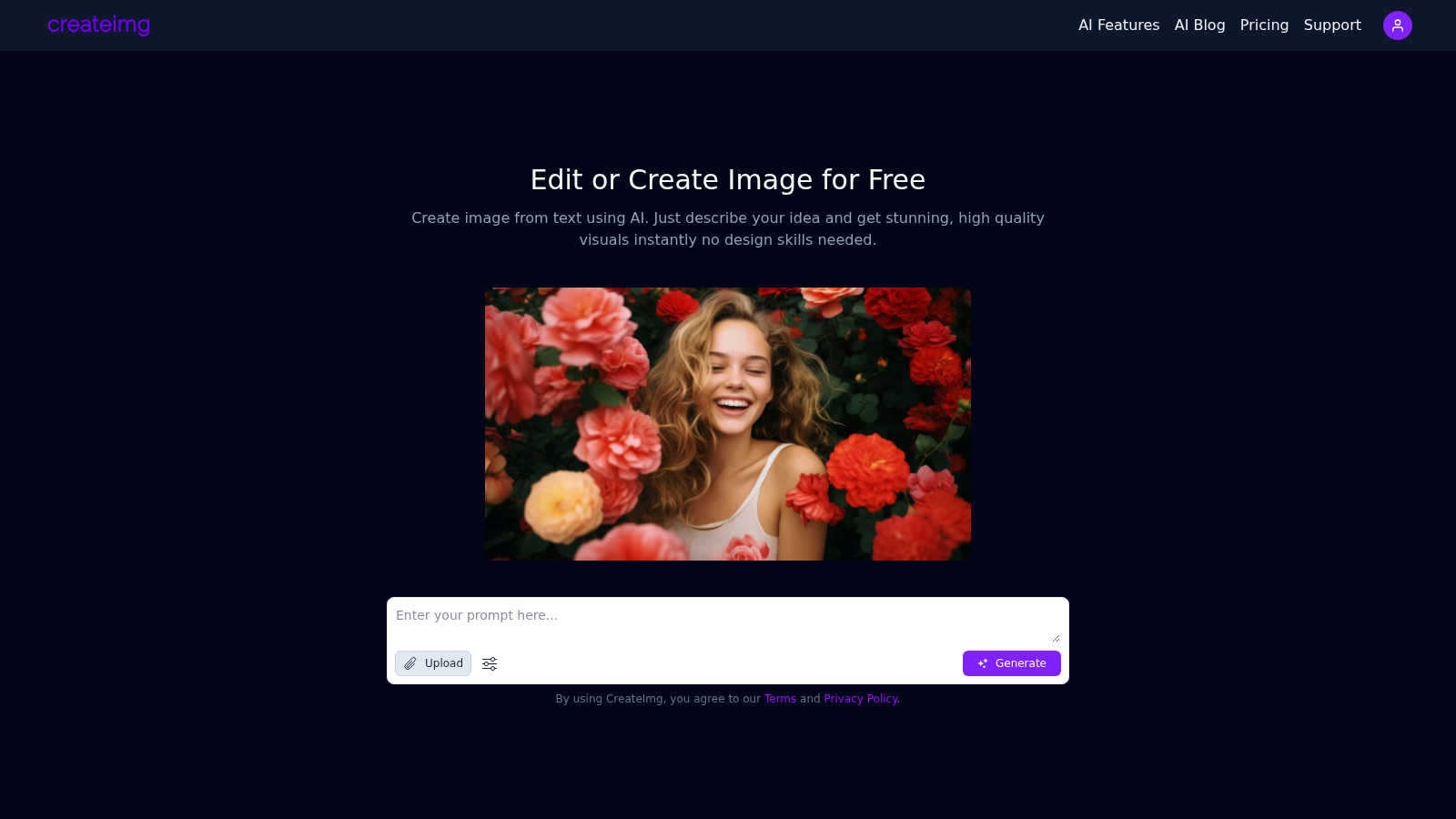
CreateImg transforms your ideas into unique, high-quality images in seconds, effortlessly bringing your vision to life.
VisitPublished on:
June 19, 2025
About CreateImg
CreateImg is a cutting-edge, entirely free AI image editor that redefines the way individuals enhance and stylize their photographs. Designed for both seasoned photographers and budding content creators, CreateImg simplifies the image editing process with a suite of advanced features that includes automatic background removal and AI upscaling. This platform serves a diverse audience, from hobbyists seeking quick and professional results to those without any design skills looking to bring their creative visions to life. The core value proposition of CreateImg lies in its ability to democratize image editing by offering a user-friendly interface that streamlines the creative process. By harnessing the power of advanced AI technology, CreateImg enables users to generate stunning visuals from simple text descriptions, allowing anyone to create high-quality images instantly. With its commitment to efficiency and quality, CreateImg transforms traditional design barriers, making creativity accessible to all.
Features of CreateImg
AI Image Generation
Harness the power of AI to generate unique images from straightforward text prompts. Simply describe your idea, and CreateImg transforms it into high-quality artwork, complete with vivid colors and intricate details, allowing for limitless creative possibilities.
Automatic Background Removal
Effortlessly enhance your photos by utilizing the automatic background removal feature. This tool quickly isolates subjects from their backgrounds, enabling users to create clean and professional-looking images without the need for complex editing skills.
Custom Style Selection
Choose from various artistic styles, including realistic, drawing, cartoon, and creative options. This feature allows users to tailor their images to fit specific project needs, ensuring that each visual aligns perfectly with their overarching theme and aesthetic.
AI Upscaling
Enhance the quality of your images with AI upscaling technology. This feature improves the resolution of your photos, ensuring that even the smallest details are preserved while enlarging the image, making it ideal for prints or high-resolution displays.
Use Cases of CreateImg
Social Media Content Creation
CreateImg is the perfect tool for social media enthusiasts looking to elevate their content. Generate eye-catching visuals for Instagram Reels, Facebook posts, and WhatsApp stories, all tailored to match your desired mood and theme.
Blogging and Website Graphics
Enhance your blog or website with original images that capture your audience's attention. CreateImg allows you to generate unique visuals that align with your written content, making your digital presence more engaging and visually appealing.
Marketing and Advertising
Marketers can leverage CreateImg to produce compelling visuals for campaigns and advertisements. With the ability to create custom images on demand, businesses can stay ahead of trends and ensure their marketing materials are fresh and relevant.
Educational Visuals
Educators and students can use CreateImg to develop unique graphics for presentations and projects. Whether illustrating complex concepts or creating engaging visual aids, this tool simplifies the process of crafting educational content that captures attention.
Frequently Asked Questions
How does CreateImg generate images from text?
CreateImg utilizes advanced AI algorithms to interpret user-provided text prompts and transform them into visually stunning images. Just describe your idea, and the AI will create a unique visual representation based on your description.
Is CreateImg really free to use?
Yes, CreateImg is completely free to use. There are no hidden fees or subscriptions, allowing anyone to access its powerful image editing features without financial commitment.
What types of styles can I choose from when generating images?
Users can select from a variety of artistic styles, including realistic, drawing, cartoon, and creative. This flexibility ensures that the generated images align perfectly with the specific needs and themes of your projects.
Can I use the images created on CreateImg for commercial purposes?
Yes, images generated with CreateImg can be used for commercial purposes, including marketing and advertising. However, it is advisable to review the terms of service to ensure compliance with any usage guidelines.
Similar to CreateImg
GetYouTubeTranscript
Free YouTube transcripts on the web, a Chrome extension, and an API + MCP server so AI assistants can read YouTube.

layahost
Moderation, routing, intent and scoring for any text over one Jev-compatible API, hosted in the EU.
Sprite Sheet Maker
A free browser-based toolkit for creating, cutting, converting, and previewing sprite sheet animations.


AIEnhancer
Enhance photos, create images, and generate videos with flexible AI workflows, creative effects, production-tested models, and a shared asset library.

AudioVideo
Turn podcasts, narration, voice recordings, or music into visual content with an audio-aware AI video generator.