
BudgetSheet
Effortlessly sync live bank transactions into Google Sheets for seamless budgeting and financial control with.
Visit
About BudgetSheet
BudgetSheet is an innovative tool designed to streamline the process of importing bank transactions directly into Google Sheets, eliminating the need for tedious manual exports or cumbersome copying and pasting from CSV files. Ideal for individuals and small business owners who seek financial clarity, BudgetSheet allows users to effortlessly track their financial activities from over 10,000 supported financial institutions, including checking accounts, savings accounts, and credit cards. By utilizing the secure Plaid integration, BudgetSheet ensures that your sensitive bank information is handled with the utmost care. With its user-friendly interface, this tool empowers users to create personalized budgets, automate data management, and maintain full control over their financial data—all within the familiar environment of Google Sheets. Whether you are a budgeting novice or a seasoned finance expert, BudgetSheet offers a flexible solution tailored to your unique financial needs.
Features of BudgetSheet
Live Bank Transactions
BudgetSheet connects seamlessly with over 10,000 financial institutions, enabling users to import live bank transactions into Google Sheets with just a few clicks. This feature eliminates the hassle of manual updates, ensuring that your financial data is always current and accurate.
Secure Bank Connections
Utilizing Plaid for all bank connections, BudgetSheet prioritizes your security. It does not store any of your bank logins, only a read-only access token that is encrypted at rest, ensuring your sensitive information remains confidential while still allowing for easy access to your financial data.
Autofetch Automation
With the Autofetch feature, BudgetSheet can automatically retrieve your latest bank transactions every night. This seamless automation saves you time and ensures that your financial records are always up-to-date, allowing you to focus on analyzing your data rather than managing it.
Custom Budgeting Capabilities
Users can create personalized budgets tailored to their unique financial situations. With BudgetSheet, you can design custom spreadsheets and leverage powerful Google Sheets functionalities to visualize your data, track expenses, and set financial goals, all in one place.
Use Cases of BudgetSheet
Personal Finance Management
BudgetSheet is perfect for individuals looking to take charge of their personal finances. By importing transactions directly into Google Sheets, users can easily categorize and analyze their spending patterns, ultimately leading to better budgeting decisions.
Small Business Expense Tracking
Small business owners can leverage BudgetSheet to monitor their business expenses in real-time. By connecting business bank accounts, users can maintain accurate financial records, generate expense reports, and prepare for tax season with ease.
Investment Tracking
Investors can utilize BudgetSheet to track their investment accounts alongside their other financial activities. By consolidating all financial data into one spreadsheet, they can analyze performance, monitor cash flow, and make informed investment decisions.
Custom Financial Reporting
With BudgetSheet, users can generate customized financial reports tailored to their specific needs. This flexibility allows for deeper insights into financial health, making it easier to present data to stakeholders or make strategic financial decisions.
Frequently Asked Questions
How does BudgetSheet connect to my bank account?
BudgetSheet uses Plaid to securely connect to your bank account. This ensures that your sensitive information is protected while allowing you to import your transactions effortlessly into Google Sheets.
Is my financial data secure with BudgetSheet?
Absolutely. BudgetSheet does not store your bank login credentials and uses encrypted access tokens to connect to your accounts. Your data is processed in real-time and remains within your Google Sheets.
Can I use BudgetSheet for multiple bank accounts?
Yes, BudgetSheet supports linking multiple bank accounts, including checking, savings, credit cards, and investment accounts. You can manage all your financial data in one convenient location.
What happens after the 15-day free trial?
After the 15-day free trial, BudgetSheet is available for $59 per year. You can easily upgrade to a paid plan directly from the BudgetSheet Addon menu within Google Sheets, ensuring continued access to its powerful features.
Similar to BudgetSheet


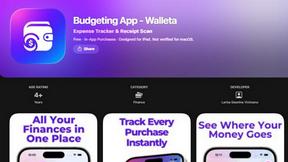
Budgeting App
Walleta is an elegant budgeting app that effortlessly tracks expenses, scans receipts, and sets monthly limits to enhance your financial clarity.
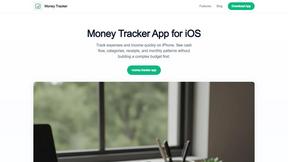
Money Tracker App
Effortlessly track your income and expenses in real time with our private iOS app, featuring AI receipt scanning and on-device data security.
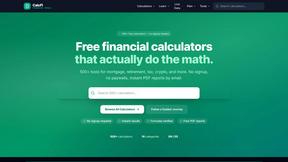
CalcFi
CalcFi offers over 500 free financial calculators for every money decision, delivering instant, accurate results with no signup required.

Redbark
Redbark automatically syncs your Australian financial data to your preferred tools with elite precision.

Ricco - Financial Literacy Game
Master financial literacy through immersive gameplay, making real-world money decisions in a risk-free environment.
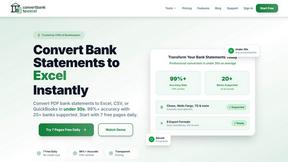
ConvertBankToExcel
Effortlessly convert your PDF bank statements to Excel, CSV, and more with 99% accuracy in under 30 seconds.