
ConvertBankToExcel
Effortlessly convert your PDF bank statements to Excel, CSV, and more with 99% accuracy in under 30 seconds.
VisitPublished on:
February 5, 2026
Pricing:

About ConvertBankToExcel
ConvertBankToExcel is a cutting-edge, AI-powered platform designed specifically for accounting professionals seeking efficiency and accuracy in financial data management. This innovative tool transforms tedious manual data entry into a streamlined process by automatically extracting transaction information from PDF bank statements. With an impressive accuracy rate of over 99%, verified by Certified Public Accountants (CPAs), ConvertBankToExcel empowers users to convert bank statements into easily usable formats such as Excel, CSV, and QuickBooks in a matter of seconds. Built with the needs of over 50,000 CPAs, bookkeepers, and accounting firms in mind, this platform offers a free tier that allows users to convert up to seven pages daily, ensuring that professionals can focus on what matters most while reducing their workload significantly.
Features of ConvertBankToExcel
99%+ Accuracy Rate
ConvertBankToExcel boasts a CPA-verified accuracy rate exceeding 99%, ensuring that the extracted data from your bank statements is reliable and precise. This level of accuracy is crucial for accounting professionals who require data integrity for financial reporting and compliance.
Lightning-Fast Processing
Experience the power of efficiency with ConvertBankToExcel, which processes bank statements in under 30 seconds on average. This rapid turnaround allows accounting professionals to optimize their workflows and minimize time spent on data entry tasks.
Extensive Bank Support
The platform supports over 20 major banks across the United States and Canada, including industry leaders like Chase, Wells Fargo, and TD Bank. This extensive compatibility ensures that users can handle various bank statements effortlessly, regardless of their banking institution.
Secure and Compliant
ConvertBankToExcel prioritizes security with bank-grade encryption, ensuring that your financial data remains confidential and protected. Additionally, all files are automatically deleted after 24 hours, providing peace of mind for users concerned about data retention.
Use Cases of ConvertBankToExcel
Tax Preparation
ConvertBankToExcel is an essential tool for tax preparation, allowing accountants and financial professionals to organize bank statements quickly. This feature ensures that all necessary financial documentation is accurate and readily available for IRS compliance and filing.
Mortgage Applications
When applying for a mortgage, clear and organized bank statements are vital. ConvertBankToExcel simplifies the conversion process, enabling users to prepare their financial documentation efficiently, which is crucial for meeting lender requirements.
Visa Applications
For individuals needing to present financial statements for visa or immigration purposes, ConvertBankToExcel provides a reliable solution. The platform ensures that all financial data is extracted and formatted correctly, meeting the stringent requirements set by embassies and consulates.
QuickBooks Integration
ConvertBankToExcel’s seamless export options to QuickBooks formats (QBO/QFX/IIF) allow users to import data directly into their accounting software. This integration enhances productivity by making financial management more straightforward and less time-consuming.
Frequently Asked Questions
How does ConvertBankToExcel ensure data accuracy?
ConvertBankToExcel employs advanced AI and Optical Character Recognition (OCR) technology to extract data from PDF bank statements, achieving over 99% accuracy, verified by CPAs.
Can I convert scanned bank statements?
Yes, ConvertBankToExcel is equipped with AI-powered OCR technology that can handle both digital and scanned PDF bank statements, ensuring comprehensive data extraction regardless of the statement type.
Is there a limit on the number of pages I can convert for free?
Users can convert up to seven pages daily for free without needing to provide credit card information, making it an accessible option for occasional users.
What security measures are in place for my data?
ConvertBankToExcel utilizes bank-grade encryption to protect your financial data, and all uploaded files are automatically deleted after 24 hours, ensuring compliance with privacy standards.
Similar to ConvertBankToExcel

DebutPin
Indie product playground — ship, and collect pins

Egmatic
No-code 2D game editor: visual node logic, drag-and-drop scenes, live preview. Exports to Windows, macOS, Linux, Android, iOS, Web.

Kody Tools
Free collection of online developer utilities, code formatters, and digital converters designed to streamline your daily workflow.
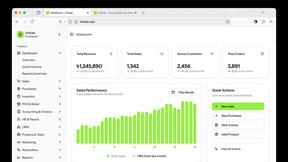
Hishab
All-in-One POS, Inventory & Accounting Software for Bangladeshi Businesses

Tally Counter
Online tally counter for tracking attendance, workouts, inventory, visitors, sports scores, habits, and everyday counting tasks.
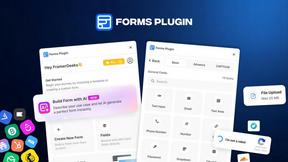
Forms Plugin
The #1 Native Form Builder Plugin for Framer - No Code, No Embeds, No External Platforms.

