

Alternatives to ConceptViz
Create scientific figures from research text, then refine them with conversational edits and export editable SVG or PowerPoint files.
20 alternatives found

FoxyLab
FoxyLab makes videos and banner sets from chat prompts or product websites, then lets users request edits in plain language.
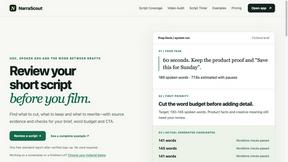
NarraScout
NarraScout gives writers and creators evidence-linked feedback on scripts, screenplays, and short videos, with checks for stated constraints.

Traecta
Traecta turns a career changer's background into a target role roadmap, with milestones, peer matching, and a portfolio for project work.

InterviewAce
InterviewAce turns a candidate's resume and target role into live interview prompts, and also offers mock interviews with feedback.
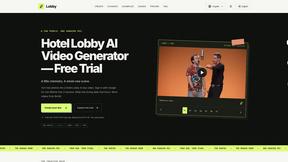
LobbyClip
LobbyClip turns two photos into short AI duo videos, with people and pet scenes, three aspect ratios and adjustable duration.

FindTourGuide
FindTourGuide connects travelers with local tour operators and helps them compare custom itineraries and quotes for a trip.

SysRound
SysRound combines company interview questions and coding plans with AI-led system design practice for software engineering candidates.
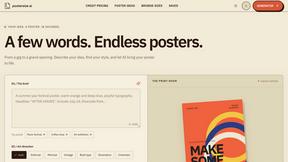
PosterSize
PosterSize offers standard poster dimensions and AI concept generation for designers working across print and digital formats.

Metal Font Generator
Explore 3D metal lettering for compact titles and visual studies, with controls for finish, viewing angle, extrusion, light and letter spacing.

viddir
Find AI tools by name or category, with brief explanations to help you understand their purpose and use.

Pic2VideoAI
Pic2VideoAI animates a still photo into a short MP4, with motion templates, adjustable generation settings, and credit estimates before you submit.

Drawcil
Drawcil turns a reference image into a four-stage pencil guide and supports practice with saved lessons and optional feedback.
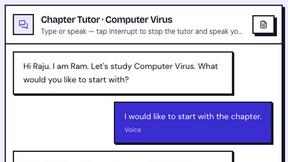
Evalyy
Evalyy turns chapter PDFs into quizzes, video explainers, and a chapter-aware AI tutor for exam revision and classroom practice.

DomainRating
Use DomainRating to check website DR, monitor score trends across a portfolio, and embed a live rating badge on a site.

RemoveObjectFromPhoto
A browser-based AI photo eraser for removing distractions with a brush selection and reviewing the reconstructed area before download.
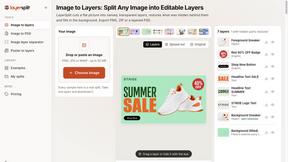
LayerSplit
LayerSplit turns a flat image into named, transparent layers with a reconstructed background, for designers reusing or revising finished artwork.

iWhiteScreen
Use a blank, edge-to-edge white display as a quick light source, monitor-cleaning aid or pixel check across common devices.
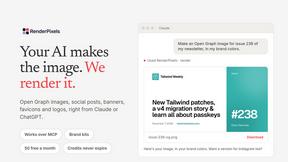
RenderPixels
RenderPixels connects AI assistants to exact-size image rendering for social, web, and brand assets, with checks and downloadable previews.

Flux3Max.io
Create 5 to 20 second videos with sound from text, photos, or up to 10 keyframes in 720p or 1080p.

Goshortsai
Goshortsai combines AI video workflows, motion presets, and image tools, letting creators start with text, a still image, or existing footage.
About ConceptViz Alternatives
For a submission figure, compare ConceptViz with a manually drawn vector diagram or a chart made in your usual data-visualization software. The key questions are whether the result is editable in your preferred workflow and whether your target journal permits the AI-assisted creation process. General-purpose image tools are another approach, but ConceptViz describes its workflow as supporting label review and iterative edits.
FAQs about ConceptViz Alternatives
What should I compare when choosing a figure tool?
Check whether it produces the figure type you need, whether you can edit the output, and whether your publication permits the tool's use.
When might a manual diagram be preferable?
If you need precise control over every visual element or your journal restricts AI-generated figures, drawing the figure directly may fit better.