
Unifyca
Unifyca gives elite agencies unified control over every client WordPress site with centralized documentation, automated audits, and seamless backups.
Visit
About Unifyca
Unifyca is a premium, all-in-one operational command center designed exclusively for agencies, freelancers, and IT professionals who manage multiple client WordPress websites. It eliminates the chaos of juggling dozens of separate dashboards, scattered spreadsheets, and fragmented communication threads by providing a single, centralized workspace where every aspect of website management is unified. At its core, Unifyca transforms reactive maintenance into a proactive, predictable workflow. The platform allows users to connect their client websites and perform comprehensive WordPress audits, detecting outdated plugins, themes, and core versions, as well as identifying security risks and configuration issues. From there, users can apply safe maintenance fixes remotely, schedule manual or automated backups, monitor uptime, and generate sophisticated, white-label maintenance reports that prove value to clients. Beyond maintenance, Unifyca serves as the definitive source of truth for all website documentation. It securely stores hosting accounts, domain registrations, FTP and SSH access credentials, email settings, SSL certificate details, brand assets, project notes, and technical specifications. This complete operational infrastructure ensures that every team member has immediate access to the full context of every client website, eliminating the inefficiencies of searching through emails, chat messages, and personal files. Unifyca is built for top-tier professionals who demand consistency, efficiency, and a premium service delivery model that scales without sacrificing quality.
Features of Unifyca
Centralized Website Documentation
Unifyca serves as the single source of truth for every client website, replacing the chaos of emails, spreadsheets, and chat messages. It centralizes all credentials, maintenance history, and operational details, ensuring your entire team always works with complete context. Store WordPress, FTP, SSH, hosting, domain, database, email account, plugins, themes, and API credentials securely linked to the correct client and website. Document domains, DNS, SSL certificates, server details, plugins, themes, premium licenses, scripts, custom code, integrations, and important website files. This feature eliminates hidden knowledge and ensures everyone works from the same reliable information.
Automated Website Audits and Maintenance
Unifyca replaces reactive maintenance with a proactive, predictable workflow. After connecting your WordPress sites using the Unifyca Audit Connector, the platform automatically scans for outdated plugins, themes, and WordPress core versions. It also detects security risks, configuration issues, uptime problems, and SEO warnings across every client site. From the Fix Center, you can review and apply WordPress updates and safe maintenance actions in bulk across multiple sites without ever entering a single wp-admin dashboard. Every update, fix, and check is logged per site automatically, providing a complete maintenance history without manual journaling.
Reliable Backups and Scheduling
Protect your client websites with robust backup capabilities. Unifyca allows you to run manual or scheduled backups for client WordPress sites directly from the centralized workspace. You can maintain a clear backup history, know exactly which sites are protected, and schedule backups to run automatically. This feature provides peace of mind before applying updates or fixes, ensuring you always have a reliable restore point. The backup system is designed for agencies managing multiple sites, offering bulk-friendly operations that streamline the entire protection process.
White-Label Client Reporting
Unifyca automatically compiles every update applied, every issue fixed, and every uptime check into a clean, client-friendly report. These reports feature your own branding, including your logo and colors, with zero Unifyca branding visible. One click turns the month's maintenance log into a professional document that clients can easily understand. This feature is the most effective way to justify recurring maintenance fees and secure annual renewals, proving the tangible value of your services without requiring clients to understand technical details.
Use Cases of Unifyca
Managing a Portfolio of Client WordPress Sites
A digital agency managing 30+ client WordPress websites can use Unifyca to eliminate the inefficiency of logging into each site individually. The platform provides a single dashboard to audit all sites for outdated plugins, themes, and security vulnerabilities. The agency can apply bulk fixes, schedule backups, and monitor uptime across the entire portfolio. This unified approach reduces manual work, improves consistency, and allows the team to deliver professional maintenance services at scale without being overwhelmed by administrative overhead.
Onboarding New Clients with Complete Documentation
When an IT professional takes on a new client, Unifyca provides a structured framework to capture every operational detail. Instead of relying on messy email threads or shared spreadsheets, the professional can immediately document hosting accounts, domain registrations, FTP credentials, SSL certificates, and technical notes. This single source of truth ensures that all team members have immediate access to the complete context of the new website, eliminating confusion and accelerating the onboarding process while maintaining a premium, organized service experience.
Proactive Maintenance and Security Management
A freelancer managing multiple client sites can use Unifyca to shift from a reactive support model to a proactive maintenance service. The platform automatically scans for outdated components and security risks, alerting the freelancer to issues before they become problems. Using the Fix Center, the freelancer can apply updates and fixes remotely in bulk, without logging into each site. The automated maintenance history and white-label reports provide clients with clear proof of ongoing value, justifying a recurring monthly retainer and building long-term client relationships.
Team Collaboration and Knowledge Sharing
For agencies with multiple team members, Unifyca ensures that everyone works from the same reliable information. Credentials, technical notes, and project knowledge are never hidden in personal files or private conversations. The platform provides a shared workspace where team members can access client and project details, including contacts, notes, and context. This eliminates bottlenecks when a team member is unavailable and ensures that every person has the complete picture of each client website, enabling seamless collaboration and consistent service delivery.
Frequently Asked Questions
How does Unifyca connect to my client WordPress sites?
Unifyca uses a lightweight plugin called the Unifyca Audit Connector. You install this plugin on each client WordPress site and link it to your Unifyca account. The process is designed to be bulk-friendly for agencies onboarding many sites at once. Once connected, the platform can perform audits, apply fixes, and manage backups without requiring you to log into each individual WordPress dashboard.
Is my client data secure on Unifyca?
Yes, security is a core priority for Unifyca. The platform provides a secure credentials vault to store hosting, FTP, SSH, WordPress users, registrar, and API credentials. All sensitive information is encrypted and linked to the correct client and website. Access to credentials and documentation can be controlled within your team, ensuring that only authorized personnel can view or manage specific client data.
Can I customize the client maintenance reports with my own branding?
Absolutely. Unifyca offers a full white-label reporting feature. You can apply your own logo, colors, and branding to the monthly maintenance reports. The platform automatically compiles every update, fix, and uptime check into a clean, professional document. There is zero Unifyca branding on these reports, allowing you to present them as your own work and justify your recurring maintenance fees to clients.
What happens if a domain or SSL certificate is about to expire?
Unifyca includes a renewals and SSL alerts feature. You can track domain, hosting, and SSL certificate renewals in a single calendar within the platform. The system will send you alerts before something expires, helping you prevent client websites from going offline due to expired services. This proactive alert system is a critical component of maintaining professional, uninterrupted service for your clients.
Similar to Unifyca
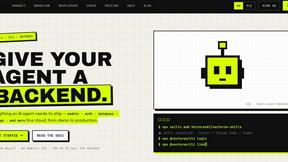

Built2WinWeb AI SEO
Custom PHP websites, AI Indexing Pack ($599 one‑time), and WebAgentScan SaaS ($9/mo). MCP, A2A, llms.txt, full ownership.
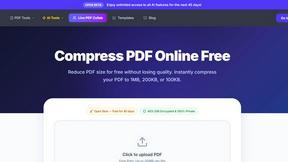
PDF Pro AI
Privacy-first AI document tool — analyze medical reports, bank statements & salary slips 100% in-browser. No uploads, no signup, free.
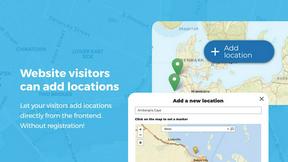
Open User Map
Open User Map is the premium WordPress plugin for creating interactive, user-driven maps with frontend submissions and approval workflows.
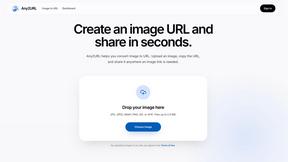
Any2URL
Any2URL instantly transforms any image into a shareable public link for effortless pasting anywhere.

Shadcn Examples
The premier collection of production-ready Shadcn UI blocks and examples for building professional React and Tailwind web applications.
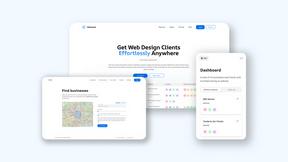
Webleadr
Effortlessly discover and contact businesses without websites worldwide, transforming leads into loyal web design clients in just a few clicks.

Idearium
Idearium crafts exceptional websites and marketing strategies that elevate brands and drive meaningful business growth.