
RoomCreator
Transform your photos into stunning, hyper-realistic room designs instantly with RoomCreator, no skills required.
Visit
About RoomCreator
RoomCreator is an innovative AI-driven room design tool that empowers homeowners and DIY enthusiasts to reimagine their living spaces with unparalleled ease and speed. By simply uploading a photo of any room—be it a kitchen, bedroom, or living area—users can receive stunning, hyper-realistic redesigns in just 10 seconds, all without needing any prior design experience. This platform is tailored for those who wish to visualize potential renovations or redecorations quickly and affordably, eliminating the need for expensive consultations or extensive planning. With RoomCreator, users can explore various themes and styles, enabling them to make informed design decisions that align with their personal aesthetic and functional requirements. Whether you are a homeowner looking to refresh your space, a real estate agent seeking to enhance listings, or an investor evaluating renovation potential, RoomCreator stands as a versatile ally in transforming visions into reality.
Features of RoomCreator
Instant AI Room Design
RoomCreator allows users to upload a single photo and receive a complete room redesign in just 10 seconds. This feature harnesses advanced AI technology to generate multiple design options, taking the guesswork out of home renovation and providing instant visual feedback.
Smart Layout Optimization
This feature focuses on enhancing the flow and functionality of spaces by suggesting intelligent layout changes. RoomCreator intelligently rearranges furniture and decor, ensuring that users can maximize their space’s potential while maintaining aesthetic appeal.
Realistic 3D Previews
Experience your redesigned spaces through lifelike 3D previews that incorporate natural lighting and realistic textures. This feature enables users to visualize how colors, materials, and furniture will interact in their specific environment, facilitating more confident decision-making.
Before-and-After Comparison
RoomCreator offers a powerful comparison tool that showcases the transformation of a room from its original state to the newly designed version. This feature not only highlights the effectiveness of the redesign but also inspires confidence in potential renovations.
Use Cases of RoomCreator
Homeowners Seeking Visual Clarity
Homeowners can leverage RoomCreator to visualize how their spaces will look after renovations or redecorations. This tool allows them to experiment with different styles and layouts, empowering them to make confident design decisions before committing to purchases.
Real Estate Agents Enhancing Listings
Real estate professionals can utilize RoomCreator to create captivating visuals that elevate property listings. By transforming empty or outdated spaces into beautifully staged interiors, agents can attract more buyers and increase the appeal of their listings.
Individual Investors Evaluating Potential
Investors can assess the renovation potential of properties by generating realistic visuals for flips, rentals, or investment presentations. This use case eliminates costly staging or renders, providing a cost-effective solution to showcase future value.
Designers Seeking Quick Mockups
Interior designers can use RoomCreator to quickly produce mockups for client presentations. This feature allows them to explore various design options efficiently, showcasing their creativity and ensuring client satisfaction without lengthy design cycles.
Frequently Asked Questions
How does RoomCreator generate redesigns?
RoomCreator uses advanced AI algorithms to analyze uploaded photos and apply various design principles to create realistic room redesigns. This process takes only 10 seconds, providing users with immediate visual feedback.
Can I use RoomCreator for outdoor spaces?
Yes, RoomCreator includes an exterior paint color visualizer that allows users to test exterior styles, colors, and materials. This feature is perfect for homeowners looking to enhance curb appeal or plan renovations for outdoor spaces.
Is there a limit to the number of photos I can upload?
Users can start with 10 free credits, which allows for multiple uploads and redesigns. After the initial free credits are used, users can explore various pricing options for additional credits.
Do I need design skills to use RoomCreator?
Absolutely not. RoomCreator is designed to be user-friendly and accessible to everyone, regardless of design experience. The platform simplifies the design process, allowing anyone to create stunning visuals effortlessly.
Similar to RoomCreator

Novastart
Apps and files on an infinite canvas where people and AI agents work together.

SightRadar
Face recognition API, a drop-in replacement for AWS Rekognition. Index, search, compare and detect faces, billed per photo with no subscription.

Visemory
Search your local media library with natural language
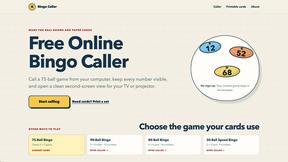
Bingo Caller
Run paper-card bingo games with browser number calling, spoken calls and a TV display

MyGenogramMaker
Browser-based genogram editor with family symbols, relationship lines and editable templates

Orlyn
Privacy-first, cookieless web analytics that connects website traffic to real revenue.
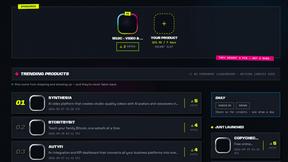
DebutPin
Indie product playground — ship, and collect pins

Egmatic
No-code 2D game editor: visual node logic, drag-and-drop scenes, live preview. Exports to Windows, macOS, Linux, Android, iOS, Web.