
QUVIAI
QUVIAI empowers creators to effortlessly generate stunning architectural visuals, videos, and music from simple text inputs.
Visit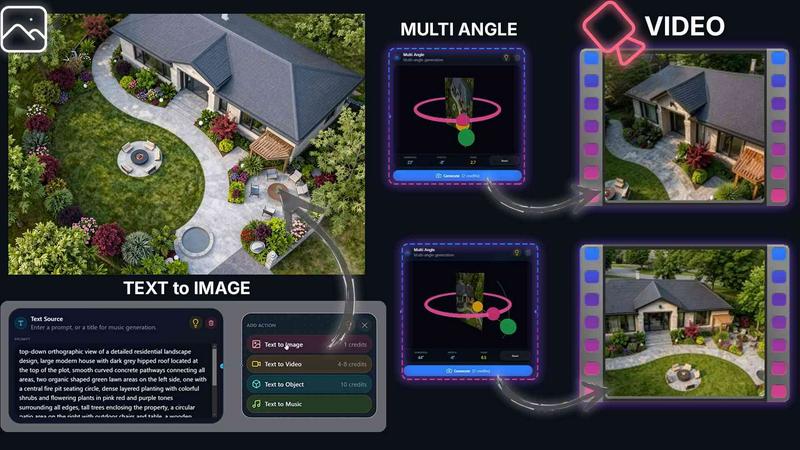
About QUVIAI
QUVIAI is an all-encompassing AI-powered creative platform meticulously crafted for architects, designers, and creators seeking to elevate their artistic endeavors. This innovative tool allows users to effortlessly upload sketches, images, or 3D models and transform them into breathtaking photorealistic renders, cinematic videos, multi-angle perspectives, floor plan visuals, 3D objects, and even original music — all integrated into a singular, seamless experience. The platform's advanced 3D workspace empowers users to model, render, and iterate without the cumbersome task of switching between various applications. By harnessing the power of AI, QUVIAI enables creators to edit scenes using intuitive text prompts, generate custom furniture and decorative elements, and produce immersive cinematic walkthroughs that bring their visions to life. Available on web, iOS, and Android, QUVIAI invites users to explore a world of creativity and inspiration, all at their fingertips.
Features of QUVIAI
AI Image Generation
With the AI Image Generation feature, users can turn any text prompt or reference image into stunning, photorealistic architectural renders in mere seconds. This feature leverages advanced algorithms to create visuals that capture the essence of the user's imagination, making it an invaluable tool for architects and designers.
AI Video Creation
The AI Video Creation tool allows users to animate still images, generate walkthroughs, or create cinematic sequences from a single text prompt. This capability enhances storytelling through visual media, enabling creators to showcase their designs in dynamic and engaging formats that captivate audiences.
Multi Angle Camera
The Multi Angle Camera feature offers the ability to generate multiple architectural viewpoints from a single source image. This enriches the presentation-ready perspective sets, allowing architects and designers to provide comprehensive visual insights into their projects, enhancing client presentations and marketing materials.
Object Staging
Object Staging facilitates the seamless integration of generated 3D objects into scene backgrounds. Users can produce polished compositions with consistent lighting, ensuring that every visual element aligns harmoniously. This feature is perfect for creating stunning interiors and exteriors in architectural presentations.
Use Cases of QUVIAI
Architectural Visualization
Architects can use QUVIAI to create detailed visualizations of their projects. By transforming sketches and models into high-quality renders, they can present their designs more effectively to clients, ensuring clarity and impact.
Interior Design Presentations
Interior designers can leverage QUVIAI to generate immersive interior scenes that showcase their concepts. By utilizing the platform's staging and rendering capabilities, they can present their ideas in a visually compelling manner that resonates with clients and stakeholders.
Marketing and Promotion
Real estate developers and agents can harness QUVIAI's video and multi-angle features to create captivating marketing materials. High-quality visual content generated through the platform can significantly enhance promotional efforts, attracting potential buyers and investors.
Creative Exploration
Artists and creators can explore their visions without limitations. By utilizing the various tools available within QUVIAI, they can experiment with designs, styles, and concepts, pushing the boundaries of their creativity while enjoying a streamlined workflow.
Frequently Asked Questions
What types of files can I upload to QUVIAI?
QUVIAI supports a wide range of file types, including sketches, images, and 3D models. This flexibility allows users to work with their preferred formats, making it easy to bring their creative ideas to life.
Can I access QUVIAI on mobile devices?
Yes, QUVIAI is designed to be accessible on web, iOS, and Android platforms. This ensures that users can work on their projects anytime, anywhere, without being confined to a desktop environment.
How does the AI technology in QUVIAI work?
The AI technology within QUVIAI utilizes advanced algorithms to analyze user inputs and generate high-quality visuals. This process allows for rapid creation of photorealistic renders, animations, and other media, enabling users to focus on their creative vision.
Is there a free trial available for new users?
Absolutely. QUVIAI offers new users a chance to sign up and generate their first render with free credits included. This allows them to experience the platform's capabilities without any initial investment, making it an attractive option for those looking to explore AI-powered design tools.
Similar to QUVIAI
AIEnhancer
Enhance photos, create images, and generate videos with flexible AI workflows, creative effects, production-tested models, and a shared asset library.
Flux Lora
Explore Flux LoRA workflows online, with a roadmap for model discovery, generation, and guided training.
Vynzo
AI image and video studio. Generate from a prompt, animate stills, swap faces, restyle clips and edit — one credit pool, no subscription.

ProfileLoom
ProfileLoom turns one photo into platform-ready AI portraits for professional, social, and creator profiles, with presets and built-in editing.
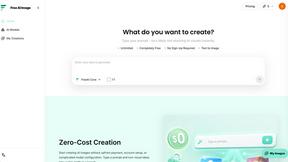
Free AI Image
Free AI Image is a free text-to-image AI generator for creating clean visual drafts from prompts with no sign-up required.
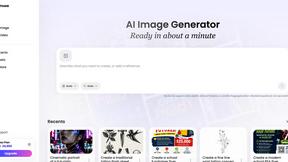
Vismuse
Create polished AI images and videos from prompts or references for social posts, ads, flyers, album covers, and campaigns.
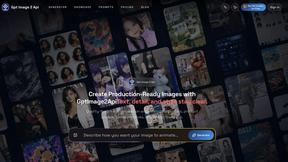
GPT Image 2 API
Production-ready AI image generation and editing with clear text, consistent styles, and developer-friendly APIs.
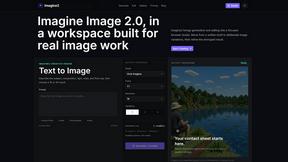
Imagine2
Private browser-based AI image generation and editing with text-to-image, targeted edits, and multi-image references.