
ProspectBuddy
Effortlessly capture LinkedIn leads to your CRM in one click, ensuring compliance and streamlined manual prospecting with ProspectBuddy.
Visit
About ProspectBuddy
ProspectBuddy is a groundbreaking LinkedIn prospecting tool engineered to integrate effortlessly with your existing Airtable and Trello workflows. Tailored for sales teams, recruiters, founders, and operators, ProspectBuddy transforms the way you manage leads by enabling you to save LinkedIn profiles with a single click. This innovative approach eliminates the tedious and error-prone process of manual copy-pasting, converting LinkedIn profiles into structured and actionable records. Unlike conventional automation tools that execute tasks on your behalf, ProspectBuddy emphasizes manual prospecting, allowing users to retain complete control over their outreach efforts. This focus on user agency not only enhances safety but also ensures compliance with LinkedIn's guidelines. With features such as verified email and phone number discovery, AI-generated personalized outreach messages, and selective data capture, ProspectBuddy streamlines your prospecting workflow while maintaining organization and consistency.
Features of ProspectBuddy
One-Click Profile Saving
With ProspectBuddy, you can save LinkedIn profiles to Airtable or Trello in just one click. This feature drastically reduces the time spent on manual data entry and ensures that contact information is organized and readily accessible for follow-up.
Safe Manual Prospecting
Designed to prioritize safety, ProspectBuddy allows users to conduct manual prospecting without the risk associated with automation or bots. This ensures compliance with LinkedIn's policies, protecting your account from potential penalties while maintaining the integrity of your outreach.
Verified Email and Phone Discovery
ProspectBuddy enhances your prospecting capabilities by providing verified business emails and direct phone numbers. This valuable feature ensures you have the most accurate and up-to-date contact information, significantly increasing your chances of successful outreach.
AI-Powered Outreach Messaging
Leverage the power of artificial intelligence to craft personalized outreach messages based on the LinkedIn profile data you collect. This feature saves you time and enhances your communication, making your outreach efforts more effective and tailored to each prospect.
Use Cases of ProspectBuddy
Streamlined Sales Prospecting
Sales teams can leverage ProspectBuddy to efficiently manage and organize leads from LinkedIn. By saving profiles directly to Airtable or Trello, they can maintain a clean and structured pipeline, allowing for focused follow-ups and increased conversion rates.
Recruitment Efficiency
Recruiters utilizing Trello for their hiring pipelines can seamlessly integrate ProspectBuddy into their workflow. By capturing candidate profiles with a single click, they can create structured cards in Trello, simplifying the hiring process and ensuring a consistent candidate experience.
Enhanced Networking Opportunities
Entrepreneurs and founders can use ProspectBuddy to manage their networking efforts on LinkedIn. By saving valuable connections and organizing them in Airtable, they can systematically engage with prospects, partners, or mentors to foster beneficial relationships.
Data-Driven Decision Making
Operators and analysts can harness the data collected through ProspectBuddy to drive strategic decisions. By capturing only the necessary LinkedIn profile fields, they can analyze trends, identify key contacts, and make informed decisions that align with their business objectives.
Frequently Asked Questions
How do I connect Airtable?
To connect Airtable, click on "Airtable" on the Connect screen or in your Profile. Select the bases or workspaces you wish to access and click "Grant access." Once connected, this status will appear on your Profile page, and you can disconnect anytime you choose.
How do I send LinkedIn data to Airtable?
To send LinkedIn data to Airtable, first create a new setting in the Settings menu. Choose your Airtable base and table, then map the LinkedIn fields to the corresponding Airtable fields. After saving this setting, open a LinkedIn profile, parse the profile, select the fields, and click "Send to Airtable" to add the contact to your chosen table.
Is ProspectBuddy safe to use with LinkedIn?
Yes, ProspectBuddy is designed specifically for safe, manual LinkedIn prospecting. It does not automate actions on your behalf, allowing you to work directly from LinkedIn profiles while maintaining compliance with LinkedIn's policies.
Why don’t I see some Airtable fields?
Not all Airtable field types are supported by ProspectBuddy. Only compatible field types will appear in the dropdown. For instance, specific fields like Photo and URL have designated types, and if a field type isn't supported, it will not be visible for selection.
Similar to ProspectBuddy

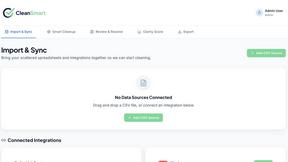
CleanSmart
CleanSmart removes duplicates, fixes formatting, fills gaps, and flags anomalies in one automated pass. No code. No data engineers.

Enlisted
Search 20,000+ open-source and SaaS tools by the job you need done or the app you want to replace.
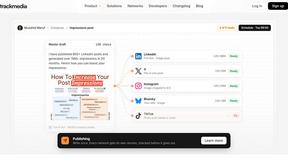
TrackMedia
Your Social Media Content Engine That Drives Revenue. Distribute your content to every social media platform and track it in real time.

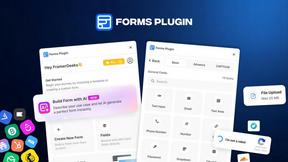
Forms Plugin
The #1 Native Form Builder Plugin for Framer - No Code, No Embeds, No External Platforms.

Motion Control AI
Create motion-controlled character videos by transferring dance, gestures, timing, and camera movement from a reference video.

Piggipi
Launch Telegram ads without searching, negotiating, or messaging channel owners