
PROOF
PROOF helps freelance web designers collect client revisions in one list through click-to-comment reviews that do not require client logins.
Visit
About PROOF
For an independent web designer, the hard part of a revision round can be organizing the feedback, not just receiving it. PROOF is presented as a way to turn scattered client comments into one clean revision list. Clients click on the work and comment, avoiding the need to gather notes from separate email threads.
The low-friction client side is a defining detail: PROOF says clients do not need logins. That can suit designers who want a direct review step without asking clients to learn a larger collaboration system. The official material focuses on freelance web design feedback; it does not describe broader project planning, task assignment, or file support, so confirm those needs separately before choosing it for a more complex workflow.
Features of PROOF
- Client comments placed by clicking on the work
- Feedback collected as a revision list
- No client login required
- Freelance web designer audience
Use Cases of PROOF
- Request comments on a website design
- Gather revisions from clients who prefer not to create accounts
- Replace scattered feedback threads with a single list
Frequently Asked Questions
Can a client comment without signing up?
Yes. The product page says clients can review without logins.
What does PROOF do with feedback?
It turns scattered client feedback into a clean revision list.
Is it positioned as a general project management tool?
The official description focuses on client revisions for freelance web designers and does not describe broader project management features.
Similar to PROOF
PosterSize
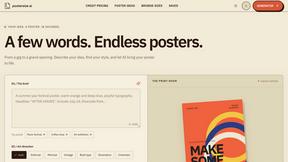
PosterSize offers standard poster dimensions and AI concept generation for designers working across print and digital formats.

Metal Font Generator
Explore 3D metal lettering for compact titles and visual studies, with controls for finish, viewing angle, extrusion, light and letter spacing.

RemoveObjectFromPhoto
A browser-based AI photo eraser for removing distractions with a brush selection and reviewing the reconstructed area before download.
LayerSplit
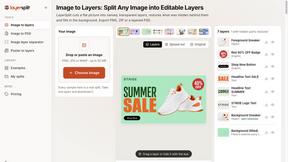
LayerSplit turns a flat image into named, transparent layers with a reconstructed background, for designers reusing or revising finished artwork.

iWhiteScreen
Use a blank, edge-to-edge white display as a quick light source, monitor-cleaning aid or pixel check across common devices.

RenderPixels
RenderPixels connects AI assistants to exact-size image rendering for social, web, and brand assets, with checks and downloadable previews.
SeamlessCanvas
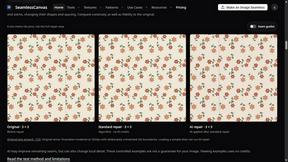
Repair image borders into tileable textures online, then inspect repeated views before choosing a PNG export.

ImageAgent
ImageAgent creates and edits images through chat, letting creators start from text or a reference image and refine results in one conversation.