
PixUnblur
PixUnblur uses elite AI to instantly sharpen and restore clarity to blurry photos while preserving their natural look.
Visit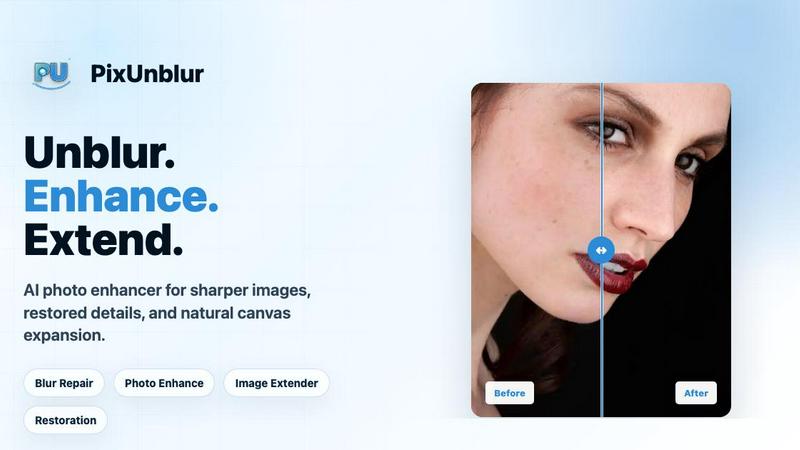
About PixUnblur
PixUnblur is a premium, AI-driven photo enhancement platform that redefines the standard for image clarity and detail restoration. It is engineered for discerning professionals and everyday users alike who demand pristine, publication-ready images without the burden of complex, manual editing. At its core, PixUnblur utilizes advanced artificial intelligence to intelligently analyze and rectify a wide spectrum of photographic imperfections, including camera shake, missed focus, compression artifacts, and low-resolution softness. The platform’s value proposition lies in its ability to deliver a transformative, one-click solution that elevates blurry, compromised visuals into sharp, natural, and high-resolution masterpieces. Unlike conventional sharpening tools that introduce harsh halos and unnatural artifacts, PixUnblur’s AI meticulously distinguishes between subject edges, noise patterns, and texture details. It applies a surgical, context-aware enhancement that preserves the original subject, framing, color palette, and overall aesthetic integrity. Whether for a professional photographer refining a portfolio, a designer salvaging a critical asset, or a social media user perfecting a personal moment, PixUnblur offers an elite, effortless path to visual excellence. Its intuitive web and mobile interface, coupled with powerful batch processing capabilities, ensures that top-tier image restoration is accessible, efficient, and consistently superior.
Features of PixUnblur
Advanced AI-Powered Clarity Restoration
This core feature employs a sophisticated deep-learning model that goes beyond basic sharpening. The AI dissects the image to identify the root causes of blur, such as motion, defocus, or compression. It then reconstructs lost detail by intelligently filling in missing information, strengthening soft edges, and reducing noise patterns. The result is a significant boost in perceived sharpness and definition that appears completely natural, avoiding the over-processed, plastic look of lesser tools. This allows for the recovery of fine textures like hair, fabric weave, and skin pores, bringing images back to life with stunning fidelity.
Intelligent Noise Reduction and Texture Recovery
PixUnblur’s noise reduction is not a blunt instrument but a precision tool. It differentiates between genuine image grain and unwanted digital noise, preserving the organic texture of a photograph while eliminating the visual distraction of artifacts. This feature is particularly critical for low-light and high-ISO images, where noise often obscures detail. The AI simultaneously recovers fine textures that have been lost to noise or compression, rebuilding surface details like wood grain, stone surfaces, and intricate patterns. This dual-action process ensures a cleaner, more lifelike, and highly detailed final image that retains its authentic character.
High-Resolution Output for Professional Use
The platform is engineered to produce results that meet the highest standards for both digital and print media. PixUnblur outputs enhanced images at resolutions suitable for large-format printing, high-resolution displays, and professional publishing. The upscaling and detail recovery are performed with an understanding of print requirements, ensuring that the final image has the necessary pixel density and clarity without introducing artifacts that would be visible on paper. This makes it an indispensable tool for photographers, advertisers, and e-commerce businesses that require their visuals to command attention and convey trustworthiness at any size.
Streamlined Batch Processing and Workflow Integration
Designed for efficiency, PixUnblur features a robust batch processing engine that allows users to enhance multiple images simultaneously. This capability is crucial for professionals handling large volumes of content, such as product catalogs, event photography, or social media campaigns. The intuitive interface on both Web and Mobile platforms ensures a seamless workflow. Users can simply upload a folder of images, and the AI will process them in parallel, maintaining consistent quality across the entire set. This feature eliminates the bottleneck of single-image editing, dramatically accelerating turnaround times and boosting overall productivity without sacrificing quality.
Use Cases of PixUnblur
Professional Portrait and Headshot Refinement
For photographers and individuals seeking to perfect portraits, PixUnblur is an essential tool. It excels at restoring clarity to soft-focused images, bringing back the sharpness of eyes, the definition of hair, and the natural contours of the face. It effectively counteracts the degradation from camera shake or common autofocus errors, transforming a near-miss shot into a striking, professional-grade portrait. The AI’s ability to enhance facial features while preserving skin texture ensures results are both flattering and authentic, making it ideal for LinkedIn profiles, corporate headshots, and modeling portfolios where a flawless yet natural appearance is paramount.
E-Commerce and Product Photography Optimization
In the competitive world of online retail, image clarity directly impacts sales. PixUnblur is the ultimate solution for e-commerce businesses that need to present products in their best light. It clarifies product edges, reveals material textures like leather grain or fabric stitching, and sharpens small details such as logos and buttons. By reducing compression blur from web uploads, it makes product images appear more trustworthy and high-quality, which can significantly reduce return rates and increase conversion. Whether for a single hero shot or a full catalog of thousands of items, PixUnblur ensures every product looks its absolute best.
Salvaging Precious Personal and Travel Memories
Blurry photos from important life events, such as weddings, vacations, or family gatherings, can be a source of great frustration. PixUnblur offers a powerful way to reclaim these memories. It can repair soft distant details in landscapes, reduce the grain from low-light party shots, and restore clarity to images taken with older or lower-resolution cameras. The AI’s ability to fix missed focus and camera shake means that a cherished, once-discarded photo can be transformed into a clear, shareable, and printable keepsake. This makes it an invaluable tool for anyone looking to preserve and enhance their personal photo library.
Digital Content Creation and Social Media Enhancement
Content creators and social media managers operate in a fast-paced environment where visual quality is non-negotiable. PixUnblur provides the speed and quality needed to keep up with demanding posting schedules. It quickly restores sharpness to lifestyle photos, food shots, interior design images, and user-generated content that may have suffered from camera shake or compression. The ability to batch-process images ensures a consistent, high-quality feed without hours of manual work. The final images are crisp, engaging, and optimized for various social platforms, helping creators maintain a premium, professional aesthetic that captivates their audience.
Frequently Asked Questions
What is AI blur repair and how does it work?
AI blur repair is an advanced computational process that uses deep learning algorithms to analyze and correct blurry images. The AI is trained on millions of image pairs to understand the visual characteristics of blur, including motion blur, defocus blur, and compression artifacts. When you upload an image, the AI identifies these specific patterns and then reconstructs the missing high-frequency detail. It does this by predicting what the sharp image should look like, intelligently adding back sharpness, texture, and clarity while simultaneously reducing noise and preventing unnatural artifacts. The result is a significantly clearer, more detailed image that retains its natural, original appearance.
What kinds of blurry photos can it fix?
PixUnblur is versatile and designed to handle a wide range of common blur issues. It effectively repairs photos affected by camera shake, where the entire image is blurred from movement. It can correct out-of-focus or soft-focus images where the subject is not perfectly sharp. The tool also excels at fixing compression blur, which is common in images downloaded from social media or messaging apps, and it can improve low-resolution images by intelligently upscaling and adding detail. Additionally, it can reduce the visual impact of noise in low-light and night shots, making the image appear clearer. While it is exceptionally powerful, it works best on images where some underlying detail exists.
How long does it take to make a blurry photo clear?
The processing time is remarkably fast, typically taking only a few seconds per image. The exact duration depends on the size and resolution of the uploaded photo and the server load at the time of processing. For standard resolution images, the AI analysis and enhancement are nearly instantaneous. For very high-resolution or complex images, it may take a few seconds longer. This speed is a core feature of PixUnblur, designed to facilitate an efficient workflow, especially when using the batch processing feature to enhance multiple images at once. You can preview the result instantly before deciding to download.
Will AI blur repair change the original photo?
No, PixUnblur is designed to enhance the image without altering its core identity. The AI focuses on improving clarity, sharpness, and detail while meticulously preserving the original subject, framing, colors, and overall natural feel. It does not change the composition, add elements that were not there, or alter the fundamental aesthetic of the photo. The goal is to make a blurry image clear and usable, not to create a new, artificial version of it. You can download the enhanced version as a separate file, and your original photo remains completely untouched and safe on your device.
Pricing of PixUnblur
PixUnblur offers a tiered subscription model to accommodate different usage levels, from light personal use to high-volume professional production. New users can begin with a free allocation of credits to test the service. All paid plans include batch processing, no watermark on images, a commercial license for your work, and dedicated support.
Basic: $9.9 per month. This plan is ideal for light uncropping and daily social media assets. It includes 2400 yearly credits, which allows for processing up to 240 images per year.
Creator: $24.9 per month. This is the most popular plan, designed for creators and small teams. It includes 6600 yearly credits, allowing for up to 660 images per year, and provides priority support for faster assistance.
Master: $49.9 per month. This plan is for high-volume batch production and professional studios. It includes 14400 yearly credits, allowing for up to 1440 images per year, and also comes with priority support.
Similar to PixUnblur

Memorable Contact
AI-powered personal CRM that remembers where you met people and what you talked about. Save, scan, and recall contacts instantly.

LaunchIntel
Your AI agent picks relevant directories, submits your product in your browser and tracks every step. One-time purchase.

AIVideoAgent
Turn text ideas or reference images into videos through conversation, with agent-assisted prompts and a choice of video models.

Easemic
Open-source Android comic & manga reader with encrypted cloud streaming and AI ad-page stripping.

GenX
All-in-one AI workspace to generate images, videos, and audio with multiple leading AI models.

Bloom
An adaptive AI tutor that turns topics or your materials into courses, lessons, and answers tailored to how you learn.

FreeVideoGenerator
Free AI video generator to turn text prompts and photos into clips with Sora 2, Veo 3.1, Wan and more.

ChatterAPI
One API key and one credit balance for Reddit and X data. REST endpoints and a hosted MCP server, so your code and your agents call the same tools.