
Opal
Opal is the elite visual workspace that instantly organizes all your projects and notes, ending the search for what you already have.
Visit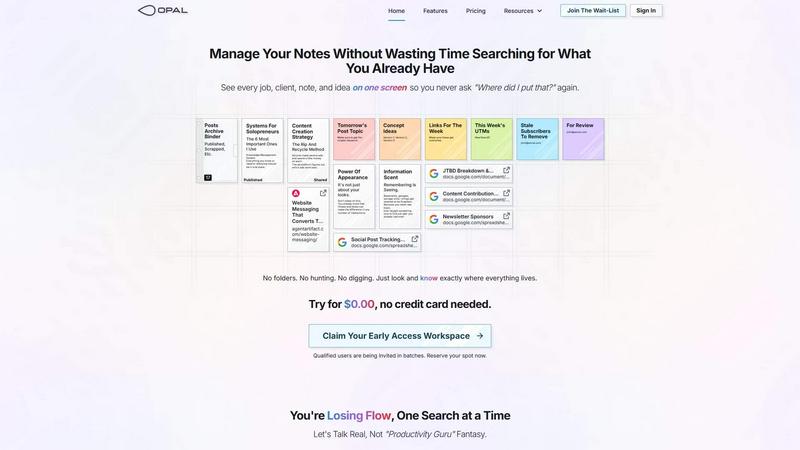
About Opal
Opal is the definitive visual command center for elite solopreneurs, consultants, and agency owners whose work demands spatial intelligence. It transcends the limitations of traditional, folder-based knowledge management by providing an infinite digital canvas. This is not another note-taking app; it is a spatial memory system. On your Opal canvas, you visually place notes, documents, client details, project briefs, and creative ideas—just as you would arrange physical elements on a vast, strategic desk. This method leverages your brain's innate ability to remember where information is located, not just what it is called. The result is instant, frictionless retrieval. Opal is engineered for professionals whose business runs on conversations, nuanced details, and unbreakable promises. It ensures your entire operational world—every active project, client insight, and nascent idea—remains perpetually visible and top-of-mind. Stop the debilitating cycle of searching through nested folders and buried dashboards. With Opal, you reclaim your cognitive flow, maintain strategic oversight, and execute with unparalleled precision, turning scattered information into a visible, actionable advantage.
Features of Opal
The Infinite Visual Canvas
Opal provides a boundless, zoomable workspace that rejects the confinement of linear documents and nested folders. This digital expanse allows you to lay out all elements of your work—client notes, project timelines, resource links, and creative concepts—in a single, panoramic view. You organize spatially, creating meaningful clusters and relationships by proximity, which your brain naturally maps and remembers, transforming information management from a chore of recall into an instinct of location.
Spatial Memory & Visual Organization
This feature is the core cognitive engine of Opal. By allowing you to drag, drop, and group items visually, it taps into your brain's powerful spatial memory. You remember the physical placement of a note next to a client brief or a stack of ideas in the top-right corner. This "remembering is seeing" approach eliminates the mental tax of recalling filenames or folder paths, making information retrieval instantaneous and preserving your state of deep work.
Multi-Element Side-by-Side Viewing
Opal shatters the single-document paradigm. Open notes, PDFs, spreadsheets, and web links simultaneously, tiling them across your canvas as your screen allows. This enables true comparative analysis, seamless reference during client calls, and holistic project oversight without the disruptive tab-switching that shatters concentration. See your content creation strategy next to your published posts archive, all while drafting tomorrow's topic.
Intuitive Drag-and-Drop Architecture
The entire Opal experience is built on a foundation of effortless manipulation. Every element—text notes, file cards, link previews—is a movable object. Create order through direct action: stack related items, group projects into zones, or archive completed work by moving it to a designated area. This tactile control mirrors how your mind naturally categorizes and prioritizes, making the system feel like an extension of your thought process rather than a separate tool to learn.
Use Cases of Opal
Client & Project Portfolio Management
For consultants and agency owners, Opal becomes the single source of truth. Create a dedicated zone for each client, visually grouping all related communication, contracts, briefs, deliverables, and feedback. See your entire client roster and the status of all active projects at a glance. This eliminates pre-meeting scrambles for information and ensures no detail, promise, or follow-up task ever slips through the cracks due to disorganization.
Content Strategy & Production Workflow
Writers and content creators can map their entire process on one canvas. Visually plot your content calendar, cluster research links, place draft versions side-by-side for comparison, and stage final pieces in a "Ready to Publish" area. Track social post performance metrics, UTMs, and newsletter sponsors in adjacent, visible cards. This spatial overview turns a chaotic pipeline into a clear, manageable, and creative production line.
Solopreneur Business System Integration
Opal serves as the central nervous system for the solo operator. Consolidate your knowledge management, task tracking, and strategic planning. Keep your most critical systems—like your "Rip and Recycle" ad strategy or subscriber management list—permanently visible and adjacent to daily work. This creates a cohesive operational habitat where strategic tools are always at hand, not hidden away in forgotten digital drawers.
Creative Ideation & Concept Development
For visual thinkers developing campaigns, product ideas, or strategic frameworks, Opal offers a digital whiteboard without limits. Brainstorm freely, placing concept ideas (Version 1, Version 2, Version 3) spatially to explore relationships. Attach inspiration, competitor analysis, and keyword research directly to each concept cluster. This environment nurtures nonlinear creativity, allowing ideas to grow and connect organically before being formalized.
Frequently Asked Questions
How is Opal different from tools like Notion or Google Docs?
Opal is fundamentally architected for spatial, visual thinking, whereas traditional tools are built for linear, hierarchical organization. Notion and Docs require you to file information away into pages and folders, out of sight. Opal lets you place information on a canvas, keeping it in sight and in mind. The difference is between searching for a buried file and simply looking at where you know it lives on your map. It leverages a different, more instinctual type of memory.
Is there a learning curve to using a spatial workspace?
The transition is remarkably intuitive because Opal mirrors how many people naturally think and work on a physical desk. There are no complex databases or syntax to learn. If you can drag an item and remember where you left it, you can use Opal. Most users experience immediate fluency, finding that the spatial method feels more natural than forcing their thoughts into rigid folders and nested lists.
Can I collaborate with my team in Opal?
Opal is currently optimized as a premium, individual command center—a personal brain trust for the solopreneur, consultant, or agency lead. This focus ensures the tool remains perfectly aligned with the spatial memory and deep work flow of a single strategic mind. It is your private, uncluttered workspace for managing the clients, projects, and ideas that drive your business forward.
What happens if I have thousands of notes? Will the canvas become cluttered?
The infinite canvas scales with your mind's ability to organize. Opal encourages creating high-level zones and areas (e.g., "Active Projects," "Archive," "Client Y"), allowing you to zoom out for a strategic overview or zoom in for detailed work. Clutter is managed by your own organizational logic, not imposed by the system. You can create clean, purposeful layouts that provide clarity at any scale.
Similar to Opal

Panzoe
Panzoe is an all-in-one AI platform for personal productivity, business automation, AI assistants, content creation, and custom AI solutions.
AI Email Filter
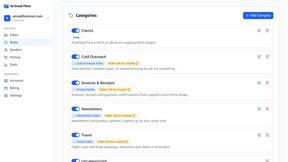
AI Email Filter sorts incoming mail into folders using plain-language prompts you write. Works with any IMAP mailbox; bring your own LLM if you want.
DebutPin
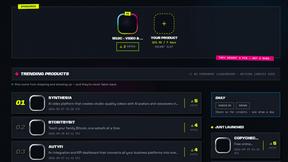
Indie product playground — ship, and collect pins
Egmatic
No-code 2D game editor: visual node logic, drag-and-drop scenes, live preview. Exports to Windows, macOS, Linux, Android, iOS, Web.
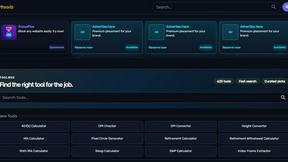
Kody Tools
Free collection of online developer utilities, code formatters, and digital converters designed to streamline your daily workflow.
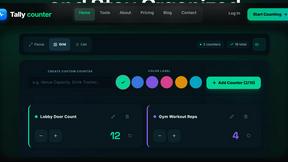
Tally Counter
Online tally counter for tracking attendance, workouts, inventory, visitors, sports scores, habits, and everyday counting tasks.
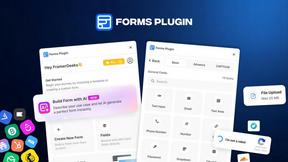
Forms Plugin
The #1 Native Form Builder Plugin for Framer - No Code, No Embeds, No External Platforms.
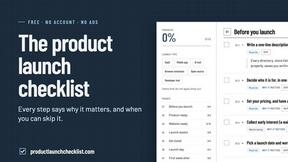
Product Launch Checklist
A free launch checklist for SaaS, apps, AI tools and more. Every step says why it matters and when you can skip it.