
JFIF to JPG Converter
Effortlessly convert JFIF files to JPG in your browser with zero quality loss and complete privacy—no uploads needed.
Visit
About JFIF to JPG Converter
The JFIF to JPG Converter is an elite, browser-based tool that provides a seamless solution for converting JFIF (JPEG File Interchange Format) files into the universally accepted JPG format. Designed with professionals in mind, this converter is ideal for photographers, digital archivists, web developers, and business users who often face compatibility challenges with JFIF files. These files, commonly generated by Windows applications and web browsers, may be rejected by modern content management systems, social media platforms, or professional graphic software. The core value proposition of this converter lies in its uncompromising integrity; it ensures a precise container conversion without any recompression or alteration of the original image data. This guarantees zero loss in image quality, full preservation of EXIF metadata, and ICC color profiles, all while processing takes place within your browser for maximum privacy and security. With robust batch conversion capabilities, users can effortlessly convert entire portfolios or project folders, making it an essential tool for achieving global compatibility and efficiency.
Features of JFIF to JPG Converter
Local Processing
All operations are executed locally within your browser, ensuring that your images never leave your device. This guarantees unparalleled privacy and security, as sensitive data remains completely within your control.
Zero Quality Loss
The JFIF to JPG Converter performs a meticulous rewriting of the JFIF container into a compliant JPG format without recompressing the image data. This means that the original image quality is fully preserved, providing you with flawless results.
Batch Conversion Capability
This converter supports robust batch conversion, allowing users to drag and drop multiple JFIF files at once. You can download each image individually or consolidate them into a neat ZIP archive, significantly enhancing productivity for large projects.
Effortless User Experience
The user-friendly interface is designed for optimal efficiency, enabling quick conversion without unnecessary technical setup. Simply drag and drop your files, click "Convert to JPG," and download your results with ease, making it perfect for daily workflows.
Use Cases of JFIF to JPG Converter
Web Development
Web developers often encounter JFIF files that may not be compatible with various content management systems. By converting these files to JPG format, developers ensure seamless uploads and integration into websites without compatibility issues.
Professional Photography
Photographers frequently deal with JFIF images generated by various applications. The JFIF to JPG Converter allows them to standardize their image formats, ensuring that their portfolios are universally accessible and maintain the highest quality.
Digital Archiving
For digital archivists, maintaining file integrity is paramount. This converter allows for the preservation of EXIF metadata and ICC color profiles while ensuring that all files are converted to a widely accepted format, aiding in long-term storage and retrieval.
Social Media Management
Social media managers often face challenges with JFIF files being rejected on platforms. Converting these files to JPG ensures smooth uploads to various social media sites, allowing for effective content sharing without technical hurdles.
Frequently Asked Questions
Will converting from JFIF to JPG reduce image quality?
No. The JFIF to JPG Converter strictly changes the container format while preserving the underlying JPEG compression stream as-is, ensuring no loss in image quality.
Why can’t I simply rename a JFIF file to JPG?
Renaming a JFIF file to JPG does not alter its internal structure, which may still be recognized as JFIF by many programs, leading to errors. Proper conversion rewrites the file container, ensuring compliance with JPG standards.
How do I use the JFIF to JPG Converter?
Using the converter is straightforward: gather your JFIF files, drag and drop them into the converter interface, click "Convert to JPG," and then download your converted images individually or as a ZIP file.
Is there a limit to the number of files I can convert at once?
The JFIF to JPG Converter allows batch conversion, enabling you to convert multiple files simultaneously. This feature enhances efficiency, especially for users needing to process large numbers of images quickly.
Explore more in this category:
Similar to JFIF to JPG Converter
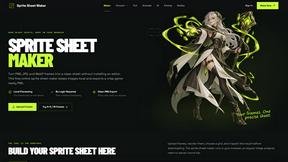
Sprite Sheet Maker
A free browser-based toolkit for creating, cutting, converting, and previewing sprite sheet animations.

AIEnhancer
Enhance photos, create images, and generate videos with flexible AI workflows, creative effects, production-tested models, and a shared asset library.

WatermarkPilot
Private browser-based watermark tools for photos and PDFs, with eleven free workflows and local media processing.

ProfileLoom
ProfileLoom turns one photo into platform-ready AI portraits for professional, social, and creator profiles, with presets and built-in editing.

AI Image Editor
Free AI image editor that edits, retouches, and transforms photos with natural-language text prompts.

GPT Image 2 API
Production-ready AI image generation and editing with clear text, consistent styles, and developer-friendly APIs.
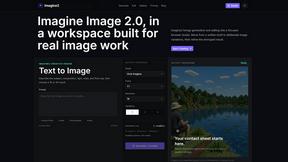
Imagine2
Private browser-based AI image generation and editing with text-to-image, targeted edits, and multi-image references.

PerchanceAI
PerchanceAI is an AI creative studio for image generation, editing, background removal, product photos, and image-to-video creation.