
Image3D AI
Image3D AI effortlessly converts any 2D image into high-precision 3D models ready for professional use in minutes.
Visit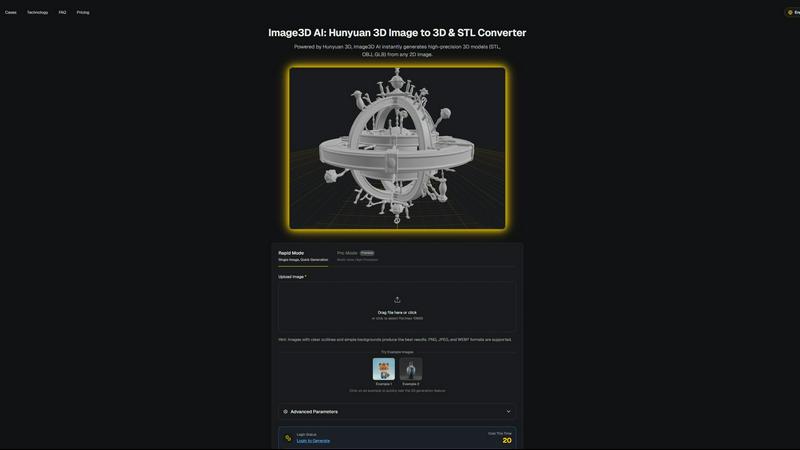
About Image3D AI
Image3D AI is the forefront of automated 3D content creation, designed to revolutionize how designers, developers, and creators approach 3D modeling. This cutting-edge platform leverages Tencent's Hunyuan 3D engine to convert standard 2D images into production-ready 3D models in mere seconds. The primary audience includes those who may not possess extensive 3D modeling skills but still wish to create high-quality assets for various applications, ranging from 3D printing to game development. By eliminating the complexity typically associated with traditional 3D modeling software, Image3D AI democratizes access to high-fidelity 3D asset creation. Its core value proposition lies in its speed and accessibility, allowing users to generate detailed 3D models from single photographs or multi-view images. Whether the aim is to produce a precise mesh for printing or a textured asset for immersive environments, Image3D AI streamlines the entire process, making it an indispensable tool for anyone looking to transform 2D concepts into stunning 3D realities quickly.
Features of Image3D AI
Rapid Mode
Rapid Mode allows users to generate 3D models quickly from a single image. Ideal for simple projects, this feature is perfect for those who require speed and efficiency without compromising on quality.
Pro Mode
Pro Mode caters to professionals seeking high precision. By utilizing multiple views of an object, this mode enables the creation of intricate, detailed 3D models, ensuring that every nuance is captured accurately.
Multi-Format Support
Image3D AI supports various file formats, including STL, OBJ, and GLB. This versatility ensures that the generated models can be seamlessly integrated into different workflows, whether for 3D printing, gaming, or web applications.
User-Friendly Interface
The platform boasts an intuitive user interface that simplifies the entire process. Users can easily upload images, navigate through settings, and generate models without any prior 3D design experience, making the technology accessible to all.
Use Cases of Image3D AI
Game Development
Game developers can leverage Image3D AI to rapidly produce game-ready assets. The AI-generated models are compatible with popular engines like Unity and Unreal, streamlining the asset creation workflow and significantly reducing development time.
E-commerce Applications
E-commerce businesses can utilize Image3D AI to convert product images into interactive 3D models. This enhancement allows consumers to engage with products virtually, improving the online shopping experience and boosting sales.
3D Printing
For 3D printing enthusiasts, Image3D AI serves as a powerful STL converter. Users can generate high-precision, print-ready files directly from their images, simplifying the transition from concept to tangible product.
Architectural Visualization
Architects and designers can benefit from Image3D AI by quickly generating architectural models. This capability not only saves time but also enhances the visualization process, allowing for more efficient project presentations and client approvals.
Frequently Asked Questions
What types of images work best with Image3D AI?
High-contrast images with clear outlines and simple backgrounds yield the best results. Avoid blurry, low-light, or occluded subjects for optimal conversion quality.
How long does it take to generate a 3D model?
Using the Rapid Mode, a 3D model can be generated in approximately 60 seconds, significantly reducing the time compared to traditional modeling techniques.
What file formats can I export my models in?
Image3D AI allows exports in several formats, including STL for 3D printing, OBJ for general 3D editing, and GLB for web and AR applications, ensuring flexibility for various use cases.
Do I need any prior 3D modeling experience to use Image3D AI?
No prior experience is required. The platform is designed for users of all skill levels, making it easy for anyone to start creating high-quality 3D models from 2D images.
Similar to Image3D AI
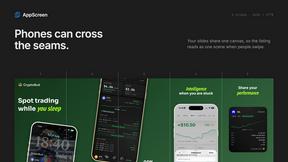
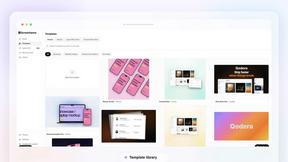
AppScreen
Panorama screenshot editor for App Store listings on iPhone and iPad.
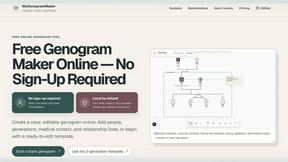
MyGenogramMaker
Browser-based genogram editor with family symbols, relationship lines and editable templates
WatermarkPilot
Private browser-based watermark tools for photos and PDFs, with eleven free workflows and local media processing.
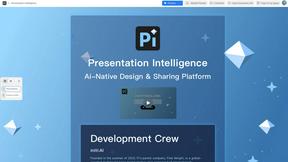
Presentation Intelligence
AI-native presentation and visual content platform that turns prompts, documents, images, videos, and data into polished, shareable decks.

ProfileLoom
ProfileLoom turns one photo into platform-ready AI portraits for professional, social, and creator profiles, with presets and built-in editing.
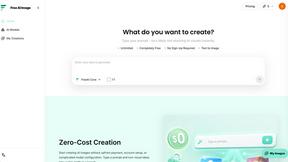
Free AI Image
Free AI Image is a free text-to-image AI generator for creating clean visual drafts from prompts with no sign-up required.
Text Logo
Create custom text, wordmark, and typography logos with flexible SVG, PNG, WebP, or ICO exports.