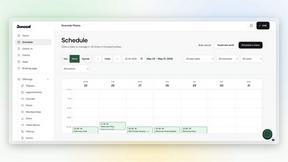
Dokta
Dokta automates document management for SMBs and freelancers, simplifying invoicing, contracts, and cash flow in under 60 seconds.
Visit
About Dokta
Dokta is an advanced AI-powered document management platform tailored for freelancers, solo entrepreneurs, auto-entrepreneurs, and small to medium-sized businesses (SMBs). Its primary function is to streamline the often cumbersome document lifecycle, allowing users to effortlessly manage invoices, quotes, and contracts. By simply dropping any document into the platform—be it a photo, scan, or PDF—Dokta's sophisticated AI engine takes over, reading, classifying, and extracting essential data in under 60 seconds. This efficiency not only eliminates the risk of lost files and missed deadlines but also liberates users from spending their weekends on tedious administrative tasks. With Dokta, businesses can create professional invoices and quotes, track payments in real time, and automate reminders for unpaid invoices. It builds a client database from user documents, thus enhancing cash flow management. Whether you are a freelance developer, a consultant, or a trades contractor, Dokta places your documents at the center of your operations, managed seamlessly by AI.
Features of Dokta
Automated Invoice Management
Dokta revolutionizes how freelancers and SMBs handle invoicing. Users can create professional invoices and quotes within a few clicks, ensuring that billing is both swift and efficient. With automated tracking of payments and reminders for overdue invoices, the platform reduces the manual workload and enhances cash flow management.
Real-Time Financial Overview
With a clear visualization of cash flow, Dokta provides users with insights into their financial health. Users can monitor billed and received revenue, outstanding payments, and VAT obligations through a comprehensive, user-friendly dashboard. This feature enables informed decision-making and financial planning.
Document Lifecycle Automation
Dokta manages the entire document lifecycle by automatically reading, classifying, and extracting key data from any document in less than a minute. This not only saves time but also ensures accuracy, making it easy for users to validate tasks such as payments and archiving with just one click.
Anomaly Detection and Data Security
Dokta prioritizes user security by implementing advanced anomaly detection. It identifies issues such as modified IBANs, duplicate entries, and inconsistent VAT rates, safeguarding users against potential fraud and errors. With data hosted securely in Europe and compliant with GDPR regulations, users can trust that their information is protected.
Use Cases of Dokta
Freelance Consultant
A freelance consultant can utilize Dokta to automate their invoicing process. By setting up recurring contracts with automatic monthly billing, they can focus on delivering value to their clients rather than managing paperwork.
Creative Projects
For creative freelancers, Dokta simplifies the workflow by allowing them to send quotes with acceptance links. The seamless transition from quote to invoice in just one click enhances efficiency and ensures timely payments.
Auto-Entrepreneurs
Auto-entrepreneurs benefit from Dokta’s automated reminders for URSSAF deadlines and payment tracking. This feature allows them to maintain compliance and manage their finances without the stress of manual tracking.
Small Business Management
Small businesses can use Dokta to build an extensive client database from their documents. This not only helps in managing client relationships but also provides insights into cash flow, enabling better financial forecasting and planning.
Frequently Asked Questions
How does Dokta ensure the security of my documents?
Dokta ensures document security through AES-256 encryption, with all data hosted in Europe and compliant with GDPR regulations. This guarantees that your sensitive information is protected from unauthorized access.
Can I try Dokta without a credit card?
Yes, Dokta offers a free tier that allows you to manage 15 documents per month without the need for a credit card, making it easy to explore the platform’s features without any financial commitment.
What types of documents can I upload to Dokta?
Dokta supports various document types, including photos, scans, and PDFs. This flexibility allows users to integrate their existing documents into the platform with ease.
How quickly can I expect my documents to be processed?
Dokta’s AI engine analyzes and extracts key data from documents in under 60 seconds, ensuring that you can manage your administrative tasks efficiently and without delay.
Similar to Dokta
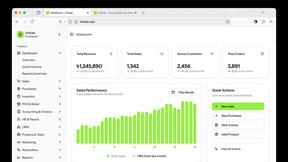
Hishab
All-in-One POS, Inventory & Accounting Software for Bangladeshi Businesses

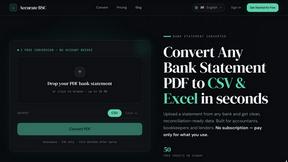
Accurate Bank Statement Converter
A tool to convert PDF bank statements into clean Excel and CSV.



IZIPAY
IZIPAY is a virtual and physical crypto card service that lets users top up with digital assets and pay online like with a regular card.
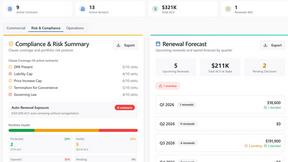
Venduris
Venduris is a renewal intelligence platform that gives mid-size companies control over SaaS & AI contract renewals before leverage disappears.