BoltShot
Capture stunning, high-quality screenshots instantly from any URL with BoltShot's ultra-fast API, designed for developers and businesses alike.
Visit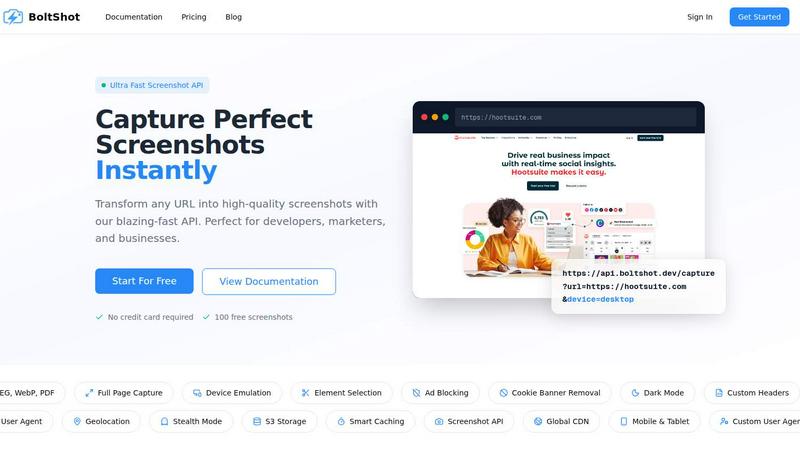
About BoltShot
BoltShot is an elite screenshot API designed to transform any URL into high-quality images in various formats, including PNG, JPEG, WebP, and PDF, through a streamlined API request. It targets developers, digital marketers, and businesses who require flawless web representations without the hassle of managing complex browser infrastructures. With capabilities such as full-page captures, device emulation across mobile, tablet, and desktop platforms, and customizable viewport settings, BoltShot is tailored for versatility and precision. Its powerful features enable users to isolate specific page elements using CSS selectors, while advanced options like ad blocking and cookie banner removal ensure that the screenshots remain clean and professional. The API also supports S3 uploads with global CDN delivery, geolocation emulation, and stealth mode, making it an invaluable tool for e-commerce previews, automated reporting, web archiving, and compliance monitoring. BoltShot seamlessly integrates into workflows, allowing users to focus on their core business objectives without the burden of technical complexities.
Features of BoltShot
Ultra Fast Capture
BoltShot excels in producing high-quality screenshots at lightning speed. Users can convert URLs into images almost instantly, making it perfect for developers and marketers who need quick turnaround times for their projects. This feature is especially beneficial for large-scale operations requiring frequent screenshot generation without compromising quality.
Flexible Sizing Options
With BoltShot, users can capture any screen size with pixel-perfect precision. Whether it's a full-page screenshot, targeted element capture, or custom viewports, the API adapts to the user's needs. This flexibility ensures that users can effectively showcase their web content in the most suitable format for their audience.
Clean Capture Technology
BoltShot is engineered to deliver pristine screenshots by automatically filtering out distractions. Cookie banners, advertisements, and overlays are removed, allowing users to focus on the content that matters. This feature is essential for maintaining a professional image, particularly in marketing and reporting contexts.
Advanced Configuration Capabilities
The API offers advanced capabilities such as custom user agents and geolocation emulation, enabling users to simulate various browsing scenarios. Furthermore, it supports stealth mode for privacy-conscious applications and custom headers for enhanced security. This level of customization positions BoltShot as a comprehensive solution for diverse use cases.
Use Cases of BoltShot
E-commerce Previews
E-commerce platforms can leverage BoltShot to create stunning previews of product pages, ensuring that potential customers see high-quality visuals. By capturing clean and precise screenshots, businesses can enhance their marketing materials and drive conversions.
Automated Reporting
Marketing and analytics teams can utilize BoltShot for automated reporting purposes. By capturing screenshots of web performance, campaign effectiveness, and competitor analysis, teams can present clear, visual data that supports their strategic decisions.
Web Archiving
For institutions and organizations focused on preserving web content, BoltShot serves as an effective tool for web archiving. It allows users to capture and store web pages in their original state, ensuring that important information is not lost over time.
Compliance Monitoring
Businesses can use BoltShot to monitor compliance with regulatory standards. By capturing screenshots of their web content, organizations can verify adherence to legal requirements, ensuring that their online presence remains within the bounds of the law.
Frequently Asked Questions
How does BoltShot ensure high-quality screenshots?
BoltShot employs advanced algorithms and rendering techniques to capture high-resolution images that accurately reflect the original web content. Additionally, features like ad blocking and cookie banner removal contribute to the overall quality.
Can I customize the viewport settings for my screenshots?
Yes, BoltShot allows users to specify custom viewport settings, enabling you to capture images at any desired screen size or resolution, making it adaptable for various devices and user needs.
Is there a limit to the number of screenshots I can capture?
BoltShot offers a free tier that includes 100 free screenshots, allowing users to explore its capabilities before committing to a paid plan. For extensive usage, consult the pricing section for more details.
Does BoltShot support mobile device emulation?
Absolutely, BoltShot supports device emulation for mobile, tablet, and desktop, allowing users to capture screenshots exactly as they would appear on different devices, enhancing the versatility of the API.
Similar to BoltShot
DebutPin
Indie product playground — ship, and collect pins
Egmatic
No-code 2D game editor: visual node logic, drag-and-drop scenes, live preview. Exports to Windows, macOS, Linux, Android, iOS, Web.
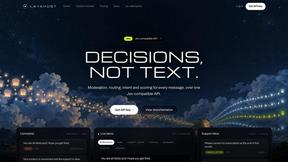
layahost
Moderation, routing, intent and scoring for any text over one Jev-compatible API, hosted in the EU.
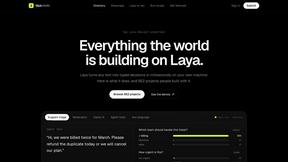
laya.tools
A free directory of 950+ projects built on Laya, the open-source decision model. Updated daily.
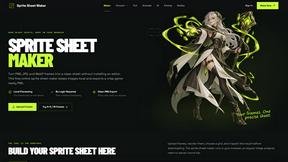
Sprite Sheet Maker
A free browser-based toolkit for creating, cutting, converting, and previewing sprite sheet animations.
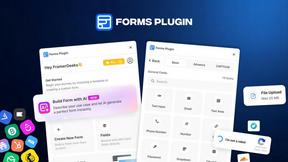
Forms Plugin
The #1 Native Form Builder Plugin for Framer - No Code, No Embeds, No External Platforms.