
Blueberry
Blueberry seamlessly unites your editor, terminal, and browser for effortless web app development in one powerful.
Visit
About Blueberry
Blueberry is a revolutionary macOS application that redefines the way modern product builders approach software development. By integrating an editor, terminal, and browser into a single focused workspace, Blueberry eliminates the need for constant window juggling and allows developers to concentrate on what truly matters: building exceptional web applications. With the ability to connect to AI models like Claude, Gemini, and Codex through its proprietary MCP (Model Connection Protocol), Blueberry provides real-time insights into your files, terminal outputs, and live previews. This seamless connectivity ensures that your AI can comprehend your entire project context, which significantly enhances productivity and reduces the tediousness of copy-pasting context between applications. Designed for developers who refuse to compromise on efficiency, Blueberry is currently available for free during its beta phase, making it an essential tool for anyone involved in product development.
Features of Blueberry
Unified Workspace
Blueberry's unique design combines a code editor, terminal, and preview browser into one cohesive environment. This integration allows for uninterrupted workflow, enabling developers to write, test, and view their applications without switching between multiple applications or windows.
AI Integration
With Blueberry's built-in MCP, you can run advanced AI models directly within your terminal, providing live context about your code and project. This feature allows the AI to assist you more intelligently, making suggestions and clarifications that are directly relevant to your current work.
Live Preview
Blueberry includes a live preview feature that allows you to see how your web application will look on different devices in real-time. This instant feedback loop is invaluable for ensuring that user experiences are optimized across desktop, tablet, and mobile formats without switching tools.
Pinned Apps
The ability to dock essential apps such as GitHub, Linear, Figma, and PostHog within Blueberry enhances collaboration and productivity. These pinned applications are always available and share live context with your AI, ensuring that you have everything you need at your fingertips.
Use Cases of Blueberry
Web Application Development
Developers can use Blueberry to streamline their workflow when building web applications. The integrated tools allow for quick coding, testing, and visualizing changes, thus accelerating the entire development cycle.
Collaborative Projects
For teams working on collaborative projects, Blueberry’s pinned apps feature allows all team members to have consistent access to shared resources and tools, ensuring everyone is on the same page and can contribute effectively.
Learning and Experimentation
New developers or those learning new technologies can benefit from Blueberry’s real-time AI assistance and live previews, allowing them to experiment with code and see immediate results, which enhances the learning experience.
Rapid Prototyping
With its unified workspace and live preview capabilities, Blueberry is perfect for designers and developers working on rapid prototypes. Users can quickly iterate on designs and functionality, making it easy to visualize and test new ideas.
Frequently Asked Questions
How does Blueberry improve productivity?
Blueberry improves productivity by combining essential development tools into a single workspace, reducing the time spent switching between applications and allowing for a more focused and efficient workflow.
What AI models can I connect to Blueberry?
You can connect various AI models like Claude, Gemini, Codex, and others through the Blueberry MCP, which enables these models to access live project context, enhancing their usefulness in your development process.
Is Blueberry free to use during the beta phase?
Yes, Blueberry is 100% free during its beta phase, allowing you to explore its features without any financial commitment while contributing to its development with your feedback.
What platforms does Blueberry support?
Currently, Blueberry is designed exclusively for macOS, providing a tailored experience for Mac users who are looking to enhance their software development capabilities.
Explore more in this category:
Similar to Blueberry
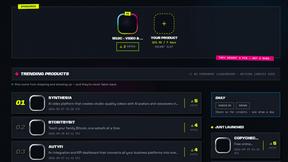
DebutPin
Indie product playground — ship, and collect pins

Egmatic
No-code 2D game editor: visual node logic, drag-and-drop scenes, live preview. Exports to Windows, macOS, Linux, Android, iOS, Web.

layahost
Moderation, routing, intent and scoring for any text over one Jev-compatible API, hosted in the EU.

laya.tools
A free directory of 950+ projects built on Laya, the open-source decision model. Updated daily.
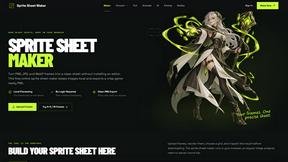
Sprite Sheet Maker
A free browser-based toolkit for creating, cutting, converting, and previewing sprite sheet animations.
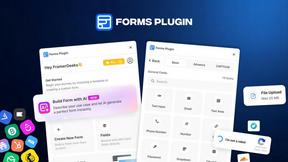
Forms Plugin
The #1 Native Form Builder Plugin for Framer - No Code, No Embeds, No External Platforms.

Product Launch Checklist
A free launch checklist for SaaS, apps, AI tools and more. Every step says why it matters and when you can skip it.
