
AssetCenter
AssetCenter delivers elite asset lifecycle visibility with unified timelines and complete cost tracking.
Visit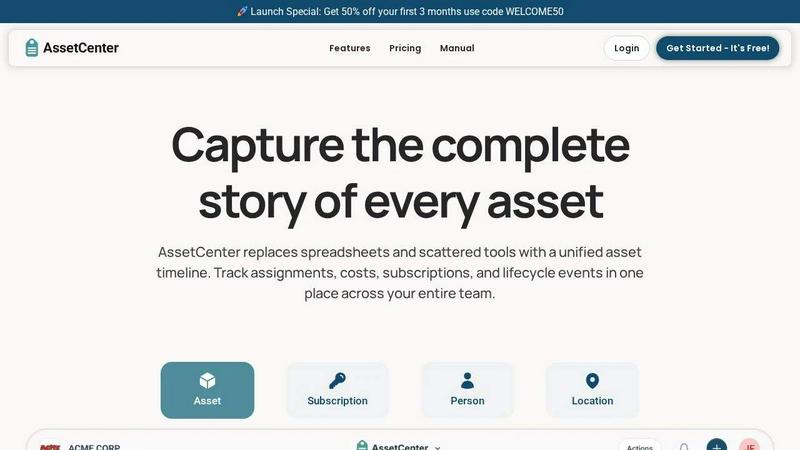
About AssetCenter
AssetCenter is a modern, premium asset management platform engineered to provide organizations with unprecedented visibility and control over every resource throughout its entire lifecycle. This elite software solution consolidates all asset-related events—from acquisition and assignment to maintenance, transfers, and eventual decommission—into a single, unified timeline. By eliminating the chaos of scattered data across multiple systems, AssetCenter establishes a definitive single source of truth that empowers teams to make informed decisions with clarity and confidence. Designed for maximum flexibility, the platform supports any industry, including healthcare, construction, education, government, nonprofit, IT, agriculture, manufacturing, and entertainment. Users can create unlimited, customizable categories and fields to model real-world workflows without rigid constraints. Assets can be assigned to people, locations, or departments, with every change automatically recorded for full accountability and traceability. Built-in lifecycle tracking, depreciation insights, and an intuitive dashboard provide real-time visibility into costs, expirations, and end-of-life assets. AssetCenter is tailored for organizations seeking top-tier asset management that reduces inefficiencies, enhances operational control, and delivers a seamless, premium experience. With a generous free trial offering 25 assets with no time limit and no credit card required, AssetCenter invites teams to stop guessing and start tracking with total visibility.
Features of AssetCenter
Unified Timeline for All Events
AssetCenter’s cornerstone feature is its unified timeline, which captures every event related to an asset, subscription, person, or location in a single, chronological view. From recording acquisitions with purchase cost and vendor details to tracking assignments, quick notes, todos, and lifecycle events like maintenance, repairs, and firmware updates, this feature provides a complete historical record. Users can see at a glance where a resource is currently assigned and who is responsible, ensuring full accountability and traceability. This eliminates the need to jump between disparate systems, offering a top-tier, streamlined experience that enhances decision-making and operational efficiency.
Customizable Timeline Events
Every asset progresses through three distinct stages: acquisition, lifecycle, and decommission. AssetCenter includes prebuilt events for each stage, allowing teams to start immediately and then fully customize these events or create entirely new ones to match their organization’s unique workflows. This flexibility ensures that whether tracking vehicles, machinery, software licenses, or office equipment, the platform adapts to real-world processes without rigid constraints. The ability to model specific events, such as oil changes for fleet vehicles or firmware updates for IT devices, positions AssetCenter as an elite solution for industries requiring precise, tailored asset management.
Comprehensive Dashboard Visibility
The platform’s dashboard brings everything together in one intuitive interface, providing real-time visibility into the entire organization. Users can track costs, stay ahead of expirations and end-of-life assets, and monitor recent activity across all resources without navigating between pages. This centralized view enables teams to identify inefficiencies, plan for replacements, and optimize asset utilization. The dashboard’s premium design and top-tier functionality ensure that decision-makers have instant access to critical data, empowering them to act proactively and maintain control over their asset ecosystem.
Bulk Import and Custom Categories
AssetCenter streamlines onboarding with bulk import Excel templates that allow users to quickly load all assets, subscriptions, people, and locations into the system. Combined with the ability to create unlimited, industry-specific custom categories, teams can organize resources exactly as their business requires. Whether adding new asset types or adjusting existing ones as the organization grows, this feature ensures scalability and adaptability. The bulk import process is designed for efficiency, reducing setup time from hours to minutes, while custom categories maintain data integrity and relevance, reinforcing AssetCenter’s position as a premium, elite asset management solution.
Use Cases of AssetCenter
IT Asset Management for Enterprises
Enterprise IT departments use AssetCenter to track every hardware and software asset from procurement to retirement. The unified timeline captures assignments to employees, maintenance events like firmware updates or factory resets, and decommission records. Custom categories allow IT teams to model specific asset types, such as servers, laptops, or software licenses, while the dashboard provides real-time visibility into costs, warranty expirations, and end-of-life dates. This ensures compliance, reduces security risks, and optimizes IT spending, making AssetCenter an indispensable tool for top-tier organizations.
Healthcare Equipment Lifecycle Tracking
Hospitals and healthcare facilities leverage AssetCenter to manage critical medical equipment, including diagnostic machines, patient monitors, and surgical instruments. The platform records acquisition details, tracks assignments to specific departments or locations, and logs maintenance events such as repairs, calibrations, and inspections. Customizable timeline events ensure compliance with regulatory standards, while the dashboard highlights upcoming expirations and end-of-life assets. This elite-level visibility helps healthcare providers reduce downtime, improve patient safety, and control operational costs, reinforcing AssetCenter’s value in high-stakes environments.
Construction Fleet and Tool Management
Construction companies use AssetCenter to oversee heavy machinery, vehicles, and tools across multiple job sites. The platform captures asset assignments to specific projects or operators, logs lifecycle events like oil changes, repairs, and inspections, and tracks decommissioning for sold or retired equipment. Custom categories allow teams to differentiate between asset types, such as excavators, generators, or safety gear. The unified timeline provides a complete history, while the dashboard offers cost insights and expiration alerts, enabling construction firms to maximize asset utilization and minimize project delays.
Nonprofit Grant-Funded Asset Oversight
Nonprofit organizations utilize AssetCenter to manage assets acquired through grants, ensuring compliance with funding requirements. The platform records purchase costs and vendor details, tracks assignments to programs or locations, and logs lifecycle events like maintenance or transfers. Custom categories help nonprofits model specific resources, such as vehicles, office equipment, or educational supplies. The dashboard provides visibility into asset costs and end-of-life dates, supporting grant reporting and budget planning. This premium solution empowers nonprofits to demonstrate accountability and optimize resource allocation, aligning with their mission-driven goals.
Frequently Asked Questions
How does the unified timeline work in AssetCenter?
The unified timeline is a chronological view that captures every event related to an asset, subscription, person, or location. Events include acquisitions (with purchase cost and vendor details), assignments (showing current location and responsible person), quick notes, todos, lifecycle events (maintenance, repairs, firmware updates, factory resets), and decommission records. Each event is automatically recorded and timestamped, providing a complete history at a glance. This eliminates the need to search across multiple systems, offering a single source of truth for full accountability and traceability.
Can I customize AssetCenter to fit my industry’s specific needs?
Yes, AssetCenter is built for maximum flexibility and supports any industry, including healthcare, construction, education, government, nonprofit, IT, agriculture, manufacturing, and entertainment. You can create unlimited, industry-specific categories and fields to model your real-world workflows. The platform includes prebuilt timeline events for acquisition, lifecycle, and decommission stages, which you can fully customize or use as a starting point to create your own events. This ensures the system adapts to your unique processes without rigid constraints.
What does the free trial include and is there a time limit?
AssetCenter offers a generous free trial that includes 25 assets with no time limit and no credit card required. You get full access to the entire platform, including the unified timeline, customizable categories, bulk import templates, and the comprehensive dashboard. This allows you to thoroughly evaluate how AssetCenter can improve visibility and control over your organization’s assets. There are no hidden fees or obligations, and you can cancel at any time, making it risk-free to start your journey toward elite asset management.
How do I get started with importing my existing assets?
Getting started is simple. First, create your free account on AssetCenter. Then, go to the bulk import page to download the Excel templates. Fill in the templates with all of your assets, subscriptions, people, and locations. Once completed, upload the filled-out template into the application to quickly import your data. You can also create custom categories to organize your resources exactly as your business needs. This streamlined process ensures you can go from setup to full visibility in minutes, without complex data migration challenges.
Explore more in this category:
Similar to AssetCenter
Novastart
Apps and files on an infinite canvas where people and AI agents work together.

Panzoe
Panzoe is an all-in-one AI platform for personal productivity, business automation, AI assistants, content creation, and custom AI solutions.
AI Email Filter
AI Email Filter sorts incoming mail into folders using plain-language prompts you write. Works with any IMAP mailbox; bring your own LLM if you want.
DebutPin
Indie product playground — ship, and collect pins
Egmatic
No-code 2D game editor: visual node logic, drag-and-drop scenes, live preview. Exports to Windows, macOS, Linux, Android, iOS, Web.
Kody Tools
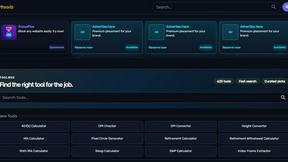
Free collection of online developer utilities, code formatters, and digital converters designed to streamline your daily workflow.
Tally Counter
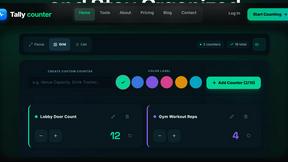
Online tally counter for tracking attendance, workouts, inventory, visitors, sports scores, habits, and everyday counting tasks.
Forms Plugin
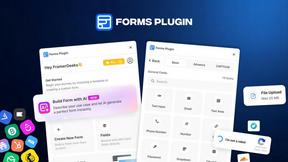
The #1 Native Form Builder Plugin for Framer - No Code, No Embeds, No External Platforms.