

Alternatives to ZombieTrend AI
Turn two photos into a short, sound-enabled zombie love story with a free scene preview and a warm flashback ending.
20 alternatives found

FoxyLab
FoxyLab makes videos and banner sets from chat prompts or product websites, then lets users request edits in plain language.

NarraScout
NarraScout gives writers and creators evidence-linked feedback on scripts, screenplays, and short videos, with checks for stated constraints.
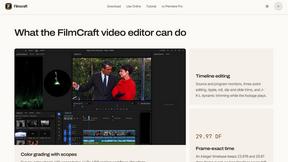
FilmCraft
FilmCraft is a free, open-source video editor with browser access, frame-exact timelines, color tools, and native codec support.
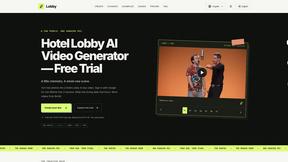
LobbyClip
LobbyClip turns two photos into short AI duo videos, with people and pet scenes, three aspect ratios and adjustable duration.

DomainRating
Use DomainRating to check website DR, monitor score trends across a portfolio, and embed a live rating badge on a site.
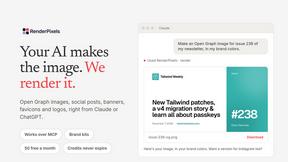
RenderPixels
RenderPixels connects AI assistants to exact-size image rendering for social, web, and brand assets, with checks and downloadable previews.
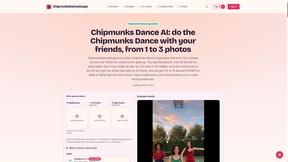
Chipmunks Dance AI
Turn one to three photos into a vertical Chipmunks Dance video, with optional AI dancers filling empty spots in the trio.
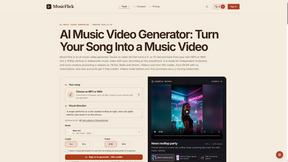
MusicFlick
MusicFlick turns a chosen 5- or 10-second MP3 or WAV excerpt into a 1080p music video for independent artists and Suno creators.
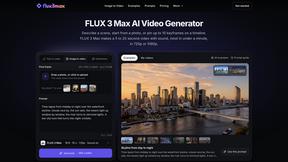
Flux3Max.io
Create 5 to 20 second videos with sound from text, photos, or up to 10 keyframes in 720p or 1080p.

RapTwins
RapTwins turns portraits into short rap videos with AI-written or custom bars, generated vocals, and selectable scenes for solo or duo clips.
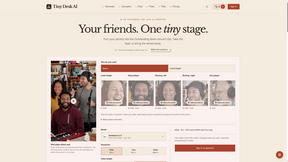
Tiny Desk AI
Put your photo or friends into a short AI parody of the Outstanding Tiny Desk performance, ready as a vertical MP4.

Goshortsai
Goshortsai combines AI video workflows, motion presets, and image tools, letting creators start with text, a still image, or existing footage.

Bicep Heart
Animate an adult photo into a seven-second vertical bicep-heart clip, with three movement scenes and optional text layouts.
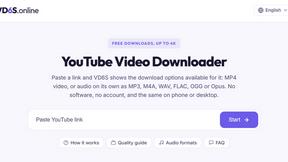
VD6S.online
A browser-based YouTube downloader that offers available MP4 video or audio in eight formats, with no installation, account, or subscription.
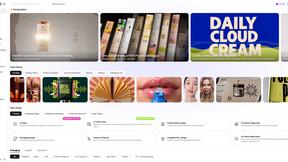
Rhinobird
Rhinobird creates product listing images, image sets, and ads from product photos, with additional tools for packaging concepts and video creation.

AI Rap Video.cc
Create short AI rap videos from portraits, with original performances or reference clip remixes for personal and themed content.

Vikas Editor AI
Vikas Editor AI turns photos into cinematic images and five-second videos with editable prompts and templates for Indian creators.
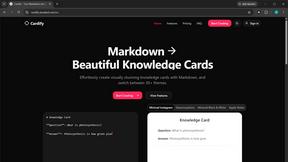
Cardify
Cardify turns Markdown into shareable knowledge cards with 30+ themes, live previews, and batch export in PNG, SVG, or PDF.

FlipHTML5 Downloader
FlipHTML5 Downloader turns FlipHTML5 publications into high-quality PDFs and provides a discovery page for popular flipbooks.
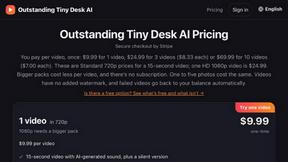
Tiny Desk AI
Remake the Outstanding Tiny Desk meme with your photos in a 15-second, social-ready vertical video with AI-generated sound.
About ZombieTrend AI Alternatives
A do-it-yourself approach uses a video model to create the zombie scene and flashback separately, then joins and times the clips in an editor such as CapCut. Compare how much control you want over individual scenes, how much editing you are willing to do, and whether keeping the same face consistent across scenes matters. The supplied prompt also names Dreamina, Kling and Veo as options for trying the format manually.
FAQs about ZombieTrend AI Alternatives
Can I make this kind of video without ZombieTrend AI?
Yes. The product page provides a four-beat prompt for use with Dreamina, Kling or Veo, followed by assembling scenes in an editor.
What should I compare with a manual workflow?
Consider control over each scene, the time needed to generate and stitch clips, and whether the faces stay consistent between the zombie scene and flashback.