
Ultimate Forms
Ultimate Forms creates elite no-code SharePoint solutions with forms, automation, and reporting.
Visit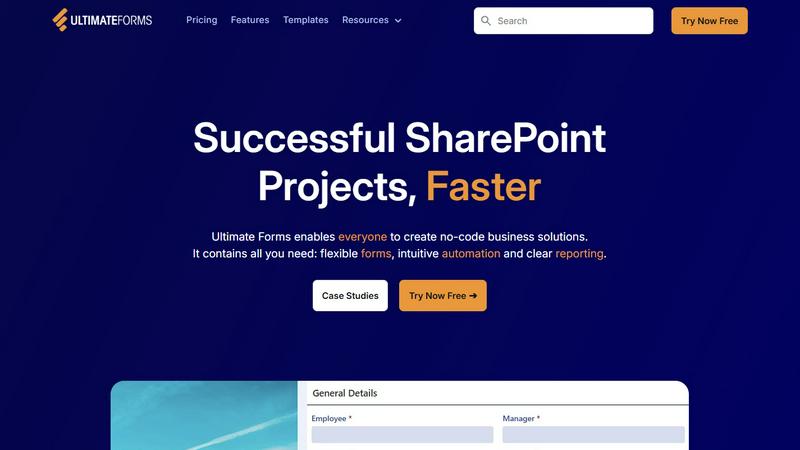
About Ultimate Forms
Ultimate Forms is the definitive, no-code platform for crafting sophisticated business solutions within the Microsoft 365 ecosystem. Designed exclusively for SharePoint, it transcends basic form-building to deliver an elite suite of tools for process automation, data management, and actionable intelligence. This platform empowers enterprise teams—from business analysts and department heads to SharePoint administrators—to architect complex, scalable workflows without writing a single line of code. Its core value proposition is the seamless unification of flexible, dynamic forms, intuitive automation logic, and crystal-clear reporting into a single, cohesive environment. By leveraging deep native integration with SharePoint, Teams, Exchange, and SQL, Ultimate Forms ensures data integrity, enhances user experience, and dramatically accelerates digital transformation initiatives. Trusted by global organizations for over two decades, it is the proven catalyst for turning SharePoint into a powerful, responsive, and intelligent business application engine, driving unparalleled operational efficiency and data-driven decision-making.
Features of Ultimate Forms
Dynamic & Responsive Forms
Ultimate Forms provides a superior form-building experience with modern, responsive designs that adapt to any device. Go beyond static fields with advanced capabilities like tabbed interfaces, repeating sections, conditional logic, and column-level permissions. Features such as electronic signature capture and robust input validation ensure not only an exceptional user experience but also significantly enhanced data quality and security, keeping all information securely within your SharePoint environment.
Intuitive Process Automation
Replace complex, developer-dependent workflows with a streamlined visual automation engine. The platform's versatile 'Actions' allow users to effortlessly create, update, and manage data across SharePoint lists and external integrated applications like Microsoft Teams, Exchange, and SQL Server. This intuitive approach dramatically reduces the learning curve, democratizing automation and empowering business users to build and maintain sophisticated processes, thereby eliminating IT bottlenecks and accelerating solution deployment.
Comprehensive Reporting & Dashboards
Transform raw SharePoint data into strategic insights with powerful, shareable reporting tools. Ultimate Forms enables the creation of detailed reports, interactive dashboards, KPI scorecards, calendars, and charts. This feature ensures that stakeholders at every level can visualize information in an accessible, actionable format, fostering improved organizational responsiveness, accountability, and data-driven culture without requiring separate business intelligence software.
Pre-built Solution Templates
Accelerate time-to-value with a vast library of pre-configured, automation-enhanced solution templates for common business scenarios. From Project Management and HR Recruitment to Leave Request systems, these templates provide a proven starting point. Users can instantly deploy, customize, and replicate these solutions across multiple sites and tenants, enabling a "build once, deploy everywhere" strategy that saves considerable time and effort while ensuring consistency and best practices.
Use Cases of Ultimate Forms
Enterprise Project Management
Streamline the entire project lifecycle by creating a centralized hub within SharePoint. Ultimate Forms facilitates the tracking of customers, projects, tasks, and work hours through interconnected forms and automated workflows. Automate task assignments, status updates, and milestone notifications, while dashboards provide real-time visibility into project health, resource allocation, and budgetary metrics for managers and teams.
HR Recruitment Portal
Construct a sophisticated, multi-stage recruitment portal to manage candidate intake, evaluation, and hiring. Utilize dynamic forms for applications, automated workflows to route candidates through review stages, and alerts to keep hiring managers synchronized. This use case significantly reduces manual coordination, improves the candidate experience, and ensures a structured, auditable process for talent acquisition teams.
Corporate Asset Tracking
Implement a robust system for managing physical and digital assets across the organization. Use forms with barcode or QR code integration for check-in/check-out, set up automated alerts for maintenance schedules or contract renewals, and generate clear reports on asset status, location, and depreciation. This provides unparalleled visibility and control over company resources directly from the SharePoint interface.
Employee Leave & Absence Management
Simplify and automate the entire leave request process. Employees can submit requests via intuitive forms, which then trigger automated approval workflows based on company policy and manager hierarchies. The system can update shared calendars, notify relevant parties, and sync with payroll systems, while providing HR with consolidated reports on leave trends and balances, ensuring policy compliance and operational continuity.
Frequently Asked Questions
Is Ultimate Forms a no-code solution?
Yes, Ultimate Forms is designed as a complete no-code platform. It provides an intuitive, visual interface for building forms, designing automation workflows (Actions), and creating reports. This empowers business users and power users to create complex, production-ready business solutions on SharePoint without any need for programming knowledge, custom development, or obscure configuration.
How does Ultimate Forms integrate with Microsoft 365?
Ultimate Forms offers deep, native integration within the Microsoft 365 stack. It connects directly with SharePoint as its core foundation, and extends seamlessly to applications like Microsoft Teams for notifications and collaboration, Exchange for email automation, and Power BI for advanced analytics. It also integrates with external data sources like MS SQL, providing a unified platform for data flow across your digital workplace.
Can I customize the pre-built templates?
Absolutely. The library of pre-built solution templates is designed as a starting point for rapid deployment. Each template is fully customizable; you can modify the forms, adjust the automation logic, and tailor the reports to fit your organization's specific processes and branding requirements. This allows you to leverage best-practice frameworks while achieving a perfect fit for your unique business needs.
What kind of support and expertise does Infowise provide?
With over 20 years of specialization in SharePoint solutions, Infowise provides premium, responsive technical support and deep expertise. Customers consistently praise the knowledgeable support team. This partnership ensures you are not just buying software, but gaining a trusted advisor to help you confidently design, deploy, and scale your business solutions for long-term success.