
SVG to 3D
Effortlessly elevate your 2D SVG designs to stunning, professional 3D models in seconds with our advanced conversion.
Visit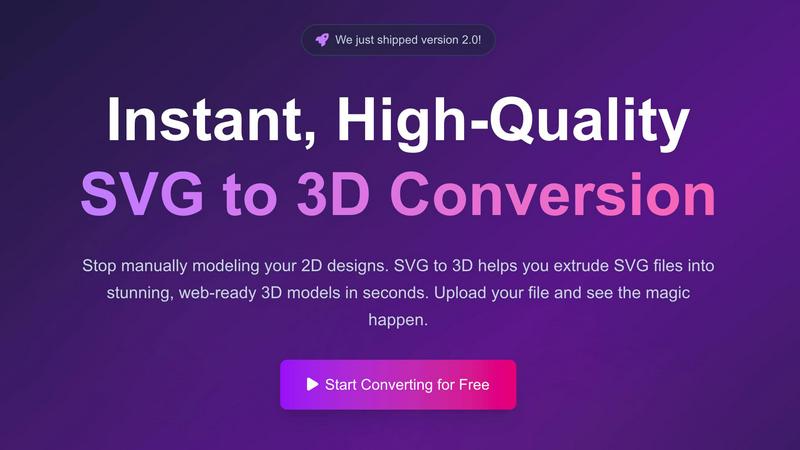
About SVG to 3D
SVG to 3D is a revolutionary online tool designed to transform 2D SVG vector graphics into stunning, high-quality 3D models with unparalleled ease and speed. This innovative solution was developed to address the common frustration faced by designers and developers who often rely on heavyweight software like Blender or Cinema 4D to perform simple tasks such as extruding logos or icons. With SVG to 3D, you can effortlessly convert your SVG files into web-ready 3D models in mere seconds, allowing you to focus on creativity rather than cumbersome workflows. This tool is tailored for web developers, designers, and 3D printing enthusiasts, providing them with a streamlined and efficient approach to 3D modeling. Whether you are creating interactive web elements or preparing files for 3D printing, SVG to 3D offers capabilities that enhance your design projects while maintaining a professional finish.
Features of SVG to 3D
One-Click to GLB for the Web
Our tool is optimized for web developers, enabling you to export GLB files with a single click. These files are perfectly suited for integration into Three.js or React Three Fiber projects, making it simple to infuse your websites with dynamic 3D elements that captivate users and elevate the overall experience.
3D-Print Ready
SVG to 3D facilitates a seamless transition from digital design to physical object. With clean STL exports, your 3D models are ready for immediate use with your slicer for 3D printing, ensuring that your logos, artwork, or custom parts come to life without the need for complex CAD software.
Advanced Material System
Our advanced material system allows you to apply realistic PBR materials, custom textures, and professional lighting effects. This feature helps your 3D models stand out by adding depth and realism, ensuring that they are not only visually appealing but also suitable for high-end design projects.
Lightning-Fast Processing
Experience the power of rapid SVG to 3D conversion with our optimized algorithms. Unlike other tools that may take minutes to process, SVG to 3D completes conversions in seconds, allowing you to maintain your creative momentum and streamline your workflow without unnecessary delays.
Use Cases of SVG to 3D
Create Interactive 3D Logos and Icons for Web
Transform your simple SVG icons into engaging 3D models that enhance user interaction. This tool is ideal for web designers looking to create visually striking logos and icons that not only draw attention but also provide a more immersive experience on their websites.
From Digital Design to Physical Object: SVG to STL for 3D Printing
Whether you are an artist, engineer, or hobbyist, SVG to 3D empowers you to bring your 2D designs to life. By converting SVG files to STL format, you can easily prepare your creations for 3D printing, making it accessible for anyone looking to fabricate their designs.
Add Depth to Your UI/UX Designs
Elevate your UI/UX projects by adding depth and realistic lighting to your designs. With SVG to 3D, you can create compelling visual presentations that impress clients and stakeholders, enhancing your portfolio with innovative 3D mockups that showcase your design capabilities.
Developer-Friendly Exports for Diverse Projects
SVG to 3D supports multiple export formats, including GLB, GLTF, OBJ, and STL, which makes it a versatile tool for developers. Whether integrating 3D models into games, applications, or websites, the clean and optimized geometry ensures compatibility with popular 3D frameworks and engines.
Frequently Asked Questions
What file formats can I export my 3D models to?
You can export your 3D models in various formats, including GLB, GLTF, OBJ, and STL. This versatility ensures that your models can be used in a wide range of applications and projects.
Is my design safe when using SVG to 3D?
Absolutely. Your files are processed locally within your browser whenever possible, ensuring that your designs remain private and secure. We prioritize your privacy and do not upload files to external servers.
How long does it take to convert an SVG to 3D?
Thanks to our optimized algorithms, SVG to 3D can convert your files in seconds. This rapid processing allows you to maintain your workflow and focus on your creative projects without unnecessary delays.
Do I need to create an account to use SVG to 3D?
No, you do not need to register for an account to access our services. SVG to 3D is completely free to use, and you can start converting your files immediately without any registration requirements.
Similar to SVG to 3D
GetYouTubeTranscript
Free YouTube transcripts on the web, a Chrome extension, and an API + MCP server so AI assistants can read YouTube.
layahost
Moderation, routing, intent and scoring for any text over one Jev-compatible API, hosted in the EU.


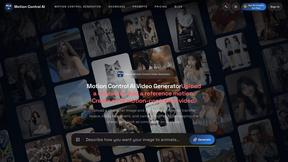
Motion Control AI
Create motion-controlled character videos by transferring dance, gestures, timing, and camera movement from a reference video.

amaze.directory
A directory of AI tools where every listing was opened and used by a person first. Search by job, filter by price, get the link.