
StatementSheet
Transform your PDF bank statements into accurate Excel or CSV files in seconds with StatementSheet's secure conversion.
Visit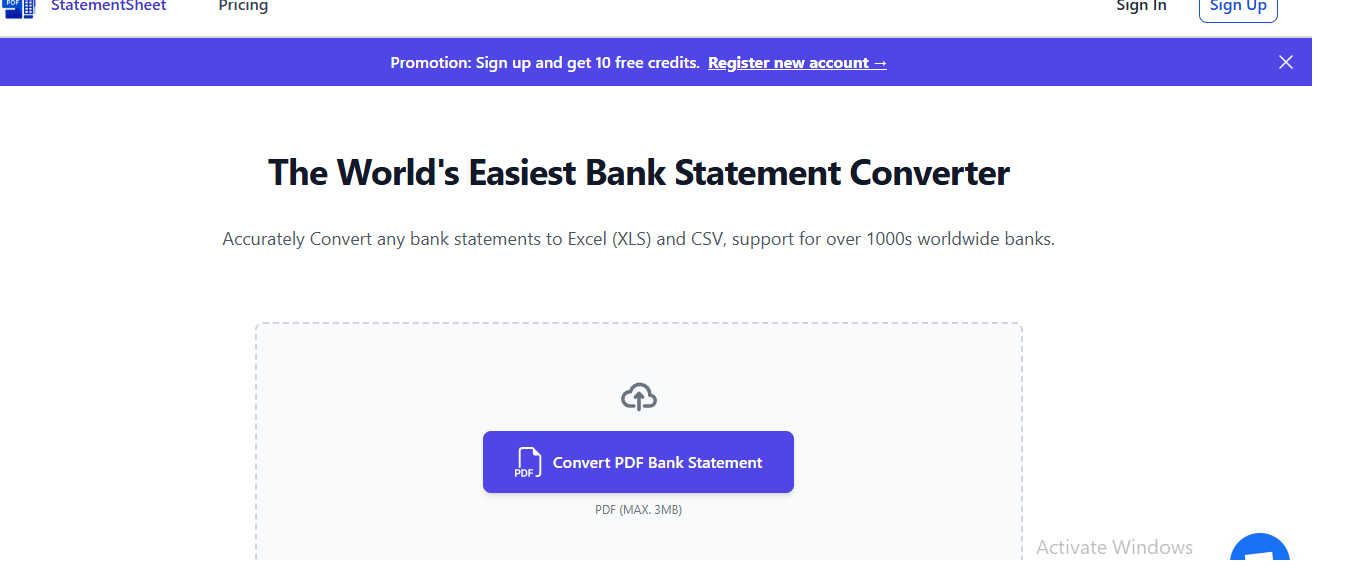
About StatementSheet
StatementSheet is an elite online tool meticulously crafted to transform the landscape of financial data entry for professionals. Designed for finance experts, accountants, and auditors, this sophisticated platform excels in extracting transactions from PDF bank statements and converting them into immaculate Excel or CSV files within seconds. By automating the tedious process of data entry, StatementSheet allows users to allocate their valuable time to more critical tasks without the burden of formatting or alignment issues. Its precision and efficiency are paramount, making it an indispensable resource for audits, monthly financial closings, and detailed expense tracking. With an intuitive upload feature, users can swiftly convert their documents into structured files that are ready for analysis and reporting. StatementSheet embodies the pinnacle of efficiency and accuracy in financial data management, ensuring that your workflow is not only streamlined but also perfectly precise.
Features of StatementSheet
Secure File Processing
StatementSheet guarantees secure processing of your sensitive financial data. All files uploaded to the platform are encrypted during transfer, and they are automatically deleted 24 hours after conversion, ensuring that your information remains confidential and secure.
Accurate Data Extraction
With advanced algorithms and OCR technology, StatementSheet automatically extracts vital information including transactions, dates, descriptions, and balances from PDF bank statements. This feature ensures that users receive clean and usable Excel or CSV files without the hassle of manual entry.
Fast & Automated Conversion
The power of automation is at your fingertips with StatementSheet. The tool processes bank statement files in seconds, delivering downloadable Excel or CSV outputs almost instantaneously. This rapid turnaround enables finance professionals to maintain productivity and meet tight deadlines.
Multi-Page Processing Capability
StatementSheet excels in handling complex documents. Users can confidently upload multi-page PDF bank statements, and the tool will extract transactions from all pages into a single, structured Excel or CSV file. This feature simplifies data management for large statements, enhancing user experience and efficiency.
Use Cases of StatementSheet
Financial Audits
StatementSheet is invaluable for auditors who require precise and organized financial data. By converting bank statements into structured formats, auditors can efficiently analyze transactions and verify financial records, streamlining the audit process.
Monthly Financial Closings
For finance professionals tasked with monthly financial closings, StatementSheet provides a quick and reliable solution for data entry. The instant conversion of bank statements ensures that financial reports are prepared on time, enhancing overall efficiency.
Expense Tracking
Accountants and financial analysts can utilize StatementSheet for meticulous expense tracking. By converting bank statements into Excel or CSV files, users can easily categorize and analyze expenses, leading to better budget management and financial oversight.
Tax Preparation
During tax season, StatementSheet becomes a crucial tool for tax professionals. The swift extraction of financial data from bank statements allows for accurate reporting and compliance, ensuring that all necessary information is readily available for tax submissions.
Frequently Asked Questions
What is a bank statement converter?
A bank statement converter is an online tool that transforms bank statement files into structured formats like Excel (XLS/XLSX) or CSV. StatementSheet automatically processes PDF bank statements, extracting essential data to produce clean, usable spreadsheet files.
How do I convert a bank statement to Excel or CSV?
To convert a bank statement, simply upload your PDF file using the converter tool. The tool will automatically process the file, extract transactions, and allow you to review and download the formatted Excel or CSV file.
Is my financial data secure when using the converter?
Yes, StatementSheet prioritizes your security. All files are encrypted during transfer, and uploaded PDF documents are automatically deleted after processing, ensuring that your financial data remains secure and confidential.
Can this tool convert scanned or digitized bank statements?
Absolutely. StatementSheet can process both scanned and digitized bank statements using OCR technology. For optimal results, it is recommended to use clear, high-resolution PDFs or original electronic bank statements to ensure data accuracy.
Explore more in this category:
Similar to StatementSheet

DebutPin
Indie product playground — ship, and collect pins

Egmatic
No-code 2D game editor: visual node logic, drag-and-drop scenes, live preview. Exports to Windows, macOS, Linux, Android, iOS, Web.

Kody Tools
Free collection of online developer utilities, code formatters, and digital converters designed to streamline your daily workflow.
Hishab
All-in-One POS, Inventory & Accounting Software for Bangladeshi Businesses

Tally Counter
Online tally counter for tracking attendance, workouts, inventory, visitors, sports scores, habits, and everyday counting tasks.
Forms Plugin
The #1 Native Form Builder Plugin for Framer - No Code, No Embeds, No External Platforms.


Product Launch Checklist
A free launch checklist for SaaS, apps, AI tools and more. Every step says why it matters and when you can skip it.