
Refbox
Refbox elevates your creative process by providing instant access to images and notes, seamlessly floating above any.
Visit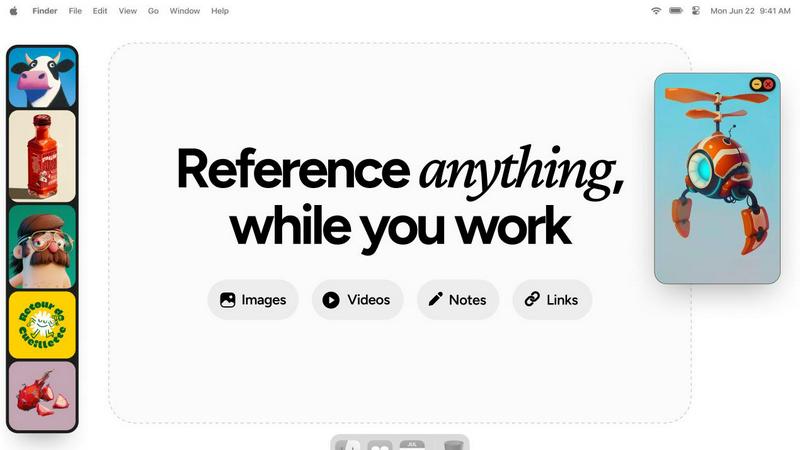
About Refbox
Refbox is the ultimate floating reference workspace, meticulously crafted for elite creative professionals who demand an environment free from distractions. This innovative tool redefines the traditional workspace by offering an always-on-top canvas that resides directly on your desktop. Refbox enables users to pin essential images, videos, GIFs, and notes within resizable, floating frames that hover above any application, ensuring that vital references are perpetually within reach. By eliminating the disruptive cycle of window switching and application toggling, Refbox allows artists, designers, and creators to maintain their creative flow state. It offers a bespoke command center that integrates seamlessly into diverse workflows, whether you are sketching, animating, or designing. With Refbox, the cognitive burden of searching for assets dissipates, empowering users to channel their full energy into creation. It is the indispensable companion for professionals across various fields, including illustration, concept art, animation, design, and photography, who cannot afford distractions and seek to optimize their creative processes.
Features of Refbox
Floating Reference Frames
Refbox features resizable floating frames that can hold images, videos, GIFs, and notes, allowing you to keep your references visible over any application. This design eliminates the need to constantly switch between windows, enhancing your workflow efficiency.
Infinite Canvas
The infinite canvas feature enables users to view all their references at once, flipping through items like a slideshow for quick comparisons. This holistic view facilitates better decision-making and creative exploration, without the hassle of visual clutter.
Auto-Hide Functionality
With the auto-hide feature, Refbox allows you to conceal your reference Box when not in use. This keeps your workspace uncluttered, ensuring that distractions are minimized and focus remains sharp, only revealing references when you need them.
GIF Playback and Pixel Rendering
Refbox supports GIF playback, allowing you to step through each frame for precise timing and animation analysis. Additionally, pixel rendering ensures that pixel art is viewed accurately, making it an invaluable tool for artists who require precision in their work.
Use Cases of Refbox
3D Art Creation
For 3D artists, Refbox serves as an essential tool for maintaining constant visibility of reference models and textures. This ensures that inspiration is always within reach, allowing for uninterrupted creativity during the modeling process.
UI/UX Design
In UI/UX design, Refbox enables designers to keep their wireframes, color palettes, and design inspiration visible. This dynamic workspace fosters rapid prototyping and iteration, enhancing overall productivity and design quality.
Animation Projects
Animators benefit from Refbox by having access to reference videos and sketches while animating. This tool allows for seamless transitions between frames and reference materials, ensuring that animators stay in their creative zone without distractions.
Photography Workflows
Photographers can leverage Refbox to display mood boards, color palettes, and sample images directly on their desktop. This accessibility streamlines the creative process, allowing photographers to focus on capturing the perfect shot without losing sight of their vision.
Frequently Asked Questions
How does Refbox enhance my creative workflow?
Refbox enhances your creative workflow by providing a floating workspace that keeps all your references visible, reducing the need for constant window switching. This allows for greater focus and efficiency in your projects.
Can I customize the size of the floating frames?
Yes, Refbox allows you to resize the floating frames to suit your needs. You can adjust the dimensions of each frame to fit the content you are working with, ensuring optimal visibility and accessibility.
Is Refbox suitable for all creative professions?
Absolutely. Refbox is designed for a wide range of creative professionals, including illustrators, designers, animators, and photographers. Its versatility makes it an essential tool for anyone who relies on visual references to enhance their work.
Can I use Refbox on multiple monitors?
Yes, Refbox can be utilized on multiple monitors, allowing you to maximize your workspace. You can position your floating reference frames across different screens for an organized and efficient creative environment.
Explore more in this category:
Similar to Refbox

Panzoe
Panzoe is an all-in-one AI platform for personal productivity, business automation, AI assistants, content creation, and custom AI solutions.
AppScreen
Panorama screenshot editor for App Store listings on iPhone and iPad.

MyGenogramMaker
Browser-based genogram editor with family symbols, relationship lines and editable templates
AI Email Filter
AI Email Filter sorts incoming mail into folders using plain-language prompts you write. Works with any IMAP mailbox; bring your own LLM if you want.
DebutPin
Indie product playground — ship, and collect pins

Egmatic
No-code 2D game editor: visual node logic, drag-and-drop scenes, live preview. Exports to Windows, macOS, Linux, Android, iOS, Web.
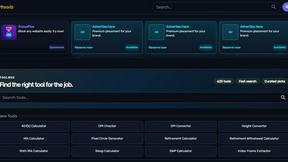
Kody Tools
Free collection of online developer utilities, code formatters, and digital converters designed to streamline your daily workflow.
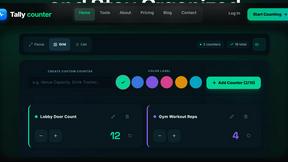
Tally Counter
Online tally counter for tracking attendance, workouts, inventory, visitors, sports scores, habits, and everyday counting tasks.