
HappyHorse AI
HappyHorse AI creates short videos from text prompts or reference images in a browser workspace with model choices and export controls.
Visit
About HappyHorse AI
HappyHorse AI is a browser-based workspace for generating short video drafts from a written prompt or an uploaded image. Choose a model, set options such as aspect ratio and duration, then generate a preview and export the result as an MP4. Its examples span product scenes, portraits, action, and nature, giving creators a way to explore motion before committing to a larger production.
The workflow is aimed at iterative creative work: campaign concepts, social video drafts, product motion, storyboards, and internal reviews. Model selection matters because supported inputs, settings, output quality, and generation time can vary. The site describes HappyHorse 1.0 as its flagship direction alongside a broader multi-model workspace; availability and capabilities may evolve. A browser workflow avoids local GPU setup, while credit-based rendering means frequent experiments should be planned around the available credits.
Features of HappyHorse AI
- Generate video from text prompts or still images.
- Choose models and adjust supported settings such as aspect ratio and duration.
- Preview and export generated clips as MP4.
- Browser-based workflow with no local GPU setup.
Use Cases of HappyHorse AI
- Draft campaign scenes and advertising concepts.
- Animate product photos or portraits for short-form content.
- Create moving storyboard references and pre-visualizations.
- Compare visual directions for creative reviews.
Frequently Asked Questions
Can I start from an image?
Yes. Upload a supported image and provide motion direction for an image-to-video generation.
What can I adjust?
Available settings depend on the model, but the site describes controls such as aspect ratio, duration, resolution, and reference inputs.
Do I need a GPU?
The product is browser-based and says no local GPU is needed.
Pricing of HappyHorse AI
Paid monthly and yearly subscriptions are offered, plus one-time credit packs. The pricing page lists Basic at $41/month billed yearly at $490, Standard at $83/month billed yearly at $990, and Pro at $167/month billed yearly at $2,000; one-time credit packs start at $50 for 500 credits.
Similar to HappyHorse AI
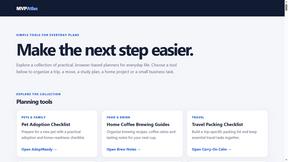
MPV Atlas
MPV Atlas is a free browser app with interactive checklists, planners and calculators for everyday home, travel, study and work tasks.


last10legal
last10legal offers a free initial review of AI-drafted legal documents by an attorney licensed in the user's state.
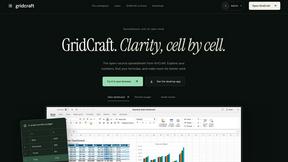
GridCraft
GridCraft is an open-source spreadsheet for working with XLSX files, formulas, charts, and data summaries on desktop or in a browser.
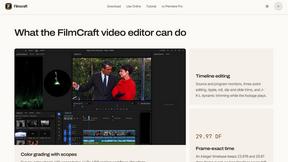

DeckCraft
A free, open-source presentation editor for browser and desktop, with .pptx support and downloads for macOS, Windows, and Linux.

SciDrawer AI
Create research figures from text prompts, sketches, or reference images, with templates and high-resolution exports for papers and posters.

DomainRating
Use DomainRating to check website DR, monitor score trends across a portfolio, and embed a live rating badge on a site.