Fluidium
Fluidium transforms your touch into exclusive, mesmerizing fluid art for profound relaxation.
Visit
About Fluidium
Fluidium is not merely an application; it is a definitive digital art experience, meticulously engineered for the discerning creator and connoisseur. As the successor to the award-winning Uzu, it represents the pinnacle of interactive fluid simulation, transforming your iOS device into a portal of dynamic, living color. At its core, Fluidium is an elite tool for generating breathtaking, real-time fluid art that responds with unparalleled immediacy and realism to every touch, tilt, and gesture. It caters to artists seeking a novel medium for expression, designers in need of unique visual inspiration, and individuals pursuing a sophisticated form of digital mindfulness. Its core value proposition lies in the seamless marriage of cutting-edge technology—leveraging Apple's Metal framework for flawless performance—with an intuitive, deeply engaging artistic interface. This synergy empowers users to effortlessly create, capture, and share mesmerizing visual phenomena that were once the exclusive domain of complex simulation software, establishing Fluidium as the premier mobile destination for interactive fluid artistry.
Features of Fluidium
Real-Time Interactive Fluid Simulation
Fluidium's foundation is its physics-based fluid engine, which renders vibrant streams of liquid color that flow, mix, and react with stunning realism. Every touch creates ripples, every drag forms currents, and every gesture manipulates the dynamic fluid in real-time. This is powered by Apple's Metal technology, ensuring buttery-smooth performance and complex visual effects on any supported iOS device, making the interaction feel instantaneous and magically responsive.
Curated and Customizable Visual Presets
Begin your creative journey instantly with a curated library of 130 exquisitely designed presets. Each preset is a unique combination of fluid behavior, color palette, and background, offering a vast spectrum of aesthetic starting points—from serene, watercolor-like washes to explosive, neon-infused turbulence. This feature provides immediate access to professional-grade visuals while serving as inspiration for your own custom creations.
Advanced Customization Studio
Move beyond presets into a realm of pure personal expression. Fluidium's advanced studio allows you to design every aspect of your fluid art. Craft custom color palettes from millions of hues, select and modify specialized brushes that alter the fluid's viscosity and interaction, and fine-tune environmental parameters to create a signature visual style that is uniquely and undeniably yours.
Integrated Capture and Auto-Play Modes
Fluidium is built for both creation and contemplation. Seamlessly record high-quality videos of your sessions to share your dynamic masterpieces on social platforms or for use in professional projects. Alternatively, engage the Auto-Play mode to transform your device into a self-generating digital canvas, perfect for relaxation, meditation, or serving as an ever-evolving piece of ambient visual art in any space.
Use Cases of Fluidium
Digital Art Creation and Inspiration
For digital artists and graphic designers, Fluidium acts as a powerful ideation engine and unique art tool. It enables the rapid generation of organic textures, colorful backgrounds, and abstract patterns that can be captured and imported into other creative suites like Procreate or Adobe Creative Cloud. It breaks creative block by providing a tactile, playful medium to explore color theory and dynamic form in real-time.
Mindful Relaxation and Stress Relief
The application serves as a sophisticated digital zen garden. The act of gently guiding the fluid, watching colors blend and flow, provides a tactile, visually calming focus that aids in mindfulness and stress reduction. The Auto-Play mode is perfect for setting the device aside to create a serene, ambient visual display that promotes a peaceful environment for meditation or unwinding after a demanding day.
Dynamic Visual Content for Professionals
Content creators, marketers, and presentation designers can utilize Fluidium to produce captivating visual assets. The recorded videos of unique fluid interactions are ideal for use as eye-catching background footage in videos, engaging social media content, or innovative visual elements in keynote presentations, adding a premium, animated texture that stands out.
Interactive Educational Demonstration
Educators and students in fields like physics, art, and digital media can use Fluidium as an interactive demonstration tool. It provides an intuitive, hands-on way to visualize concepts related to fluid dynamics, color mixing, and real-time rendering technology, making abstract principles tangible and engaging through direct manipulation and observation.
Frequently Asked Questions
What devices and operating systems are compatible with Fluidium?
Fluidium is exclusively built for iOS and leverages the Metal graphics API for optimal performance. It requires a compatible iPhone or iPad running a recent version of iOS. For the best experience, including access to all presets and flawless real-time simulation, newer device models are recommended. It is not available for Android or desktop operating systems.
Can I export the art I create, and in what formats?
Yes, Fluidium features robust export capabilities. You can capture your creations as high-definition video recordings directly within the app. These videos can be saved to your device's camera roll in standard video formats, allowing for easy sharing on social media platforms, import into other editing applications, or use in professional multimedia projects.
How does the Auto-Play mode function?
Auto-Play mode transforms Fluidium into a self-operating kinetic art piece. When activated, the application autonomously generates and manipulates the fluid simulation, creating an endless, non-repeating stream of visuals. This mode is perfect for using your device as a dynamic digital painting or ambient display, requiring no interaction while providing continuous, evolving beauty.
Are the 130+ presets customizable, or are they fixed?
The provided presets are expertly crafted starting points, but they are fully malleable. You can load any preset and then enter the customization studio to alter every single parameter—including the fluid properties, color palette, background, and brush types. This allows you to use a preset as inspiration and then tailor it infinitely to match your precise creative vision.
Similar to Fluidium
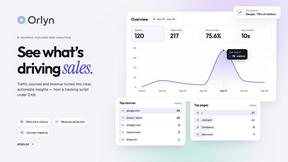
Orlyn
Privacy-first, cookieless web analytics that connects website traffic to real revenue.
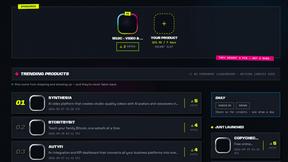
DebutPin
Indie product playground — ship, and collect pins

Egmatic
No-code 2D game editor: visual node logic, drag-and-drop scenes, live preview. Exports to Windows, macOS, Linux, Android, iOS, Web.
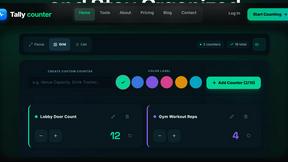
Tally Counter
Online tally counter for tracking attendance, workouts, inventory, visitors, sports scores, habits, and everyday counting tasks.

SnitchFeed
SnitchFeed is an agentic social listening tool that surfaces high-intent conversations on LinkedIn, X, Hackernews, and more for GTM and product teams.

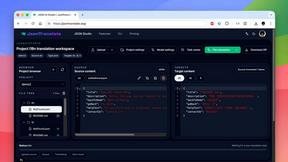
JsonTranslate
Translate JSON, Markdown, and TXT files while preserving keys, nested paths, and project structure.