
File Studio
File Studio empowers you to manage, convert, and edit files and PDFs securely offline on your Mac or Windows PC.
Visit
About File Studio
File Studio is an advanced desktop application meticulously designed for offline management of PDFs and images, catering to users who prioritize privacy and security. Ideal for professionals such as photographers, freelancers, and remote workers, this powerful software enables the handling of sensitive documents like passports, IDs, and contracts without the inherent risks of cloud storage. With its extensive toolkit, File Studio empowers users to merge, split, reorder, and rotate PDFs while ensuring robust encryption through password protection. Furthermore, it supports over 20 file formats, including HEIC, WebP, AVIF, and various RAW types, streamlining the conversion process seamlessly. With a straightforward one-time purchase model and compatibility across Mac and Windows platforms, users can enjoy a powerful and reliable file management solution without the burdens of subscriptions or online accounts.
Features of File Studio
100% Offline Processing
File Studio operates entirely offline, ensuring that all file processing occurs locally on your device. This commitment to privacy means your sensitive documents never leave your computer, providing peace of mind for users handling private information.
Comprehensive PDF Toolkit
The software offers an extensive suite of PDF tools, allowing users to merge, split, edit, and unlock PDFs effortlessly. Users can manage their documents without the need for internet connectivity, offering complete control over their files.
Versatile Image Handling
File Studio supports over 20 image formats, making it a versatile solution for photographers and designers alike. Users can convert, resize, compress, and edit images all in one place, ensuring high-quality results without sacrificing performance.
Batch Processing Capabilities
With the ability to handle multiple files simultaneously, File Studio enhances productivity through batch processing. Users can convert, resize, or compress entire folders in a single run, maximizing efficiency and saving valuable time.
Use Cases of File Studio
Document Security for Freelancers
Freelancers often manage sensitive documents that require utmost security. File Studio allows them to handle contracts and agreements offline, ensuring their data is never exposed to online threats while maintaining easy access to essential files.
Efficient Image Management for Photographers
Photographers can utilize File Studio to manage their portfolios by converting and editing images in various formats. The software's robust image tools allow for high-quality compression and resizing, making it ideal for preparing images for presentations or web uploads.
Streamlined Workflow for Remote Workers
Remote workers can benefit from File Studio's comprehensive tools for processing both documents and images. By managing files offline, they can stay productive without worrying about internet connectivity or data privacy.
Secure Handling of Personal Documents
Individuals needing to process personal documents, such as passports or IDs, can rely on File Studio for safe handling. The software's offline capabilities ensure that sensitive information is protected from potential breaches associated with cloud services.
Frequently Asked Questions
Is my data ever uploaded?
No, File Studio processes everything locally on your device. Your files never leave your computer, ensuring 100% offline processing for complete privacy.
Do you offer a free trial?
Yes, File Studio provides a free trial, allowing users to explore its features before committing to a purchase. This enables potential customers to assess its capabilities without any financial obligation.
What operating systems does File Studio support?
File Studio is compatible with both Mac and Windows operating systems, making it accessible for a wide range of users across different platforms.
How does the one-time purchase model work?
File Studio operates on a lifetime plan where users make a single purchase. This grants them access to all current tools, future updates, and offline processing without any recurring fees or subscriptions.
Explore more in this category:
Similar to File Studio

DebutPin
Indie product playground — ship, and collect pins

Egmatic
No-code 2D game editor: visual node logic, drag-and-drop scenes, live preview. Exports to Windows, macOS, Linux, Android, iOS, Web.

Kody Tools
Free collection of online developer utilities, code formatters, and digital converters designed to streamline your daily workflow.

Tally Counter
Online tally counter for tracking attendance, workouts, inventory, visitors, sports scores, habits, and everyday counting tasks.
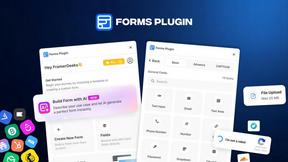
Forms Plugin
The #1 Native Form Builder Plugin for Framer - No Code, No Embeds, No External Platforms.

Product Launch Checklist
A free launch checklist for SaaS, apps, AI tools and more. Every step says why it matters and when you can skip it.

HomeAnswerBook
Practical, independent guides to home repairs, maintenance, costs, troubleshooting, and everyday fixes.
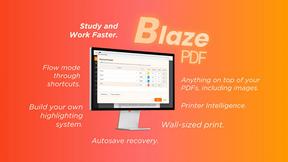
BlazePDF
Highlight faster. Study in flow with custom shortcuts and a workflow built around you. Print smarter, or turn any page into a tiled poster.