
DocuExtractor
DocuExtractor instantly transforms your receipts and invoices into pristine, structured data with elite AI precision.
Visit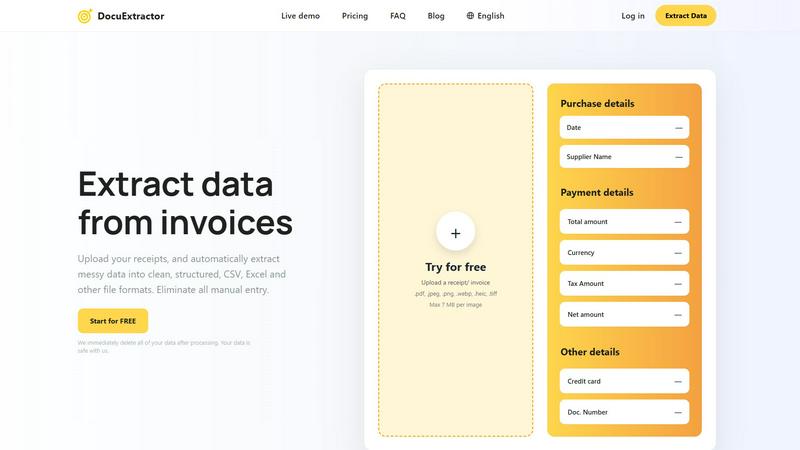
About DocuExtractor
DocuExtractor is the definitive AI-powered document conversion platform engineered for the discerning professional. It serves as the critical nexus between unstructured financial documentation and actionable, structured data, specifically designed for accountants, bookkeepers, and financial operations teams who demand precision and efficiency. By deploying a sophisticated fusion of advanced Optical Character Recognition (OCR), deep learning, and large language models (LLMs), DocuExtractor transcends basic text recognition. It intelligently interprets, contextualizes, and extracts key data points from complex documents such as receipts, invoices, bank statements, and PDFs, transforming them into impeccably clean CSV or Excel formats. The core value proposition is unequivocal: the complete elimination of manual, error-prone data entry. This not only reclaims countless hours of valuable productivity but also fortifies data integrity and accelerates financial closing cycles. With enterprise-grade security, processing over 500,000 documents monthly, and delivering a staggering 99.6% accuracy, DocuExtractor is not merely a tool—it is the strategic advantage for businesses committed to optimizing their financial workflows with uncompromising reliability and elite performance.
Features of DocuExtractor
Elite 99.6% Accuracy Engine
DocuExtractor's core is built upon a proprietary multi-layered AI system that combines OCR, deep learning, and LLMs. This isn't simple text scanning; it's contextual understanding. The software is trained on millions of financial documents, enabling it to accurately identify and extract nuanced data like supplier names, dates, line items, tax amounts, and totals with unparalleled precision, even from poor-quality scans or complex layouts, ensuring your data is audit-ready from the moment of extraction.
Fully Automated, Intelligent Extraction
The platform is designed for seamless, hands-off operation. Users simply drag and drop documents—individually or in large batches—into the secure work area. From there, the AI takes complete control. It automatically detects document type (receipt, invoice, etc.), applies specialized algorithms tailored for that format, and extracts all pertinent information without requiring manual field mapping or template setup, delivering results in seconds.
Multi-Format Export & Software Integration
Extracted data is instantly structured and made available for download in the most practical formats, primarily CSV and Excel. These outputs are meticulously formatted to be directly compatible with major accounting software (like QuickBooks, Xero) and ERP systems, enabling one-click imports. This eliminates the secondary step of data cleanup and reformatting, creating a truly seamless bridge from physical document to digital ledger.
Enterprise-Grade Security & Global Scalability
Trust and reliability are paramount. DocuExtractor operates with a strict zero-data-retention policy, automatically deleting all uploaded documents and extracted data after processing. The platform supports over 45 languages with auto-detection, processes half a million documents monthly with consistent performance, and is built on enterprise-ready infrastructure, offering the security, compliance, and scalability required by growing firms and large organizations alike.
Use Cases of DocuExtractor
Automating Accounts Payable Processing
Finance teams are inundated with vendor invoices. DocuExtractor streamlines this by automatically extracting key details like invoice number, date, supplier, net amount, and tax from every submitted invoice. The resulting structured data file is instantly ready for approval workflows and import into the accounting system, slashing processing time from days to minutes and dramatically improving cash flow management and vendor relations.
Streamlining Expense Reporting & Reconciliation
For businesses managing employee expenses, manually compiling receipts is a productivity black hole. DocuExtractor empowers employees to upload receipt images directly. The AI extracts the merchant, date, total, and category, auto-generating a clean, standardized expense report. This accelerates reimbursement cycles, ensures policy compliance, and simplifies month-end credit card reconciliation, saving accountants hours of tedious work.
Accelerating Month-End and Year-End Closes
The financial close process is often bottlenecked by manual data aggregation from bank statements, supplier statements, and various financial documents. DocuExtractor rapidly converts these disparate documents into unified, structured data sets. This provides accountants with immediate, accurate data for journal entries, reconciliations, and reporting, reducing the close timeline and minimizing stressful, error-prone manual efforts during critical periods.
Enhancing Client Accounting Services (CAS)
Accounting firms serving multiple clients can scale their services efficiently with DocuExtractor. Instead of manually handling each client's pile of receipts and invoices, firms can use the platform to bulk-process documents from all clients. This standardized, high-accuracy extraction allows bookkeepers to focus on high-value advisory tasks like analysis and strategy, rather than data entry, thereby increasing firm capacity and profitability.
Frequently Asked Questions
How does DocuExtractor ensure the security of my financial documents?
Security is our foundational principle. We employ bank-level encryption (TLS/SSL) for all data in transit and at rest. Most critically, we operate on a strict zero-retention policy. Your original documents and the extracted data are automatically and permanently deleted from our servers immediately after processing is complete. Your data is never used for training, sold, or shared, ensuring complete confidentiality.
What file formats and document types does DocuExtractor support?
DocuExtractor offers broad compatibility for your convenience. You can upload documents in PDF, JPG, JPEG, PNG, WebP, HEIC, and TIFF formats, with individual files up to 7 MB. The AI is expertly trained to process and extract data from key financial document types including sales receipts, supplier invoices, bank statements, and credit card statements, handling varied layouts and global formats.
What is the difference between the preset and custom data field options?
The platform offers two streamlined paths. "Presets" are intelligent, pre-configured templates (e.g., for "Receipts" or "Invoices") where our AI automatically knows which fields (like Date, Total, Tax, Supplier) to extract without any input from you. "Custom" fields allow you to specify and train the AI to look for unique, non-standard data points specific to your business needs for maximum flexibility.
Can DocuExtractor handle documents in languages other than English?
Absolutely. DocuExtractor is a global solution featuring automatic language detection and support for processing documents in over 45 languages. Our AI models are trained on multilingual datasets, allowing them to accurately extract data from invoices, receipts, and statements issued in Spanish, French, German, Mandarin, Arabic, and many more, making it ideal for international businesses.
Explore more in this category:
Similar to DocuExtractor

DebutPin
Indie product playground — ship, and collect pins

Egmatic
No-code 2D game editor: visual node logic, drag-and-drop scenes, live preview. Exports to Windows, macOS, Linux, Android, iOS, Web.

Kody Tools
Free collection of online developer utilities, code formatters, and digital converters designed to streamline your daily workflow.
Hishab
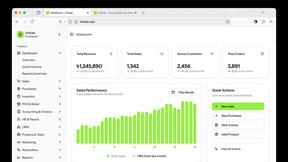
All-in-One POS, Inventory & Accounting Software for Bangladeshi Businesses

Tally Counter
Online tally counter for tracking attendance, workouts, inventory, visitors, sports scores, habits, and everyday counting tasks.
Forms Plugin
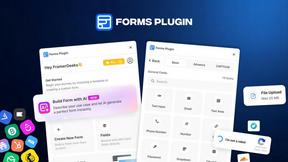
The #1 Native Form Builder Plugin for Framer - No Code, No Embeds, No External Platforms.


Product Launch Checklist
A free launch checklist for SaaS, apps, AI tools and more. Every step says why it matters and when you can skip it.