
BlitzCut
BlitzCut is an AI video editor that transforms raw clips into polished, captioned content for social media in minutes.
Visit
About BlitzCut
BlitzCut is a revolutionary AI-driven video editing tool designed specifically for modern content creators who demand speed and efficiency. With its core mission to make professional video editing accessible, BlitzCut empowers creators by minimizing the time spent on tedious tasks like silence removal and captioning. The application leverages advanced AI technology to automate these processes, allowing users to focus on their creativity rather than the intricacies of editing. Whether you're a TikTok enthusiast, an Instagram influencer, or a YouTube content creator, BlitzCut is engineered to streamline your workflow, enabling you to produce high-quality videos in a fraction of the time it typically takes. The mobile-first design means you can edit on-the-go, making it an indispensable tool for today’s fast-paced digital landscape.
Features of BlitzCut
Automatic Silence Removal
With BlitzCut's Automatic Silence Removal feature, tedious pauses and dead air are eliminated instantly, transforming raw footage into engaging content without manual effort. This feature allows creators to focus on the essence of their message while the AI efficiently handles the time-consuming task of trimming silence, saving users an average of 15-20 minutes per video.
AI Captions
The AI Captions feature boasts an impressive accuracy rate of over 95%, providing stylish and engaging captions that resonate with viewers. This functionality ensures that your videos are not only accessible but also visually appealing, helping to enhance audience engagement and retention across platforms like TikTok, Instagram Reels, and YouTube Shorts.
Text-Based Editing
BlitzCut introduces Text-Based Editing, allowing users to edit their videos by simply deleting sentences from the transcription. This innovative approach to editing significantly reduces the complexity of traditional video editing, making it easier for creators to make precise cuts without navigating through lengthy timelines or complicated interfaces.
Mobile-First Design
BlitzCut is built with a mobile-first design, available on iPhone, iPad, and Mac. This ensures that creators can edit their videos anytime, anywhere, providing the flexibility needed to produce timely content. The seamless integration across devices guarantees that users can export high-quality videos directly to their social media platforms without compromising on speed or quality.
Use Cases of BlitzCut
Social Media Content Creation
BlitzCut is ideal for social media influencers looking to produce frequent, high-quality content. The app's rapid editing capabilities allow users to transform raw clips into polished videos ready for posting in just minutes, ensuring they can keep their audience engaged with fresh content daily.
Educational Videos
Educators and trainers can utilize BlitzCut to create instructional videos that are concise and engaging. The automatic silence removal and AI captions enhance the learning experience, making it easier for viewers to grasp the material without distractions.
Vlog Editing
Vloggers will find BlitzCut invaluable for editing their video diaries. The text-based editing feature allows for quick adjustments based on spoken content, enabling creators to refine their narratives without extensive editing sessions.
Promotional Content
Businesses can leverage BlitzCut to create promotional videos for marketing campaigns. The efficiency of the editing process allows teams to produce high-quality advertisements quickly, ensuring they can respond to market trends and customer engagement seamlessly.
Frequently Asked Questions
How does BlitzCut automate silence removal?
BlitzCut uses advanced AI algorithms to detect and eliminate silent gaps in your video automatically. This process is completed in under 30 seconds per clip, significantly reducing manual editing time.
What platforms is BlitzCut available on?
BlitzCut is available for free on iPhone, iPad, and Mac, making it accessible for creators across various devices without the need for complex installations or subscriptions.
Is there a learning curve for new users?
No, BlitzCut is designed with user-friendliness in mind. Its intuitive interface and easy-to-understand features enable even beginners to edit videos quickly and efficiently without prior experience.
Can I export my videos directly to social media?
Yes, BlitzCut allows users to export their edited videos directly to popular social media platforms like TikTok, Instagram, and YouTube, ensuring a seamless transition from editing to posting.
Explore more in this category:
Similar to BlitzCut
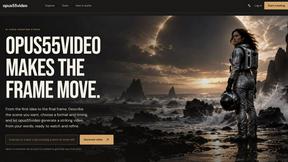
opus55video
Opus55video turns written ideas into cinematic motion. Describe a scene, choose the format and duration, and create a striking video in a few steps.
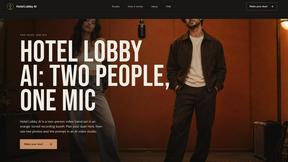
hotel-lobby
Two-person AI video concept in a warm orange recording booth with a natural call-and-response duet.
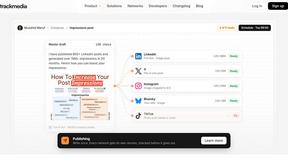
TrackMedia
Your Social Media Content Engine That Drives Revenue. Distribute your content to every social media platform and track it in real time.
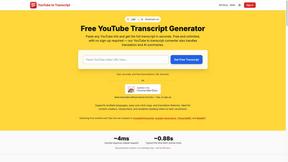
GetYouTubeTranscript
Free YouTube transcripts on the web, a Chrome extension, and an API + MCP server so AI assistants can read YouTube.
AIEnhancer
Enhance photos, create images, and generate videos with flexible AI workflows, creative effects, production-tested models, and a shared asset library.

GenVideo AI
Generate AI videos from text or images with GenVideo's free AI video generator. Turn prompts into video with Veo 3.1, Seedance, Kling, Wan, and Grok I
AudioVideo
Turn podcasts, narration, voice recordings, or music into visual content with an audio-aware AI video generator.
Motion Control AI
Create motion-controlled character videos by transferring dance, gestures, timing, and camera movement from a reference video.