
AI Audio Translator
Transform spoken content effortlessly with AI Audio Translator, offering real-time transcription, translation, and dubbing for global communication.
Visit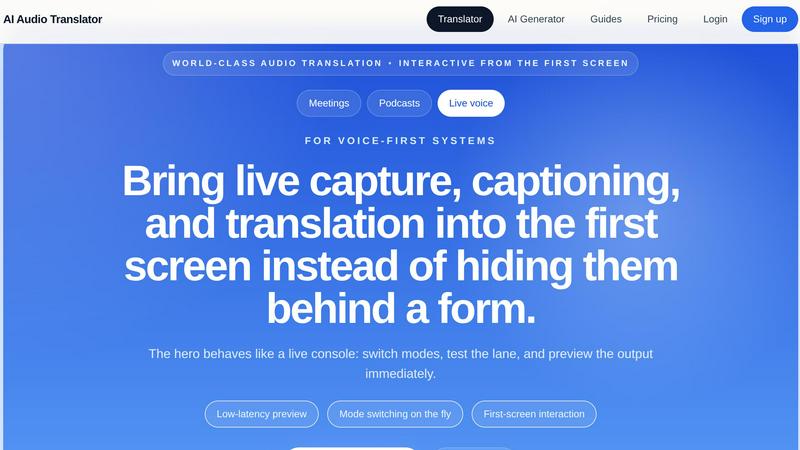
About AI Audio Translator
AI Audio Translator is a sophisticated browser-based tool designed for seamless spoken-content workflows. It empowers users to upload audio files, paste public audio URLs, or record directly in the browser, enabling the generation of transcripts, translated text, and optional dubbed audio in a singular, streamlined process. This tool is meticulously crafted for professionals seeking efficiency and clarity in their audio translation tasks. Ideal for podcasters, educators, localization teams, and corporate entities, AI Audio Translator enhances the accessibility of spoken content across diverse languages. Its primary value proposition lies in facilitating a smooth transition from raw audio to comprehensible translated output, allowing for thorough review and ensuring high-quality results tailored to specific needs.
Features of AI Audio Translator
Interactive Studio Interface
The AI Audio Translator features an interactive studio interface that allows users to engage with the tool dynamically. Users can switch between different modes, test audio lanes, and preview outputs in real-time. This live console experience ensures an efficient workflow without navigating through cumbersome forms, making it accessible for all skill levels.
Multi-Language Support
With support for a wide array of languages, including English, Chinese, Japanese, Korean, French, German, Spanish, Portuguese, and many more, AI Audio Translator caters to a global audience. Users can unlock a language pair and execute the full transcription and translation pipeline, making it an invaluable resource for international projects.
Transcript-First Review
The transcript-first review lane enhances the quality control of the translation process. Users can inspect the transcribed text and translated output before generating dubbed audio, ensuring accuracy and context alignment. This feature is crucial for industries where precision is paramount, such as education and localization.
Flexible Input Methods
AI Audio Translator accommodates various input methods, including uploaded files, public audio URLs, and recordings made directly in the browser. This flexibility allows users to work with their preferred audio sources while maintaining a unified workflow, enhancing productivity and ease of use.
Use Cases of AI Audio Translator
Podcast Localization
Podcasters can utilize AI Audio Translator to convert their interviews and discussions into translated transcripts and dubbed clips. This enables them to reach a broader audience by making their content accessible in multiple languages, thus enhancing their global reach and engagement.
Educational Content Translation
Educators can leverage the tool to translate lectures, lessons, and recorded explainers into different languages. This ensures that learning materials are inclusive and accessible, allowing students from diverse linguistic backgrounds to benefit from high-quality educational resources.
Corporate Training Material
Businesses can use AI Audio Translator to translate and dub training videos and corporate communications. By providing translated audio tracks, organizations can ensure that all employees, regardless of language proficiency, receive essential training and information effectively.
Interview and Meeting Transcription
For professionals involved in interviews or meetings, AI Audio Translator offers a reliable solution for transcribing and translating spoken content. This capability allows teams to document discussions accurately and share insights with international partners or stakeholders, enhancing collaboration.
Frequently Asked Questions
What types of audio formats does AI Audio Translator support?
AI Audio Translator supports multiple audio formats including MP3, WAV, M4A, AAC, and OGG, allowing users to upload files up to 100MB seamlessly.
Can I record audio directly within the browser?
Yes, AI Audio Translator allows users to record audio directly in the browser, providing a convenient option for those who prefer to capture content on the spot without needing separate recording tools.
How does the transcript-first review process work?
The transcript-first review process enables users to first view and edit the transcribed text before moving on to translation and dubbing. This step ensures that any inaccuracies can be corrected early in the workflow, resulting in higher quality output.
Is there a limit to the duration of audio that can be translated?
AI Audio Translator can process audio files up to 100MB, which typically equates to about 12-15 minutes of audio depending on the format and quality, making it suitable for most spoken content needs.
Similar to AI Audio Translator
AudioVideo
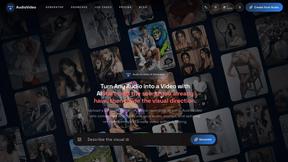
Turn podcasts, narration, voice recordings, or music into visual content with an audio-aware AI video generator.
ai clean audio
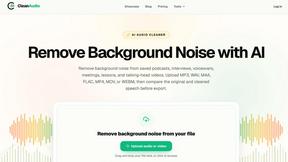
CleanAudio removes background noise from saved audio and video in a simple browser workflow. Upload MP3, WAV, M4A, FLAC, MP4, MOV, or WEBM. Guests can
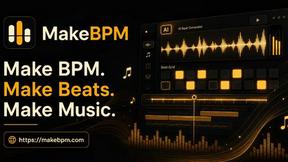
MakeBPM
AI music studio for creators,turn any idea into song, beat & soundtrack

AI Image Remover
AI Image Remover is a free browser tool for erasing people and objects from photos. Upload an image, brush a mask over the distraction
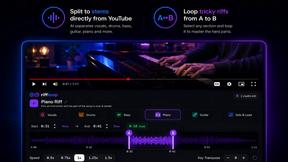
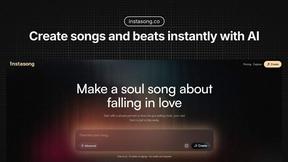
InstaSong - AI song and beat maker
InstaSong transforms your text into royalty-free, AI-generated songs with vocals and instruments in under a minute.
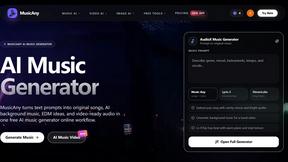
MusicAny AI Music Generator
MusicAny transforms text prompts into original songs, background music, and video-ready audio with an elite, all-in-one AI workflow.