
Dokta vs StatementSheet
Side-by-side comparison to help you choose the right tool.

Dokta automates document management for SMBs and freelancers, simplifying invoicing, contracts, and cash flow in under 60 seconds.
Last updated: April 4, 2026

StatementSheet
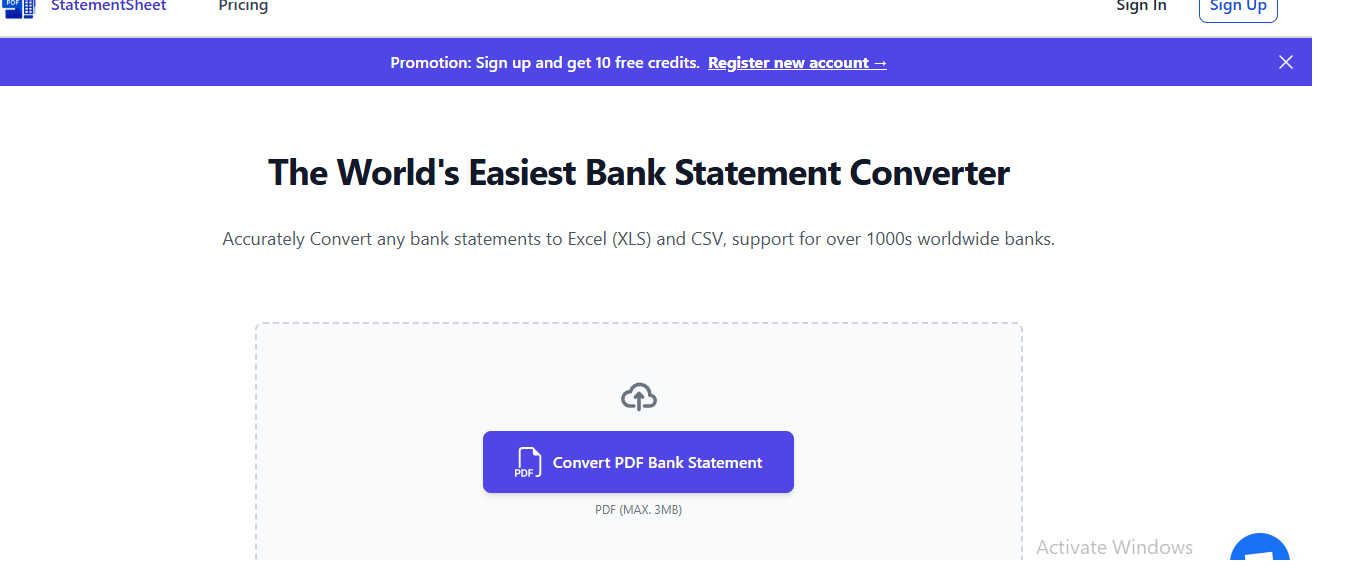
Transform your PDF bank statements into accurate Excel or CSV files in seconds with StatementSheet's secure conversion.
Last updated: March 1, 2026
Visual Comparison
Dokta

StatementSheet
Feature Comparison
Dokta
Automated Invoice Management
Dokta revolutionizes how freelancers and SMBs handle invoicing. Users can create professional invoices and quotes within a few clicks, ensuring that billing is both swift and efficient. With automated tracking of payments and reminders for overdue invoices, the platform reduces the manual workload and enhances cash flow management.
Real-Time Financial Overview
With a clear visualization of cash flow, Dokta provides users with insights into their financial health. Users can monitor billed and received revenue, outstanding payments, and VAT obligations through a comprehensive, user-friendly dashboard. This feature enables informed decision-making and financial planning.
Document Lifecycle Automation
Dokta manages the entire document lifecycle by automatically reading, classifying, and extracting key data from any document in less than a minute. This not only saves time but also ensures accuracy, making it easy for users to validate tasks such as payments and archiving with just one click.
Anomaly Detection and Data Security
Dokta prioritizes user security by implementing advanced anomaly detection. It identifies issues such as modified IBANs, duplicate entries, and inconsistent VAT rates, safeguarding users against potential fraud and errors. With data hosted securely in Europe and compliant with GDPR regulations, users can trust that their information is protected.
StatementSheet
Secure File Processing
StatementSheet guarantees secure processing of your sensitive financial data. All files uploaded to the platform are encrypted during transfer, and they are automatically deleted 24 hours after conversion, ensuring that your information remains confidential and secure.
Accurate Data Extraction
With advanced algorithms and OCR technology, StatementSheet automatically extracts vital information including transactions, dates, descriptions, and balances from PDF bank statements. This feature ensures that users receive clean and usable Excel or CSV files without the hassle of manual entry.
Fast & Automated Conversion
The power of automation is at your fingertips with StatementSheet. The tool processes bank statement files in seconds, delivering downloadable Excel or CSV outputs almost instantaneously. This rapid turnaround enables finance professionals to maintain productivity and meet tight deadlines.
Multi-Page Processing Capability
StatementSheet excels in handling complex documents. Users can confidently upload multi-page PDF bank statements, and the tool will extract transactions from all pages into a single, structured Excel or CSV file. This feature simplifies data management for large statements, enhancing user experience and efficiency.
Use Cases
Dokta
Freelance Consultant
A freelance consultant can utilize Dokta to automate their invoicing process. By setting up recurring contracts with automatic monthly billing, they can focus on delivering value to their clients rather than managing paperwork.
Creative Projects
For creative freelancers, Dokta simplifies the workflow by allowing them to send quotes with acceptance links. The seamless transition from quote to invoice in just one click enhances efficiency and ensures timely payments.
Auto-Entrepreneurs
Auto-entrepreneurs benefit from Dokta’s automated reminders for URSSAF deadlines and payment tracking. This feature allows them to maintain compliance and manage their finances without the stress of manual tracking.
Small Business Management
Small businesses can use Dokta to build an extensive client database from their documents. This not only helps in managing client relationships but also provides insights into cash flow, enabling better financial forecasting and planning.
StatementSheet
Financial Audits
StatementSheet is invaluable for auditors who require precise and organized financial data. By converting bank statements into structured formats, auditors can efficiently analyze transactions and verify financial records, streamlining the audit process.
Monthly Financial Closings
For finance professionals tasked with monthly financial closings, StatementSheet provides a quick and reliable solution for data entry. The instant conversion of bank statements ensures that financial reports are prepared on time, enhancing overall efficiency.
Expense Tracking
Accountants and financial analysts can utilize StatementSheet for meticulous expense tracking. By converting bank statements into Excel or CSV files, users can easily categorize and analyze expenses, leading to better budget management and financial oversight.
Tax Preparation
During tax season, StatementSheet becomes a crucial tool for tax professionals. The swift extraction of financial data from bank statements allows for accurate reporting and compliance, ensuring that all necessary information is readily available for tax submissions.
Overview
About Dokta
Dokta is an advanced AI-powered document management platform tailored for freelancers, solo entrepreneurs, auto-entrepreneurs, and small to medium-sized businesses (SMBs). Its primary function is to streamline the often cumbersome document lifecycle, allowing users to effortlessly manage invoices, quotes, and contracts. By simply dropping any document into the platform—be it a photo, scan, or PDF—Dokta's sophisticated AI engine takes over, reading, classifying, and extracting essential data in under 60 seconds. This efficiency not only eliminates the risk of lost files and missed deadlines but also liberates users from spending their weekends on tedious administrative tasks. With Dokta, businesses can create professional invoices and quotes, track payments in real time, and automate reminders for unpaid invoices. It builds a client database from user documents, thus enhancing cash flow management. Whether you are a freelance developer, a consultant, or a trades contractor, Dokta places your documents at the center of your operations, managed seamlessly by AI.
About StatementSheet
StatementSheet is an elite online tool meticulously crafted to transform the landscape of financial data entry for professionals. Designed for finance experts, accountants, and auditors, this sophisticated platform excels in extracting transactions from PDF bank statements and converting them into immaculate Excel or CSV files within seconds. By automating the tedious process of data entry, StatementSheet allows users to allocate their valuable time to more critical tasks without the burden of formatting or alignment issues. Its precision and efficiency are paramount, making it an indispensable resource for audits, monthly financial closings, and detailed expense tracking. With an intuitive upload feature, users can swiftly convert their documents into structured files that are ready for analysis and reporting. StatementSheet embodies the pinnacle of efficiency and accuracy in financial data management, ensuring that your workflow is not only streamlined but also perfectly precise.
Frequently Asked Questions
Dokta FAQ
How does Dokta ensure the security of my documents?
Dokta ensures document security through AES-256 encryption, with all data hosted in Europe and compliant with GDPR regulations. This guarantees that your sensitive information is protected from unauthorized access.
Can I try Dokta without a credit card?
Yes, Dokta offers a free tier that allows you to manage 15 documents per month without the need for a credit card, making it easy to explore the platform’s features without any financial commitment.
What types of documents can I upload to Dokta?
Dokta supports various document types, including photos, scans, and PDFs. This flexibility allows users to integrate their existing documents into the platform with ease.
How quickly can I expect my documents to be processed?
Dokta’s AI engine analyzes and extracts key data from documents in under 60 seconds, ensuring that you can manage your administrative tasks efficiently and without delay.
StatementSheet FAQ
What is a bank statement converter?
A bank statement converter is an online tool that transforms bank statement files into structured formats like Excel (XLS/XLSX) or CSV. StatementSheet automatically processes PDF bank statements, extracting essential data to produce clean, usable spreadsheet files.
How do I convert a bank statement to Excel or CSV?
To convert a bank statement, simply upload your PDF file using the converter tool. The tool will automatically process the file, extract transactions, and allow you to review and download the formatted Excel or CSV file.
Is my financial data secure when using the converter?
Yes, StatementSheet prioritizes your security. All files are encrypted during transfer, and uploaded PDF documents are automatically deleted after processing, ensuring that your financial data remains secure and confidential.
Can this tool convert scanned or digitized bank statements?
Absolutely. StatementSheet can process both scanned and digitized bank statements using OCR technology. For optimal results, it is recommended to use clear, high-resolution PDFs or original electronic bank statements to ensure data accuracy.
Alternatives
Dokta Alternatives
Dokta is an advanced AI-driven document management platform tailored for freelancers, solo entrepreneurs, auto-entrepreneurs, and small to medium-sized businesses (SMBs). It excels in automating the document lifecycle, allowing users to effortlessly manage invoices, quotes, contracts, and more. With its cutting-edge AI technology, Dokta classifies and extracts critical data from documents in under 60 seconds, significantly enhancing productivity and organization. Users often seek alternatives to Dokta for various reasons, including pricing structures, feature sets, and specific platform needs. As businesses evolve and grow, their requirements may change, prompting the search for solutions that better align with their operational goals. When selecting an alternative, consider factors such as ease of use, scalability, integration capabilities, and the specific features that cater to your unique business processes.
StatementSheet Alternatives
StatementSheet is a premier online tool designed for the seamless conversion of PDF bank statements into structured Excel or CSV files. This innovative application falls within the business and finance category, catering specifically to professionals such as accountants and auditors who prioritize efficiency and accuracy in their financial data management. Users often seek alternatives to StatementSheet for various reasons, including pricing structures, the need for specific features, or compatibility with different platforms. When exploring alternatives, it is essential to consider factors such as the accuracy of data extraction, security measures in place, ease of use, and the ability to handle multi-page documents. Choosing the right alternative requires a careful assessment of how well the tool meets individual or organizational needs. Look for a platform that not only offers reliable and accurate data conversion but also prioritizes user experience and data security. A robust solution should ensure that sensitive financial information is handled with utmost care while providing the necessary functionalities to streamline financial processes efficiently.