
Proofapp vs SimpleDraw
Side-by-side comparison to help you choose the right tool.

Proofapp
Streamline your design reviews with visual feedback directly on your website for faster, clearer communication.
Last updated: March 4, 2026

SimpleDraw
Create precise scale drawings and floor plans effortlessly online with SimpleDraw's intuitive and powerful tools.
Last updated: March 1, 2026
Visual Comparison
Proofapp

SimpleDraw
Feature Comparison
Proofapp
Visual Commenting
With Proofapp, users can click anywhere on a screenshot to leave contextual feedback, eliminating the ambiguity often found in traditional feedback methods. Instead of vague directions like "top left, under the nav," comments are pinned exactly where they are needed, fostering clear communication.
Multi-Breakpoint Testing
Proofapp automatically captures screenshots at both desktop and mobile breakpoints, ensuring that feedback is relevant across various devices. This feature allows teams to evaluate user experience on multiple platforms simultaneously, making it easier to identify issues that may arise in different contexts.
Real-time Collaboration
Experience the power of real-time collaboration with Proofapp. Team members can view comments as they are made, enabling instant replies and resolutions. This dynamic interaction helps keep projects moving forward without delays, ensuring that everyone stays on the same page.
Secure Share Links
Share projects with clients using secure, expirable links that ensure confidentiality and control. Clients can view and comment on the project without needing an account, simplifying the feedback process and making it accessible for all stakeholders involved.
SimpleDraw
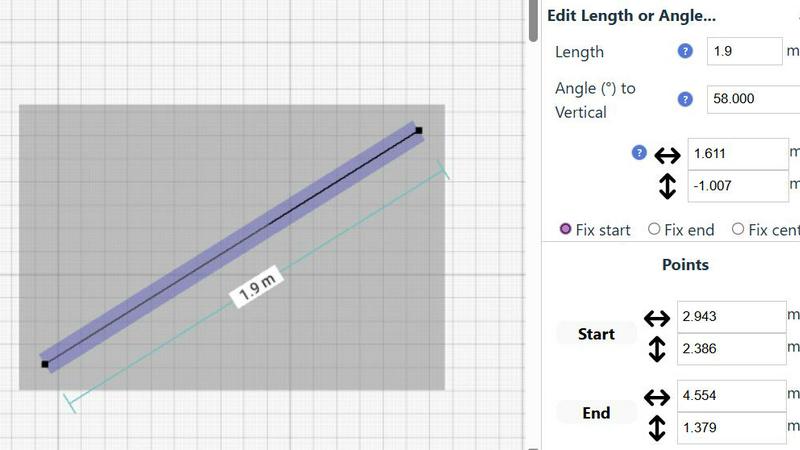
Accurate Measurements & Scale Drawing
SimpleDraw provides the precision of professional CAD software while maintaining simplicity. Users benefit from accurate measurements and smart alignment features that ensure every drawing is to scale, facilitating a seamless design experience.
Specialized Floor Plan Creator
The dedicated Floor Plan Mode allows users to create detailed and accurate floor plans effortlessly. With simple tools to add walls, windows, doors, and furniture, users can visualize their spaces effectively, making it perfect for home renovations and interior designs.
Smart Alignment System
This feature assists in placing points and lines with pinpoint accuracy. The smart alignment system provides visual indications, guiding users to position elements precisely where they intend, making the drawing process intuitive and efficient.
Non-Destructive Editing
SimpleDraw offers complete control over every element of your drawing with 100% non-destructive editing. Users can modify any aspect of their designs at any time, with easy undo and redo options, allowing for a flexible and iterative design process.
Use Cases
Proofapp
Freelancers
Freelancers can leverage Proofapp to streamline client approvals and feedback collection without the overhead of complex tools. The platform enhances professionalism while saving hours on each project, allowing freelancers to focus on what they do best—creating exceptional work.
Design Teams
Design teams can utilize Proofapp to receive precise, visual feedback pinned directly on their designs. This level of detail helps avoid miscommunication and ensures that revisions are made swiftly and accurately, ultimately leading to a more polished final product.
Marketing Teams
Marketing teams can benefit from Proofapp by reviewing landing pages and campaigns visually with their entire team. This collective approach to feedback ensures that marketing efforts are aligned and effective, maximizing engagement and conversion rates.
Small Development Teams
Small development teams can streamline their workflow by using Proofapp to gather client feedback efficiently. The platform's intuitive design allows for easy collaboration, reducing the time spent on feedback loops and enhancing overall productivity.
SimpleDraw
Kitchen & Bathroom Renovations
Homeowners can utilize SimpleDraw to plan their kitchen and bathroom renovations with precision. By visualizing layouts and accurate measurements, users can ensure their design choices fit perfectly before committing to any changes.
Room Layouts & Furniture Planning
Interior designers and DIY enthusiasts can design room layouts for bedrooms, living rooms, or offices. SimpleDraw allows users to see how furniture will fit in their space, ensuring that every piece complements the overall aesthetic.
Complete House & Apartment Plans
For real estate professionals or property owners, SimpleDraw enables the creation of comprehensive floor plans for homes and apartments. This is ideal for rental listings or detailed space planning, showcasing properties with clarity.
Community-Driven Design Improvements
Users can actively participate in the development of SimpleDraw by providing feedback and suggestions. Joining the community fosters a collaborative environment where users can influence future features and enhancements.
Overview
About Proofapp
Proofapp is a cutting-edge visual feedback and website review platform designed to revolutionize the way designers, developers, and clients collaborate on projects. By allowing users to upload any website URL, Proofapp automatically captures both desktop and mobile screenshots, streamlining the feedback process significantly. This platform empowers teams to pin comments directly on designs, engage in threaded discussions, attach pertinent files, and resolve feedback efficiently, all without the need for creating an account. With features like real-time notifications, Slack integration, and customizable accent colors, Proofapp addresses the common pitfalls of traditional feedback methods. It helps eliminate the confusion of scattered emails and vague revision notes, ensuring that all feedback is not only visual but also organized and actionable. Whether you are a freelancer collecting client feedback or an agency managing multiple projects, Proofapp offers a seamless solution that enhances productivity and clarity.
About SimpleDraw
SimpleDraw is an innovative, browser-based scale drawing solution that reimagines the world of design by making professional-grade drafting accessible to everyone. This elite tool is engineered for homeowners, DIY enthusiasts, interior designers, and project planners who crave precision without the complexities and costs associated with traditional CAD software. SimpleDraw empowers users to create impeccably accurate floor plans, elevations, and technical drawings through a user-friendly interface that requires no prior expertise. With its seamless online platform, users can dive straight into their design projects without the need for downloads, installations, or mandatory registrations. SimpleDraw's core value proposition lies in delivering elite design capabilities directly at your fingertips, ensuring that anyone can visualize and execute their spatial ideas with grace and accuracy from the moment they open their browser.
Frequently Asked Questions
Proofapp FAQ
How does Proofapp improve the feedback process?
Proofapp transforms the feedback process by allowing users to pin comments directly on screenshots, reducing miscommunication and ensuring that feedback is clear and actionable.
Is Proofapp suitable for large teams?
While Proofapp is designed with smaller teams in mind, its features like real-time collaboration and secure share links make it adaptable for larger teams looking for a streamlined feedback solution.
Can clients provide feedback without creating an account?
Yes, Proofapp allows clients to leave feedback through secure, expirable links without the need for an account, making the process easier and more accessible.
How does the pricing structure work?
Proofapp offers an early bird pricing model for the first 1,000 users, allowing them to lock in half price forever. This makes it an economically viable option for freelancers and small teams.
SimpleDraw FAQ
How does SimpleDraw ensure accurate measurements?
SimpleDraw employs a sophisticated measurement system that provides real-time, dynamic contextual measurements as you draw. This guarantees that all elements are accurately represented and to scale.
Is there a need to download or install SimpleDraw?
No, SimpleDraw operates entirely within your web browser. Users can start drawing immediately without the hassle of software installations or account creations, ensuring a frictionless experience.
What skills do I need to use SimpleDraw?
SimpleDraw is designed to be intuitive and user-friendly, requiring no prior CAD experience. Whether you are a beginner or an experienced designer, its features are accessible to all skill levels.
Can I collaborate with others using SimpleDraw?
While SimpleDraw focuses on individual user experiences, joining the SimpleDraw community via Discord allows users to share insights, seek feedback, and collaborate on design ideas with others.
Alternatives
Proofapp Alternatives
Proofapp is an advanced visual feedback and website review platform designed to elevate collaboration among designers, developers, and their clients. By seamlessly capturing screenshots of any website on both desktop and mobile, it enables users to provide precise comments directly on the designs. This tool is classified under design tools, catering specifically to professionals who require efficient communication and organized feedback mechanisms. Users often seek alternatives to Proofapp for various reasons, including pricing structures, feature sets, and compatibility with their existing platforms. As the landscape of design tools is continuously evolving, individuals and teams might find themselves in search of options that better align with their specific needs or budget constraints. When selecting an alternative, consider factors such as usability, integration capabilities, support for multiple devices, and the overall user experience to ensure it meets your project requirements.
SimpleDraw Alternatives
SimpleDraw is a premier web-based tool that empowers users to create precision scale drawings and floor plans with ease. As a cutting-edge solution in the design tools category, it caters to various users, including homeowners, DIY enthusiasts, and professional designers, who seek high-quality drafting without the complexities of traditional CAD software. Users often explore alternatives to SimpleDraw due to factors such as pricing, specific feature sets, or the need for compatibility with different platforms. When selecting an alternative, it's essential to consider the usability, feature richness, and overall performance, ensuring that the tool meets your design requirements while maintaining a user-friendly experience.