
Daily vs SupaSidebar
Side-by-side comparison to help you choose the right tool.

Daily is your elite planner for transforming thoughts into clarity, enabling you to focus on what truly matters.

SupaSidebar
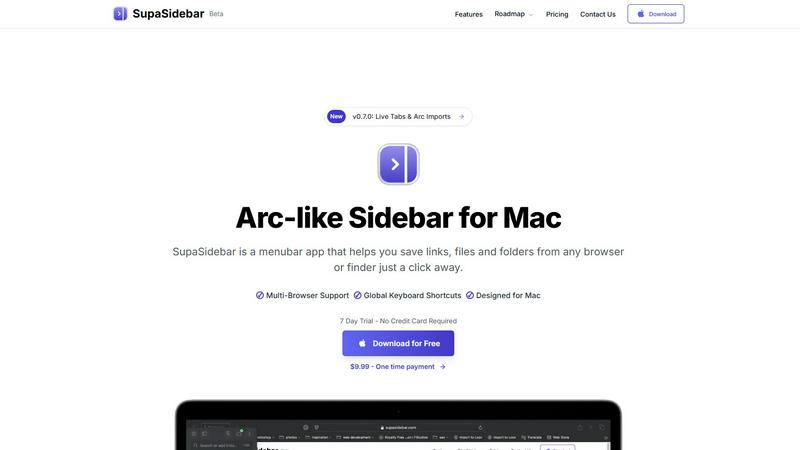
SupaSidebar enhances your Mac by providing instant access to links, files, and folders from any browser with a click.
Last updated: February 28, 2026
Visual Comparison
Daily

SupaSidebar
Feature Comparison
Daily
Intuitive Today View
The Today view is a hallmark feature that highlights only the tasks and reminders that require your immediate attention. This focused approach encourages a serene mindset, allowing you to concentrate solely on what is essential for the day while sidelining distractions.
Effortless Unloading
Daily enables users to seamlessly offload tasks and thoughts as they arise. This feature is particularly beneficial for those who struggle with mental overload, as it provides the freedom to jot down ideas without the pressure of immediate organization, fostering creativity and clarity.
Gentle Task Management
Daily employs a gentle method for task management, where items that are no longer relevant can be easily discarded. This feature ensures that your daily agenda remains relevant and manageable, allowing you to carry forward only what truly matters without the burden of unnecessary tasks.
Simple Yet Effective Structure
Designed to offer just the right amount of structure, Daily avoids overwhelming users with complexity. This minimalist design philosophy ensures that you can navigate your tasks effortlessly, providing a calming influence that supports productivity without pressure.
SupaSidebar
Arc-Inspired Sidebar
The unique Arc-like sidebar design allows users to access their most important links, files, and folders with simplicity and style. It keeps everything organized in a visually appealing layout, enhancing both aesthetics and functionality.
Global Keyboard Shortcuts
SupaSidebar is built with productivity in mind, featuring global keyboard shortcuts that allow users to save or copy URLs with ease. By pressing CMD CTRL S to save and CMD CTRL C to copy, users can manage their resources without disrupting their workflow.
Recent Activity Tracking
The application includes a Recents feature that tracks every website visited within the last 48 hours. This functionality ensures that users can swiftly locate their recent work, eliminating the hassle of sifting through countless tabs.
Fast Search Capabilities
With the powerful search functionality, users can find any file, folder, website, or app instantly by pressing CMD CTRL K and typing their query. This feature greatly reduces the time spent switching between applications, allowing for a more streamlined workflow.
Use Cases
Daily
Daily Planning for Professionals
For busy professionals, Daily serves as an invaluable tool to manage work-related tasks and deadlines. By utilizing the Today view, professionals can prioritize their workload effectively, ensuring that critical tasks are addressed promptly and efficiently.
Personal Life Organization
Daily is not just for work; it excels in personal life organization as well. Users can capture personal errands, appointments, and reminders, creating a holistic approach to daily planning that encompasses both professional and personal obligations.
Stress Reduction for Students
Students often juggle multiple responsibilities, including classes, assignments, and extracurricular activities. Daily provides a calm platform for students to unload their thoughts and tasks, helping them maintain focus and reduce anxiety as they navigate their academic journey.
Mindfulness and Reflection
Daily can also function as a mindfulness tool, allowing users to reflect on their tasks and thoughts. By unloading their minds and reviewing what is essential, users can cultivate a more intentional approach to their daily lives, aligning their actions with their values and goals.
SupaSidebar
Efficient Resource Management
For professionals who manage multiple projects, SupaSidebar acts as a central hub for organizing links, documents, and applications. This organization allows users to quickly access everything they need without the clutter of numerous open tabs.
Academic Research
Students can utilize SupaSidebar to save articles, resources, and notes in one accessible location. The ability to track recent activity enables swift reference to materials needed for assignments and presentations.
Creative Workflows
Designers and content creators can benefit from the sidebar by pinning inspiration links and essential tools, allowing for quick access while working on projects. This helps maintain focus and fosters creativity without interruptions.
Streamlined Team Collaboration
SupaSidebar can be a vital tool for teams working on collaborative projects. Members can share links and files easily, ensuring everyone has access to the necessary resources to stay aligned and productive.
Overview
About Daily
Daily is an elegantly designed to-do list and daily planner that caters to individuals who often feel overwhelmed yet aspire to make meaningful progress in their lives. This sophisticated tool provides a serene environment to capture tasks, reminders, and fleeting thoughts, allowing users to unload mental clutter without the immediate burden of organization. Daily's unique approach empowers users to confront their day with clarity, fostering a sense of calm that is often lost in the chaos of daily responsibilities. By utilizing Daily, you can streamline your focus, prioritize what truly matters today, and gently transition tasks that remain relevant to tomorrow. This balance of simplicity and functionality is tailored for those who seek to reclaim their time and mental space without the complexity that often accompanies productivity tools. With Daily, experience the liberation of a clutter-free mind and the joy of purposeful living.
About SupaSidebar
SupaSidebar is a sophisticated menubar application designed specifically for Mac users, revolutionizing the way individuals manage and navigate their digital workspace. By offering an Arc-inspired sidebar, SupaSidebar enables effortless organization and instant access to links, files, and folders directly from any browser or Finder. This innovative tool is tailored for busy professionals, students, and anyone who regularly juggles multiple applications and tabs, providing a seamless approach to enhance productivity. With its intuitive keyboard shortcuts, users can quickly save or copy URLs, significantly improving their browsing experience. SupaSidebar integrates flawlessly with all major browsers, including Safari, Chrome, Firefox, and Brave, ensuring that your workflow remains uninterrupted. The core value proposition of SupaSidebar lies in its ability to foster organization, maintain focus, and create a distraction-free environment, empowering users to concentrate on what truly matters in their endeavors. With features designed to streamline workflow, SupaSidebar is an essential companion for anyone seeking to maximize efficiency on their Mac.
Frequently Asked Questions
Daily FAQ
How does Daily help reduce overwhelm?
Daily reduces overwhelm by providing a designated space to unload tasks and thoughts, allowing users to see what truly matters without the pressure of immediate organization.
Can Daily be used for both personal and professional tasks?
Absolutely. Daily is designed to be versatile, accommodating both personal errands and professional responsibilities, making it a comprehensive planning tool for all aspects of life.
Is Daily suitable for students?
Yes, Daily is an excellent tool for students. It helps them manage their academic workload and personal life, reducing stress and enhancing focus on their studies.
How does the gentle task management feature work?
The gentle task management feature allows users to easily discard tasks that are no longer relevant, ensuring that their daily agenda remains focused and manageable without unnecessary clutter.
SupaSidebar FAQ
Is SupaSidebar a browser extension?
No, SupaSidebar is a standalone menubar application for Mac that integrates with all major browsers, ensuring that your data remains on your device while providing you with a streamlined workspace.
Which browsers does SupaSidebar work with?
SupaSidebar is compatible with all major browsers, including Safari, Chrome, Firefox, and Brave, allowing users to manage their links and files seamlessly across different platforms.
What macOS version do I need?
To use SupaSidebar, you need macOS version 13 or later. This ensures optimal performance and compatibility with the latest features.
Where is my data stored?
Your data is stored locally on your Mac, ensuring privacy and security. SupaSidebar does not transmit your information to external servers, keeping your data safe while you work.