
SupaSidebar
SupaSidebar enhances your Mac by providing instant access to links, files, and folders from any browser with a click.
Visit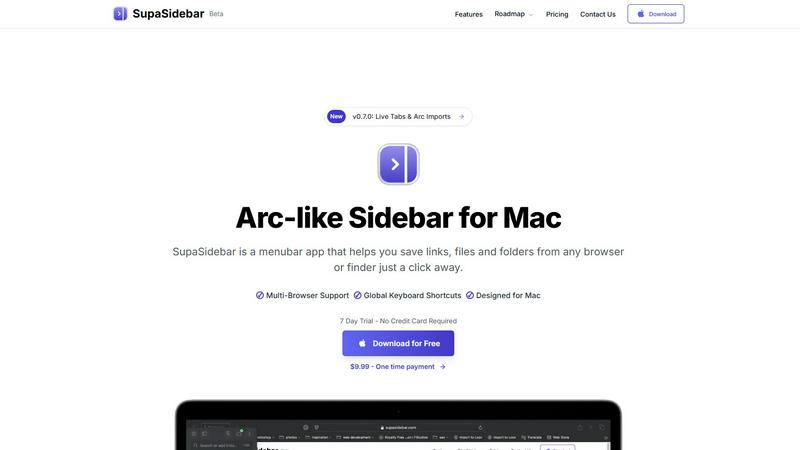
About SupaSidebar
SupaSidebar is a sophisticated menubar application designed specifically for Mac users, revolutionizing the way individuals manage and navigate their digital workspace. By offering an Arc-inspired sidebar, SupaSidebar enables effortless organization and instant access to links, files, and folders directly from any browser or Finder. This innovative tool is tailored for busy professionals, students, and anyone who regularly juggles multiple applications and tabs, providing a seamless approach to enhance productivity. With its intuitive keyboard shortcuts, users can quickly save or copy URLs, significantly improving their browsing experience. SupaSidebar integrates flawlessly with all major browsers, including Safari, Chrome, Firefox, and Brave, ensuring that your workflow remains uninterrupted. The core value proposition of SupaSidebar lies in its ability to foster organization, maintain focus, and create a distraction-free environment, empowering users to concentrate on what truly matters in their endeavors. With features designed to streamline workflow, SupaSidebar is an essential companion for anyone seeking to maximize efficiency on their Mac.
Features of SupaSidebar
Arc-Inspired Sidebar
The unique Arc-like sidebar design allows users to access their most important links, files, and folders with simplicity and style. It keeps everything organized in a visually appealing layout, enhancing both aesthetics and functionality.
Global Keyboard Shortcuts
SupaSidebar is built with productivity in mind, featuring global keyboard shortcuts that allow users to save or copy URLs with ease. By pressing CMD CTRL S to save and CMD CTRL C to copy, users can manage their resources without disrupting their workflow.
Recent Activity Tracking
The application includes a Recents feature that tracks every website visited within the last 48 hours. This functionality ensures that users can swiftly locate their recent work, eliminating the hassle of sifting through countless tabs.
Fast Search Capabilities
With the powerful search functionality, users can find any file, folder, website, or app instantly by pressing CMD CTRL K and typing their query. This feature greatly reduces the time spent switching between applications, allowing for a more streamlined workflow.
Use Cases of SupaSidebar
Efficient Resource Management
For professionals who manage multiple projects, SupaSidebar acts as a central hub for organizing links, documents, and applications. This organization allows users to quickly access everything they need without the clutter of numerous open tabs.
Academic Research
Students can utilize SupaSidebar to save articles, resources, and notes in one accessible location. The ability to track recent activity enables swift reference to materials needed for assignments and presentations.
Creative Workflows
Designers and content creators can benefit from the sidebar by pinning inspiration links and essential tools, allowing for quick access while working on projects. This helps maintain focus and fosters creativity without interruptions.
Streamlined Team Collaboration
SupaSidebar can be a vital tool for teams working on collaborative projects. Members can share links and files easily, ensuring everyone has access to the necessary resources to stay aligned and productive.
Frequently Asked Questions
Is SupaSidebar a browser extension?
No, SupaSidebar is a standalone menubar application for Mac that integrates with all major browsers, ensuring that your data remains on your device while providing you with a streamlined workspace.
Which browsers does SupaSidebar work with?
SupaSidebar is compatible with all major browsers, including Safari, Chrome, Firefox, and Brave, allowing users to manage their links and files seamlessly across different platforms.
What macOS version do I need?
To use SupaSidebar, you need macOS version 13 or later. This ensures optimal performance and compatibility with the latest features.
Where is my data stored?
Your data is stored locally on your Mac, ensuring privacy and security. SupaSidebar does not transmit your information to external servers, keeping your data safe while you work.
Pricing of SupaSidebar
SupaSidebar offers competitive pricing plans to cater to different user needs. Currently, during the beta phase, users can take advantage of a 30% discount with the code BETA30. The Free Forever plan includes support for all major browsers and three workspaces. For those looking for advanced features, the Pro plan is available at $19.99 per month or $13.99 per year with a 58% discount for annual subscriptions. A one-time purchase option is also available for $49.99, allowing users to own SupaSidebar forever. All plans come with a 14-day money-back guarantee and a student discount of 50%.
Explore more in this category:
Similar to SupaSidebar

DebutPin
Indie product playground — ship, and collect pins

Egmatic
No-code 2D game editor: visual node logic, drag-and-drop scenes, live preview. Exports to Windows, macOS, Linux, Android, iOS, Web.

Kody Tools
Free collection of online developer utilities, code formatters, and digital converters designed to streamline your daily workflow.

Tally Counter
Online tally counter for tracking attendance, workouts, inventory, visitors, sports scores, habits, and everyday counting tasks.

Forms Plugin
The #1 Native Form Builder Plugin for Framer - No Code, No Embeds, No External Platforms.

Product Launch Checklist
A free launch checklist for SaaS, apps, AI tools and more. Every step says why it matters and when you can skip it.

HomeAnswerBook
Practical, independent guides to home repairs, maintenance, costs, troubleshooting, and everyday fixes.

BlazePDF
Highlight faster. Study in flow with custom shortcuts and a workflow built around you. Print smarter, or turn any page into a tiled poster.