
CloneUI vs PUNKU.AI
Side-by-side comparison to help you choose the right tool.

CloneUI
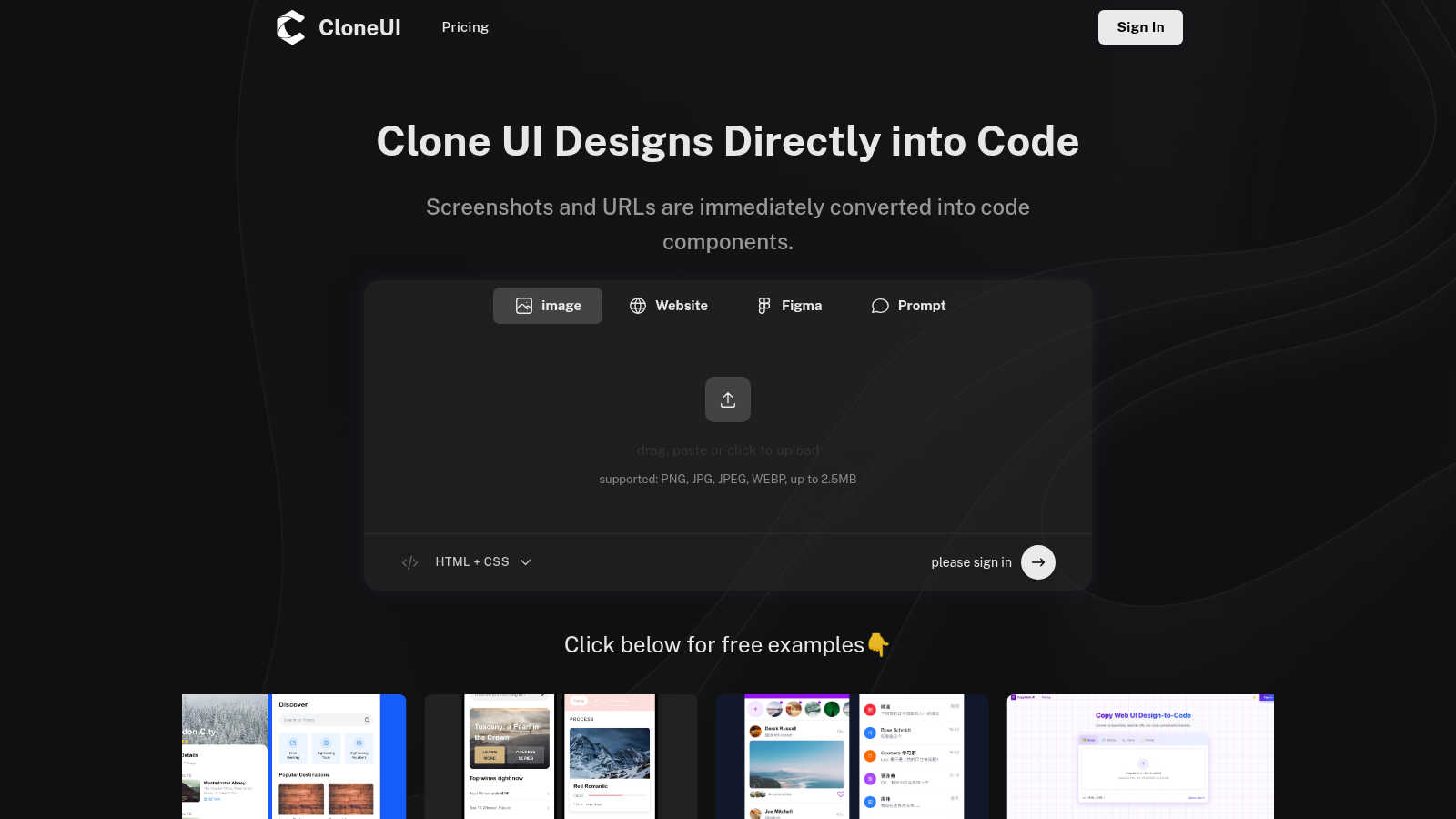
CloneUI seamlessly converts website screenshots and URLs into responsive, production-ready React, HTML, or Vue code.
Last updated: March 1, 2026

PUNKU.AI
PUNKU.AI crafts elite AI automations from your simple English commands, no code required.
Last updated: February 28, 2026
Visual Comparison
CloneUI
PUNKU.AI

Feature Comparison
CloneUI
URL to Code
Effortlessly clone entire website structures by simply entering a URL. CloneUI captures the essence of the original site, providing a comprehensive code output that mirrors the design, ensuring that developers can recreate complex layouts with minimal effort.
Screenshot to Code
Transform your design screenshots into pixel-perfect code in seconds. By uploading a PNG, JPG, JPEG, or WEBP file, CloneUI generates clean, responsive HTML and CSS, allowing designers to focus on creativity rather than coding intricacies.
Figma to Code
CloneUI offers a seamless one-click conversion from Figma designs directly into code. This feature enhances collaboration between designers and developers by streamlining the process of translating design files into production-ready code without losing fidelity.
Intelligent Component Recognition
Utilizing advanced AI technology, CloneUI identifies and maps UI components automatically. This intelligent recognition ensures that every element of your design is accurately represented in the generated code, allowing for a smoother integration into your projects.
PUNKU.AI
Natural Language Automation Design
Describe any process, workflow, or agent you need in simple English, and PUNKU.AI interprets your command with the precision of a seasoned systems architect. This feature completely bypasses the need for coding, flowchart mapping, or technical configuration, putting the power of enterprise-grade automation directly into the hands of subject matter experts and decision-makers. You specify the goal; PUNKU.AI handles the intricate technical execution.
Vast Integration Ecosystem
Access and orchestrate a powerhouse network of over 3,000 integrated applications and APIs. This extensive connectivity allows PUNKU.AI to serve as the central nervous system for your entire tech stack, effortlessly moving data and triggering actions between platforms like CRM systems, communication tools, productivity suites, and custom databases for a truly unified workflow.
Proactive Performance Intelligence
Beyond deployment, PUNKU.AI provides elite-level oversight. It continuously monitors the health and effectiveness of your automations, analyzing key performance indicators (KPIs) in real-time. The platform proactively surfaces insights and suggests intelligent improvements, ensuring your automated processes are not just running, but are optimized for maximum impact and ROI at all times.
Expert-Crafted Template Library
Accelerate your automation journey with a curated collection of 100+ pre-built, expert-designed templates. These ready-to-deploy blueprints cover essential functions across Research, Marketing, Sales, Support, and Operations, providing instant value and serving as a sophisticated foundation that can be fully customized to your unique operational model.
Use Cases
CloneUI
Rapid Prototyping
Designers can quickly create prototypes by converting screenshots or URLs into usable code, enabling faster iterations and feedback cycles. This use case is ideal for teams aiming to expedite the design validation process without sacrificing quality.
E-commerce Development
CloneUI simplifies the development of e-commerce sites by allowing developers to replicate successful online store designs. By generating responsive code from existing sites, teams can launch their projects faster while ensuring a competitive edge in design.
Portfolio Creation
Creative professionals can effortlessly build stunning portfolios by converting their design concepts into code. CloneUI provides an efficient way to showcase work, allowing users to focus on presentation rather than the complexities of coding.
Landing Page Optimization
Marketers and developers can use CloneUI to quickly create engaging landing pages. By cloning high-converting designs, users can implement best practices in web design, enhancing user engagement and conversion rates.
PUNKU.AI
Autonomous Customer Service Operations
Deploy a 24/7 AI-powered customer service chatbot that handles common inquiries, processes refund requests, and assists with bookings. This agent integrates directly with your support ticketing system, email, and booking platforms, providing instant, accurate responses while freeing your human team to resolve complex, high-value issues.
Intelligent Sales & Lead Nurturing
Automate the entire lead lifecycle with agents designed for outbound sales calls, LinkedIn outreach, and personalized follow-up sequences. From initial contact to sending custom quotes and payment reminders, PUNKU.AI ensures no lead falls through the cracks, nurturing prospects with consistent, timely, and relevant communication to accelerate conversion.
End-to-End Marketing Execution
Streamline marketing workflows by automating email campaign management, social media scheduling, and lead generation. PUNKU.AI can capture leads from forms, qualify them, add them to campaigns, and schedule targeted content—executing multi-channel strategies with precision and providing actionable data on campaign performance.
Operational Excellence & Coordination
Achieve seamless operational flow by automating internal processes. Sync calendars across teams, coordinate task assignments via Slack notifications, manage research by analyzing competitor data, and generate reports automatically. This turns operational chaos into a synchronized, efficient engine that supports strategic growth.
Overview
About CloneUI
CloneUI is an innovative AI-powered web cloning tool that transforms the tedious process of converting website designs into production-ready code. Designed for both novice designers and seasoned developers, CloneUI empowers users to effortlessly generate clean HTML, CSS, and framework-specific code by simply uploading a screenshot or entering a URL. This revolutionary tool streamlines the design-to-code workflow, significantly reducing the time and effort typically associated with manual coding. With intelligent component recognition technology, CloneUI accurately identifies and maps each design element to its corresponding code components, ensuring a seamless and precise transition from concept to reality. Whether you are crafting sophisticated landing pages, dynamic e-commerce sites, or personal portfolios, CloneUI equips you with the tools to bring your creative visions to life with remarkable efficiency and precision. Experience the future of web development and design with CloneUI, where the boundaries between creativity and technology dissolve.
About PUNKU.AI
PUNKU.AI represents the pinnacle of intelligent automation, engineered for the modern enterprise that demands excellence without complexity. It is a sophisticated platform that transforms natural language instructions into fully functional, production-grade AI automations, effectively acting as your dedicated senior engineer. Designed for forward-thinking business leaders, operations managers, and growth-focused teams, PUNKU.AI eliminates the traditional barriers of technical debt and developer dependency. Its core value proposition is unparalleled simplicity married with profound capability: you articulate your operational vision in plain English, and PUNKU.AI architecturally designs, deploys, and manages the entire solution. With seamless connectivity to over 3,000 critical business applications—from Gmail and Slack to Notion and Zoom—it orchestrates complex workflows that drive efficiency. Trusted by a global cadre of over 200 elite businesses, the platform not only executes but also intelligently monitors and optimizes each automation against key performance indicators, ensuring continuous peak performance. This is not merely a tool; it is a strategic partner dedicated to liberating human capital from the mundane, enabling a relentless focus on innovation and core business objectives.
Frequently Asked Questions
CloneUI FAQ
Which input formats are compatible with CloneUI?
CloneUI supports various image formats, including PNG, JPG, JPEG, and WEBP, with a maximum file size of 2.5MB. This versatility allows users to upload their design screenshots seamlessly, enhancing the cloning process.
How is the code generated?
The code is generated through advanced AI algorithms that analyze the input design or URL. CloneUI's intelligent component recognition technology ensures that each design element is accurately translated into corresponding HTML, CSS, or framework-specific code.
Supported frameworks?
CloneUI allows export to popular frameworks such as React, Vue, and plain HTML/CSS. This flexibility ensures that developers can integrate the generated code into their preferred tech stack, streamlining the development process.
Is the generated code customizable?
Yes, the generated code can be customized to meet specific project requirements. While CloneUI aims to provide clean, production-ready code, developers have the flexibility to modify the output based on their unique needs and preferences.
PUNKU.AI FAQ
What makes PUNKU.AI different from other automation platforms?
PUNKU.AI distinguishes itself through its elite natural language interface and its role as an active engineering partner. Unlike platforms that require you to manually build workflows with logic blocks, PUNKU.AI interprets high-level instructions and architecturally builds the solution for you. Furthermore, it provides continuous performance monitoring and proactive optimization suggestions, a level of intelligent lifecycle management unmatched by basic "set-and-forget" tools.
Do I need technical knowledge or coding skills to use PUNKU.AI?
Absolutely not. Technical expertise is deliberately not required. The platform is designed for business professionals and leaders. You simply describe what you want to achieve in plain English—for example, "Create an agent that sends a confirmation email and updates the calendar when a new booking is made." PUNKU.AI handles all the underlying technical complexity, API connections, and logic construction.
How secure is my data and my connections on PUNKU.AI?
Security is a foundational principle. PUNKU.AI employs enterprise-grade security protocols to protect your data. Connections to your integrated apps (like Gmail, Slack, etc.) are established using secure, standard OAuth protocols, meaning PUNKU.AI does not store your login credentials. The platform is built with a commitment to data privacy and compliance, ensuring your business information remains protected.
Can I try PUNKU.AI before making a commitment?
Yes. Prospective clients are encouraged to experience the platform's transformative capability firsthand. You can get started instantly with a free option, allowing you to explore the interface, test the natural language command, and deploy automations to see the tangible value. This setup is designed to be completed in minutes, with the flexibility to cancel at any time.
Alternatives
CloneUI Alternatives
CloneUI is an innovative AI-powered tool that belongs to the realm of design and development, specifically aimed at transforming website screenshots and URLs into responsive, production-ready code. Users often seek alternatives to CloneUI due to various reasons such as pricing concerns, specific feature requirements, or compatibility with different platforms. The desire for enhanced functionality or a more user-friendly interface can also drive the search for alternatives. When selecting an alternative, it is crucial to consider key factors like the ease of use, the accuracy of code generation, and the variety of supported design formats. Additionally, look for tools that offer seamless integration with existing workflows and provide robust support to ensure a smooth transition and optimal productivity.
PUNKU.AI Alternatives
PUNKU.AI represents the vanguard of the no-code automation category, transforming conversational English prompts into sophisticated, API-driven workflows. It acts as a strategic engineering partner, interpreting intent to build, deploy, and intelligently monitor custom automations that elevate operational efficiency. Organizations explore alternatives for a spectrum of reasons, from specific budgetary frameworks and the need for niche platform integrations to preferences for different user experience paradigms or advanced governance controls. The landscape offers varied approaches to democratizing automation. When evaluating a platform, discerning leaders prioritize a balance of intuitive design and enterprise-grade capability. Key considerations include the depth and relevance of API ecosystems, the sophistication of workflow logic and error handling, the quality of proactive insights, and the overall alignment with long-term digital transformation strategy.