
CloneUI vs FilexHost
Side-by-side comparison to help you choose the right tool.

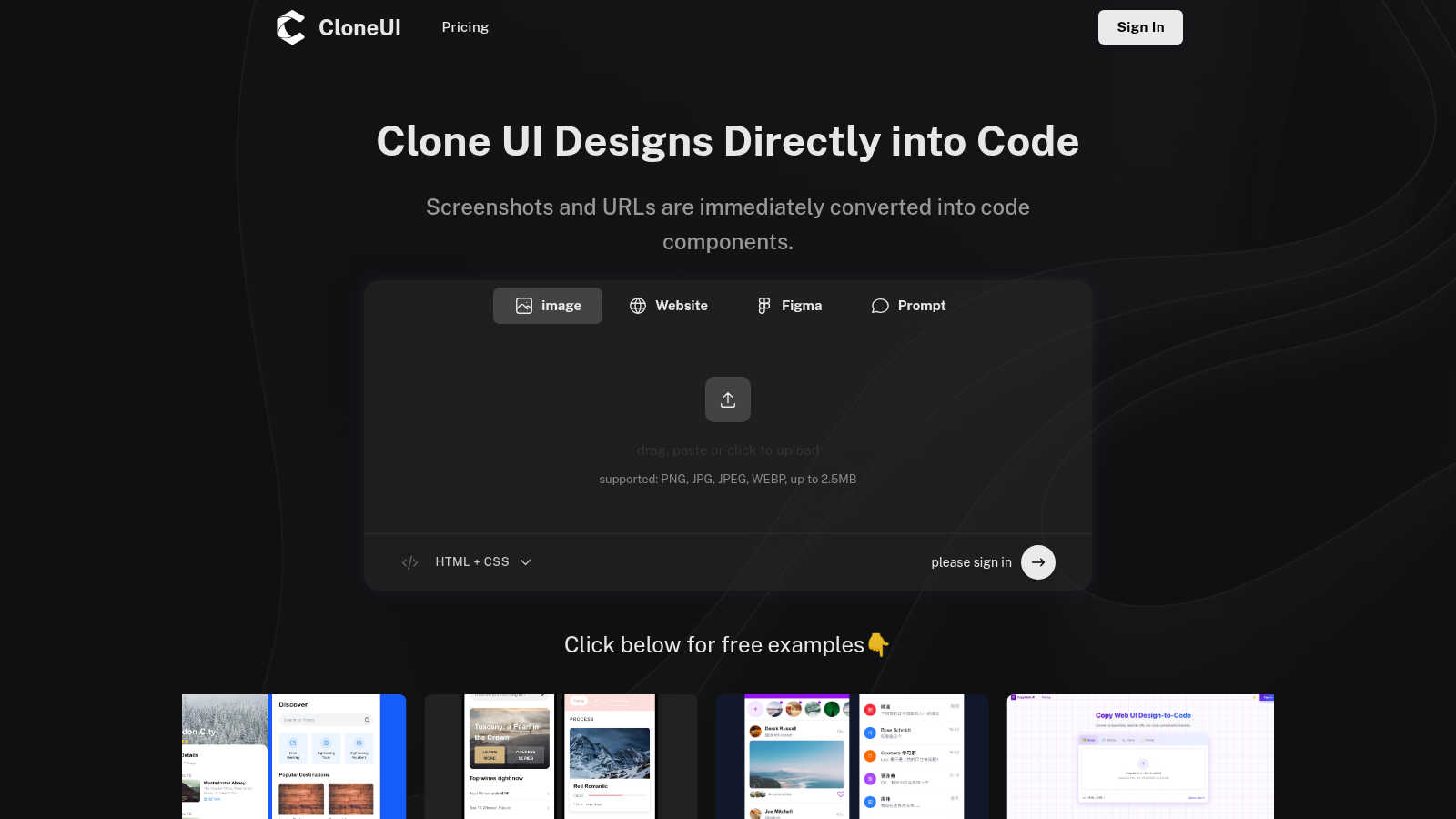
CloneUI seamlessly converts website screenshots and URLs into responsive, production-ready React, HTML, or Vue code.
Last updated: March 1, 2026

Effortlessly host and share your files with instant URLs using FilexHost's simple drag-and-drop interface.
Last updated: February 28, 2026
Visual Comparison
CloneUI
FilexHost

Feature Comparison
CloneUI
URL to Code
Effortlessly clone entire website structures by simply entering a URL. CloneUI captures the essence of the original site, providing a comprehensive code output that mirrors the design, ensuring that developers can recreate complex layouts with minimal effort.
Screenshot to Code
Transform your design screenshots into pixel-perfect code in seconds. By uploading a PNG, JPG, JPEG, or WEBP file, CloneUI generates clean, responsive HTML and CSS, allowing designers to focus on creativity rather than coding intricacies.
Figma to Code
CloneUI offers a seamless one-click conversion from Figma designs directly into code. This feature enhances collaboration between designers and developers by streamlining the process of translating design files into production-ready code without losing fidelity.
Intelligent Component Recognition
Utilizing advanced AI technology, CloneUI identifies and maps UI components automatically. This intelligent recognition ensures that every element of your design is accurately represented in the generated code, allowing for a smoother integration into your projects.
FilexHost
Instant Subdomains
FileXHost provides instant subdomains for every uploaded file, allowing users to share links effortlessly. The format (your-file.filex.host) requires zero setup, making it incredibly simple to generate a shareable link in seconds.
Free SSL Encryption
Security is paramount at FileXHost. Every link generated comes with free SSL encryption, ensuring that files are shared securely without the risk of interception or unauthorized access, thus enhancing user trust and peace of mind.
Smart View Modes
FileXHost offers smart view modes that allow users to choose how their files are presented. Whether opting for direct rendering for immediate viewing or a download page for file retrieval, users have the flexibility to format the experience according to their needs.
Optional Password Protection and Expiry Settings
For added security, FileXHost allows users to set optional password protection and configure expiry settings for their files. Users can select expiry durations ranging from 24 hours to indefinite hosting, providing control over who accesses their files and for how long.
Use Cases
CloneUI
Rapid Prototyping
Designers can quickly create prototypes by converting screenshots or URLs into usable code, enabling faster iterations and feedback cycles. This use case is ideal for teams aiming to expedite the design validation process without sacrificing quality.
E-commerce Development
CloneUI simplifies the development of e-commerce sites by allowing developers to replicate successful online store designs. By generating responsive code from existing sites, teams can launch their projects faster while ensuring a competitive edge in design.
Portfolio Creation
Creative professionals can effortlessly build stunning portfolios by converting their design concepts into code. CloneUI provides an efficient way to showcase work, allowing users to focus on presentation rather than the complexities of coding.
Landing Page Optimization
Marketers and developers can use CloneUI to quickly create engaging landing pages. By cloning high-converting designs, users can implement best practices in web design, enhancing user engagement and conversion rates.
FilexHost
Professional Document Sharing
FileXHost is ideal for professionals who need to share client reports, presentations, or other documents. The streamlined process ensures that recipients receive files quickly and securely, enhancing communication and collaboration.
Developer Hosting
Developers can leverage FileXHost to host landing pages, mock APIs, or web application files without the hassle of server management. The platform’s instant file hosting means quick iterations and testing without delays, fostering innovation.
Digital Product Distribution
Creators and entrepreneurs can use FileXHost to distribute digital products, such as eBooks or software, directly to customers. The simplicity of generating shareable links allows for efficient sales funnels and customer engagement.
Personal File Backup
Individuals seeking a reliable backup solution for personal files can utilize FileXHost to store and share important documents and media. The user-friendly features ensure that files remain accessible and secure without technical barriers.
Overview
About CloneUI
CloneUI is an innovative AI-powered web cloning tool that transforms the tedious process of converting website designs into production-ready code. Designed for both novice designers and seasoned developers, CloneUI empowers users to effortlessly generate clean HTML, CSS, and framework-specific code by simply uploading a screenshot or entering a URL. This revolutionary tool streamlines the design-to-code workflow, significantly reducing the time and effort typically associated with manual coding. With intelligent component recognition technology, CloneUI accurately identifies and maps each design element to its corresponding code components, ensuring a seamless and precise transition from concept to reality. Whether you are crafting sophisticated landing pages, dynamic e-commerce sites, or personal portfolios, CloneUI equips you with the tools to bring your creative visions to life with remarkable efficiency and precision. Experience the future of web development and design with CloneUI, where the boundaries between creativity and technology dissolve.
About FilexHost
FileXHost is an innovative file hosting solution designed to streamline the process of sharing files effortlessly and securely. Targeted at professionals, developers, and digital creators, FileXHost transcends traditional file sharing by offering a user-friendly experience that eliminates the complexities typically associated with file hosting. Users can effortlessly upload various file types, ranging from documents and media to complete websites, with a simple drag-and-drop interface. The platform generates instant, secure URLs that can be shared without the need for recipient logins or complicated server configurations. With built-in smart rendering technology, FileXHost ensures that every file is displayed optimally, thus enhancing viewer engagement and interaction. This makes it the go-to solution for anyone seeking frictionless file delivery while maintaining control over accessibility and security.
Frequently Asked Questions
CloneUI FAQ
Which input formats are compatible with CloneUI?
CloneUI supports various image formats, including PNG, JPG, JPEG, and WEBP, with a maximum file size of 2.5MB. This versatility allows users to upload their design screenshots seamlessly, enhancing the cloning process.
How is the code generated?
The code is generated through advanced AI algorithms that analyze the input design or URL. CloneUI's intelligent component recognition technology ensures that each design element is accurately translated into corresponding HTML, CSS, or framework-specific code.
Supported frameworks?
CloneUI allows export to popular frameworks such as React, Vue, and plain HTML/CSS. This flexibility ensures that developers can integrate the generated code into their preferred tech stack, streamlining the development process.
Is the generated code customizable?
Yes, the generated code can be customized to meet specific project requirements. While CloneUI aims to provide clean, production-ready code, developers have the flexibility to modify the output based on their unique needs and preferences.
FilexHost FAQ
What is FileXHost?
FileXHost is a versatile file hosting and sharing platform that allows users to upload a variety of file types and generate instant, secure URLs for easy sharing. It is designed for professionals, developers, and creators looking for an efficient way to manage file distribution.
Is it really free?
Yes, FileXHost offers a free plan that allows users to host up to 1,000 files with a maximum size of 25MB each. This plan includes ad-supported access with a 7-day expiry for each file, making it ideal for quick sharing and testing.
What file types are supported?
FileXHost supports a wide range of file types, including PDFs, Excel sheets, images, audio, video, ZIP archives, and HTML projects. Its smart rendering engine ensures that each file type is displayed optimally for the viewer.
How do I update my site?
Updating a site on FileXHost is straightforward. Users simply need to upload a new version of the file or project they wish to update. The platform will generate a new secure link, ensuring that the latest version is always accessible to viewers.
Alternatives
CloneUI Alternatives
CloneUI is an innovative AI-powered tool that belongs to the realm of design and development, specifically aimed at transforming website screenshots and URLs into responsive, production-ready code. Users often seek alternatives to CloneUI due to various reasons such as pricing concerns, specific feature requirements, or compatibility with different platforms. The desire for enhanced functionality or a more user-friendly interface can also drive the search for alternatives. When selecting an alternative, it is crucial to consider key factors like the ease of use, the accuracy of code generation, and the variety of supported design formats. Additionally, look for tools that offer seamless integration with existing workflows and provide robust support to ensure a smooth transition and optimal productivity.
FilexHost Alternatives
FilexHost is a premier solution in the realm of file hosting and sharing, designed for ease and efficiency. With its drag-and-drop interface, users can instantly upload various file types and receive a shareable URL within seconds. This service is particularly appealing to professionals, developers, and creators who seek a seamless way to distribute files without the complexities often associated with traditional hosting methods. Users frequently explore alternatives to FilexHost for various reasons, including pricing structures, feature sets, and specific platform requirements. As the landscape of digital file sharing evolves, it’s essential for users to consider factors such as storage limits, security features, and the user experience when evaluating alternatives. A suitable alternative should not only meet their immediate needs but also provide a reliable and intuitive solution for future file-sharing endeavors.