
AI Photo Assistant vs PhotoWeather
Side-by-side comparison to help you choose the right tool.

AI Photo Assistant
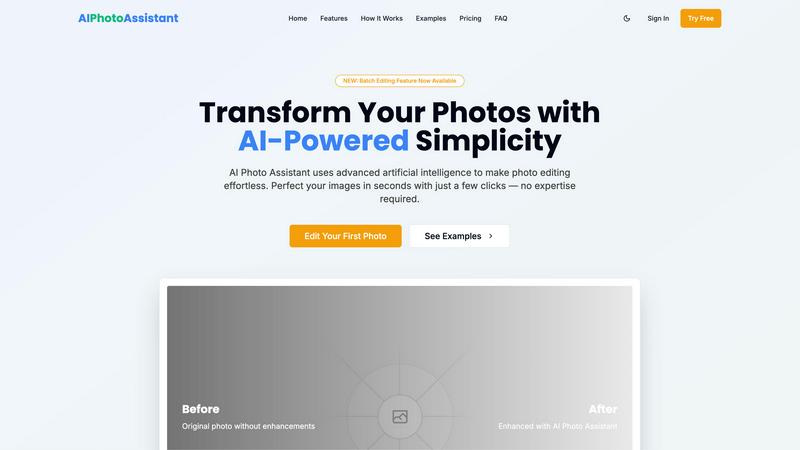
Transform your photos effortlessly with AI Photo Assistant, delivering professional enhancements in seconds.
Last updated: February 28, 2026

PhotoWeather
Receive tailored alerts for ideal photography conditions, ensuring you never miss the perfect shot again.
Last updated: February 28, 2026
Visual Comparison
AI Photo Assistant
PhotoWeather

Feature Comparison
AI Photo Assistant
Smart Auto-Enhancement
The Smart Auto-Enhancement feature utilizes advanced AI algorithms to analyze your photos and apply optimal adjustments. With just one click, users can enhance brightness, contrast, saturation, and more, ensuring that every image achieves its maximum potential.
Batch Editing Capability
With the newly introduced batch editing feature, users can now process multiple photos simultaneously. This powerful tool streamlines the editing workflow, making it ideal for busy professionals and content creators who need to enhance large volumes of images efficiently.
One-Click Enhancement
AI Photo Assistant excels at delivering professional-quality results with minimal effort. The one-click enhancement option automatically perfects lighting, color, and composition, enabling users to transform ordinary images into extraordinary visuals effortlessly.
Advanced Image Processing
Leveraging the power of cloud computing, AI Photo Assistant ensures lightning-fast image processing. Users can expect rapid enhancements without compromising quality, making it the go-to choice for those who require quick turnaround times on their photo edits.
PhotoWeather
Ready-Made Templates
PhotoWeather offers a diverse array of ready-made templates tailored for photographers. From "Fog and Mist" to "Golden and Blue Hour," these templates simplify the process of setting alerts for specific weather conditions. You can effortlessly monitor the weather without needing to create rules from scratch, ensuring you capture those elusive photographic opportunities.
Powerful Rule Builder
Unleash the full potential of your photography with PhotoWeather's extensive rule builder. With over 80 parameters, including clouds, visibility, wind, and humidity, you can create intricate rules that cater to your unique preferences. Combine conditions using AND/OR/NOT logic, allowing you to set precise criteria such as "Golden hour + 20–60% clouds + wind <7 m/s," ensuring you never miss a key moment.
Smart Notifications
Stay informed and prepared with PhotoWeather's smart notifications. You can receive daily digests that summarize upcoming opportunities, real-time alerts for critical conditions, and reminders before events start. The calendar sync feature further enhances your planning, automatically updating your schedule with upcoming photo opportunities based on your personalized rules.
Trusted Forecast Sources
PhotoWeather aggregates data from leading weather services such as ECMWF, DWD, NOAA, and Météo-France, ensuring you have access to the most reliable forecasts. This commitment to accuracy allows you to trust the information provided, giving you the confidence to make informed decisions about when and where to shoot.
Use Cases
AI Photo Assistant
Social Media Content Creation
For social media creators, AI Photo Assistant is an invaluable tool that simplifies the editing process. With its quick and efficient enhancements, users can produce captivating visuals that capture attention and engagement, all while saving significant time.
E-commerce Product Photography
Small business owners can benefit greatly from AI Photo Assistant by creating professional product images without the need for expensive photography services. The platform enables them to showcase their products in the best light, enhancing sales and customer interest.
Event Photography Enhancement
Event photographers can quickly edit and enhance photos from weddings, parties, and corporate events. AI Photo Assistant allows for swift adjustments, ensuring that clients receive high-quality images promptly, enhancing the overall customer experience.
Personal Photo Refinement
Individuals looking to refine their personal photographs, such as family portraits or travel memories, can utilize AI Photo Assistant to achieve stunning results. The platform's ease of use empowers anyone to elevate their photography without requiring extensive editing knowledge.
PhotoWeather
Landscape Photography
For landscape photographers, PhotoWeather is an indispensable tool. With the ability to set alerts for conditions like fog, cloud drama, or the ideal light for golden hour, you can position yourself perfectly to capture breathtaking landscapes that tell a story.
Astrophotography
Astrophotographers often contend with unpredictable skies. PhotoWeather simplifies this by allowing users to receive alerts for astronomical events, such as moon phases and optimal conditions for capturing the Milky Way, eliminating the guesswork and ensuring you maximize your time under the stars.
Wildlife Photography
Photographers focusing on wildlife can greatly benefit from PhotoWeather's personalized alerts. By setting up conditions tailored to animal activity—like overcast skies for better camouflage or wind levels for tracking—you can optimize your chances of capturing those rare moments in nature.
Event Photography
For event photographers, timing is everything. With PhotoWeather, you can set alerts for specific weather conditions that enhance your event shoots, whether it's a wedding, outdoor festival, or sports event. Knowing when to expect ideal weather allows you to plan and execute your vision flawlessly.
Overview
About AI Photo Assistant
AI Photo Assistant is a cutting-edge platform that redefines the realm of photo editing by harnessing the power of artificial intelligence. This sophisticated tool is designed for individuals who demand high-quality, flawless imagery without the complexity of traditional editing software. By utilizing advanced neural networks and machine learning, AI Photo Assistant meticulously analyzes every pixel of your images to deliver studio-grade enhancements. Whether you are a content creator, entrepreneur, or professional seeking to elevate your visual content, this tool offers an unparalleled solution. With a user-friendly interface and a focus on efficiency, it allows users to achieve exceptional results in mere seconds, regardless of their artistic background or technical expertise. The core value proposition lies in providing instantaneous access to publication-ready photos, enabling users to stand out in an increasingly crowded digital landscape.
About PhotoWeather
PhotoWeather is a revolutionary app designed specifically for outdoor photographers who refuse to let unpredictable weather conditions dictate their shooting opportunities. By monitoring weather forecasts 24/7, PhotoWeather ensures you receive timely alerts precisely when conditions align with your photography goals, whether it's capturing the ethereal beauty of sunrise fog, the intensity of dramatic storms, or the magic of golden-hour light. This tool caters to serious photographers—landscape, astro, and wildlife shooters—who need to focus on their craft without the hassle of constantly checking multiple weather apps. With advanced features like customizable alerts and a powerful rule builder, PhotoWeather empowers you to seize the perfect moment in nature, offering a competitive edge that is essential for any professional photographer.
Frequently Asked Questions
AI Photo Assistant FAQ
How does AI Photo Assistant enhance my photos?
AI Photo Assistant employs advanced artificial intelligence algorithms to analyze each photo automatically. It optimizes adjustments for lighting, contrast, color balance, and composition, ensuring professional-quality results with minimal effort.
Is any prior photo editing experience required to use AI Photo Assistant?
No, AI Photo Assistant is designed for users of all skill levels. Its intuitive interface and one-click enhancements allow anyone to achieve stunning results without needing technical expertise or prior photo editing experience.
Can I edit multiple photos at once?
Yes, with the new batch editing feature, users can process multiple images simultaneously. This capability is perfect for those who frequently work with large volumes of photos, saving time and streamlining the editing workflow.
What types of images can I upload to AI Photo Assistant?
AI Photo Assistant supports all popular image formats, allowing users to upload photos from their devices or cloud storage easily. This flexibility ensures that users can work with a variety of images for their editing needs.
PhotoWeather FAQ
How do I get started?
Getting started with PhotoWeather is simple. Sign up for a free account, add your favorite shooting locations, and start creating alerts based on your desired weather conditions. The intuitive interface makes setup quick and easy, allowing you to focus on your photography.
How accurate are the forecasts?
PhotoWeather sources its forecasts from top-tier weather services, ensuring a high degree of accuracy. While no forecast is perfect, the combination of multiple models and real-time updates increases the reliability of the information you receive, helping you make informed shooting decisions.
Can I create my own rules?
Absolutely! PhotoWeather features a powerful rule builder that allows you to create custom alerts based on over 80 weather parameters. This flexibility enables you to tailor notifications to your specific photography needs, ensuring you capture the best conditions.
Do you support calendar sync?
Yes, PhotoWeather supports calendar sync, allowing you to integrate your alerts directly into your calendar. This feature ensures you remain organized and aware of upcoming photography opportunities, making it easier to manage your schedule around ideal shooting conditions.
Alternatives
AI Photo Assistant Alternatives
AI Photo Assistant is an elite AI-powered photo enhancement platform designed for individuals and professionals who require high-quality image refinement without the complexity of traditional editing software. It belongs to the category of AI assistants, specifically focused on automating the photo editing process through advanced machine learning algorithms and neural networks. Users often seek alternatives to the AI Photo Assistant for various reasons, including pricing considerations, specific feature sets, or compatibility with different platforms. When selecting an alternative, it is essential to evaluate the quality of enhancements, the user interface's intuitiveness, and the overall value proposition to ensure it meets your unique creative needs while maintaining a high standard of visual excellence.
PhotoWeather Alternatives
PhotoWeather is an innovative tool designed specifically for photographers, allowing them to receive alerts when optimal conditions for capturing stunning images are present. This platform belongs to the photography category, utilizing advanced meteorological data to inform users about golden hours, dramatic cloud formations, and other atmospheric phenomena essential for great photography. Users often seek alternatives to PhotoWeather for various reasons, such as pricing concerns, the desire for additional features, or specific platform compatibility needs. When selecting an alternative, it is crucial to consider the accuracy of weather data, the flexibility of notification settings, and the range of customizable features that cater to unique photography goals.