
AI Photo Assistant
Transform your photos effortlessly with AI Photo Assistant, delivering professional enhancements in seconds.
Visit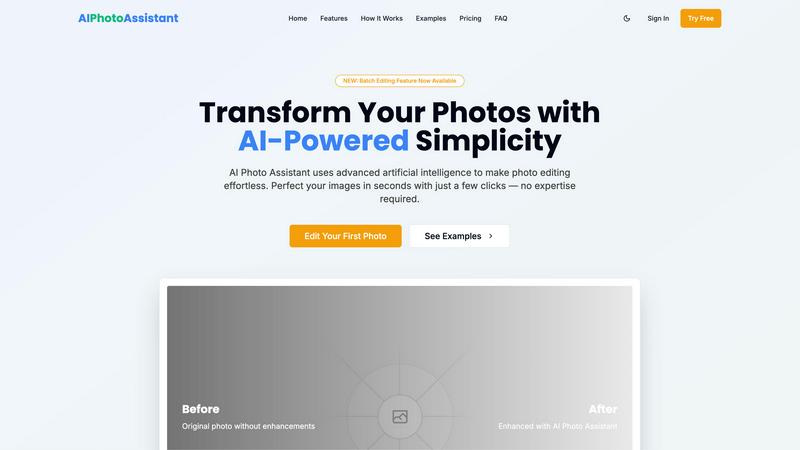
About AI Photo Assistant
AI Photo Assistant is a cutting-edge platform that redefines the realm of photo editing by harnessing the power of artificial intelligence. This sophisticated tool is designed for individuals who demand high-quality, flawless imagery without the complexity of traditional editing software. By utilizing advanced neural networks and machine learning, AI Photo Assistant meticulously analyzes every pixel of your images to deliver studio-grade enhancements. Whether you are a content creator, entrepreneur, or professional seeking to elevate your visual content, this tool offers an unparalleled solution. With a user-friendly interface and a focus on efficiency, it allows users to achieve exceptional results in mere seconds, regardless of their artistic background or technical expertise. The core value proposition lies in providing instantaneous access to publication-ready photos, enabling users to stand out in an increasingly crowded digital landscape.
Features of AI Photo Assistant
Smart Auto-Enhancement
The Smart Auto-Enhancement feature utilizes advanced AI algorithms to analyze your photos and apply optimal adjustments. With just one click, users can enhance brightness, contrast, saturation, and more, ensuring that every image achieves its maximum potential.
Batch Editing Capability
With the newly introduced batch editing feature, users can now process multiple photos simultaneously. This powerful tool streamlines the editing workflow, making it ideal for busy professionals and content creators who need to enhance large volumes of images efficiently.
One-Click Enhancement
AI Photo Assistant excels at delivering professional-quality results with minimal effort. The one-click enhancement option automatically perfects lighting, color, and composition, enabling users to transform ordinary images into extraordinary visuals effortlessly.
Advanced Image Processing
Leveraging the power of cloud computing, AI Photo Assistant ensures lightning-fast image processing. Users can expect rapid enhancements without compromising quality, making it the go-to choice for those who require quick turnaround times on their photo edits.
Use Cases of AI Photo Assistant
Social Media Content Creation
For social media creators, AI Photo Assistant is an invaluable tool that simplifies the editing process. With its quick and efficient enhancements, users can produce captivating visuals that capture attention and engagement, all while saving significant time.
E-commerce Product Photography
Small business owners can benefit greatly from AI Photo Assistant by creating professional product images without the need for expensive photography services. The platform enables them to showcase their products in the best light, enhancing sales and customer interest.
Event Photography Enhancement
Event photographers can quickly edit and enhance photos from weddings, parties, and corporate events. AI Photo Assistant allows for swift adjustments, ensuring that clients receive high-quality images promptly, enhancing the overall customer experience.
Personal Photo Refinement
Individuals looking to refine their personal photographs, such as family portraits or travel memories, can utilize AI Photo Assistant to achieve stunning results. The platform's ease of use empowers anyone to elevate their photography without requiring extensive editing knowledge.
Frequently Asked Questions
How does AI Photo Assistant enhance my photos?
AI Photo Assistant employs advanced artificial intelligence algorithms to analyze each photo automatically. It optimizes adjustments for lighting, contrast, color balance, and composition, ensuring professional-quality results with minimal effort.
Is any prior photo editing experience required to use AI Photo Assistant?
No, AI Photo Assistant is designed for users of all skill levels. Its intuitive interface and one-click enhancements allow anyone to achieve stunning results without needing technical expertise or prior photo editing experience.
Can I edit multiple photos at once?
Yes, with the new batch editing feature, users can process multiple images simultaneously. This capability is perfect for those who frequently work with large volumes of photos, saving time and streamlining the editing workflow.
What types of images can I upload to AI Photo Assistant?
AI Photo Assistant supports all popular image formats, allowing users to upload photos from their devices or cloud storage easily. This flexibility ensures that users can work with a variety of images for their editing needs.
Explore more in this category:
Similar to AI Photo Assistant

GetYouTubeTranscript
Free YouTube transcripts on the web, a Chrome extension, and an API + MCP server so AI assistants can read YouTube.

layahost
Moderation, routing, intent and scoring for any text over one Jev-compatible API, hosted in the EU.
Sprite Sheet Maker
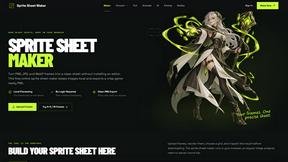
A free browser-based toolkit for creating, cutting, converting, and previewing sprite sheet animations.

AIEnhancer
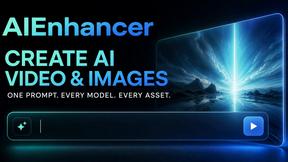
Enhance photos, create images, and generate videos with flexible AI workflows, creative effects, production-tested models, and a shared asset library.
Motion Control AI
Create motion-controlled character videos by transferring dance, gestures, timing, and camera movement from a reference video.