
Dokie AI vs ZColoring
Side-by-side comparison to help you choose the right tool.

Dokie AI
Dokie AI instantly crafts elite presentations powered by Claude Opus 4.6.
Last updated: March 19, 2026

ZColoring
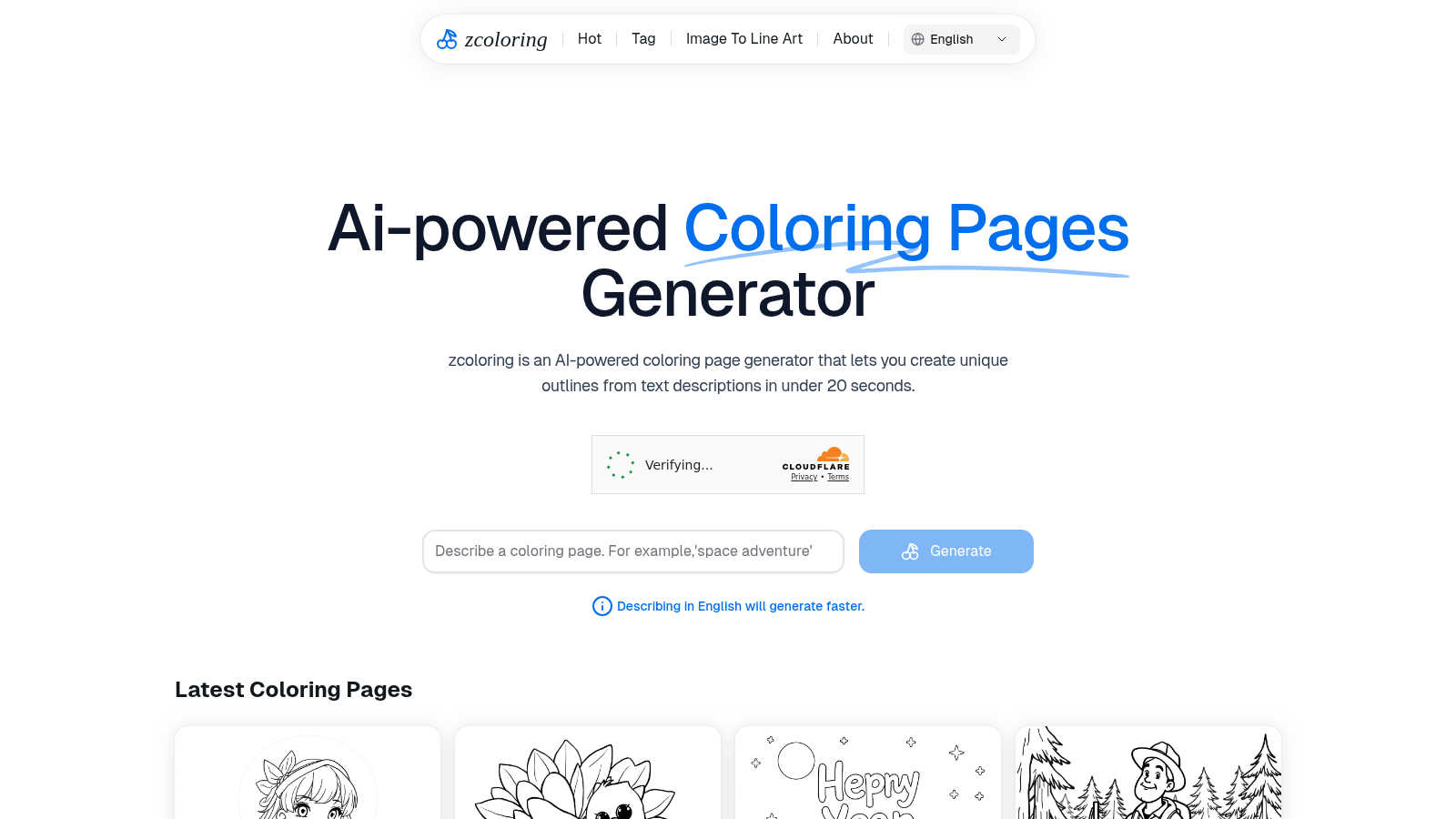
ZColoring transforms your text descriptions into beautiful, printable coloring pages with effortless AI precision.
Last updated: March 1, 2026
Visual Comparison
Dokie AI

ZColoring
Feature Comparison
Dokie AI
True AI Generation from Scratch
Dokie AI's flagship feature transcends basic templates. By leveraging the advanced reasoning of Claude Opus 4.6, it interprets your plain-text topic description to autonomously generate a complete, structured slide deck. It intelligently crafts compelling content, selects harmonious layouts, incorporates relevant charts, and applies a cohesive, professional design aesthetic, delivering a presentation that appears crafted by a seasoned designer.
Intelligent Presentation Beautification
This feature allows you to elevate existing PowerPoint files instantly. Upload your slides, and Dokie AI's AI will analyze and enhance them. It professionally restyles layouts, refines typography, improves visual hierarchy, and applies a polished design theme—all while meticulously preserving your original content. It transforms outdated or inconsistent decks into visually cohesive and impactful presentations.
Multi-Format Document Conversion
Dokie AI serves as a universal presentation converter, seamlessly transforming various content formats into editable PowerPoint slides. Whether starting from a PDF document, a Word file, a YouTube video link, or plain text, the AI intelligently extracts key information, structures it logically, and formats it into a professionally designed slide deck, streamlining content repurposing.
AI-Powered Speaker Notes & Reverse Prompting
Beyond slide creation, Dokie AI enhances presentation delivery. It automatically generates detailed speaker notes and talking points for each slide, aiding in confident execution. Conversely, its unique Reverse Prompt feature can analyze an uploaded presentation to extract the core creative prompts, offering invaluable insight into the AI's design logic for learning and iteration.
ZColoring
Instant Generation of Unique Outlines
ZColoring harnesses the power of advanced AI to create stunning outlines from text descriptions in less than 20 seconds. This instantaneous generation allows users to quickly access a variety of coloring page designs, making it ideal for spontaneous creative sessions.
User-Friendly Interface
The interface of ZColoring is designed for simplicity and ease of use. With intuitive navigation and clear instructions, users of all backgrounds can effortlessly create personalized coloring pages without any prior experience or technical knowledge.
Customization Options
ZColoring offers extensive customization features, allowing users to modify colors, styles, and themes of the generated outlines. This flexibility ensures that every coloring page reflects the user's individual preferences, enhancing the overall artistic experience.
Diverse Audience Engagement
Catering to a broad audience, ZColoring supports various use cases, from professional artists to casual hobbyists. This versatility makes it a valuable tool for creating engaging content for classrooms, homes, and art studios alike.
Use Cases
Dokie AI
Investor Pitch Deck Creation
Startup founders and entrepreneurs can rapidly transform their business concept into a compelling investor pitch. By describing their vision, market, and solution, Dokie AI generates a polished, persuasive deck with perfect narrative flow, financial slide templates, and professional visuals, crucial for securing funding and making a powerful first impression.
Corporate Business Reporting
Business analysts and managers can automate the creation of quarterly reviews, project updates, and strategy presentations. Dokie AI quickly structures data and insights into a visually consistent, brand-aligned deck, saving countless hours on formatting while ensuring every report meets a high standard of corporate professionalism.
Academic & Training Material Development
Educators and trainers can effortlessly convert lesson plans, research notes, or training manuals into engaging educational slide decks. The AI organizes content for optimal learning, incorporates relevant diagrams, and applies a clean, readable design, enhancing student and trainee engagement without design overhead.
Marketing & Sales Proposal Enhancement
Marketing professionals and sales teams can instantly revitalize client proposals, product launches, and campaign overviews. Using the Beautify feature, they can upload existing decks to receive a design overhaul with modern aesthetics and improved visual storytelling, strengthening brand perception and persuasive impact.
ZColoring
Educational Resource Creation
Teachers can utilize ZColoring to produce customized coloring pages that align with their lesson plans, making learning more interactive and enjoyable for students. This approach enhances engagement in the classroom, fostering creativity and artistic expression.
Family Bonding Activities
Parents can use ZColoring to create fun and personalized coloring pages for family activities. This feature encourages quality time spent together, allowing children to explore their creativity while parents join in on the artistic fun.
Artistic Inspiration for Professionals
Professional artists seeking inspiration can leverage ZColoring to generate unique outlines based on their concepts. By providing a fresh perspective, this tool can help artists overcome creative blocks and enhance their portfolios.
Event and Party Planning
ZColoring is perfect for event organizers looking to create themed coloring pages for parties or gatherings. Whether for children's birthday parties or community events, customized coloring pages can add a unique touch that enhances guest experiences.
Overview
About Dokie AI
Dokie AI represents the pinnacle of AI-driven presentation creation, engineered for professionals who refuse to compromise on quality or efficiency. It is not merely another template-based slide builder; it is a sophisticated AI presentation architect powered by Claude Opus 4.6. This advanced engine comprehensively handles the entire creative process—from structuring compelling narratives and selecting intelligent layouts to applying masterful typography and visual design—all from a simple text prompt. Designed for elite business professionals, educators, marketers, and startup founders, Dokie AI eliminates the need for design expertise or tedious manual formatting. Its core value proposition is delivering boardroom-ready, professionally designed presentations in minutes, not hours, transforming raw ideas into visually stunning and persuasive slide decks. By automating the art of presentation design, Dokie AI empowers users to focus solely on their message and strategy, establishing a new standard for professional communication.
About ZColoring
ZColoring is an innovative AI-powered coloring page generator designed to transform your imaginative text descriptions into exquisite, one-of-a-kind outlines in under 20 seconds. This cutting-edge tool serves a wide range of users, including artists in search of creative inspiration, educators aiming to design engaging and interactive learning materials, and parents seeking imaginative activities to keep their children entertained. By simply inputting descriptive keywords, users can unleash their creativity and generate personalized coloring pages that reflect their unique tastes and preferences. ZColoring's primary value proposition lies in its ability to streamline the creative process, making it accessible for individuals of all skill levels to craft beautiful designs effortlessly. As a pivotal resource for coloring enthusiasts, ZColoring stands out by offering an experience that is both user-friendly and enriching, ensuring that every user can engage with art in a meaningful way.
Frequently Asked Questions
Dokie AI FAQ
How does Dokie AI differ from traditional PowerPoint or Google Slides?
Unlike traditional tools that require manual design work or rely on rigid templates, Dokie AI uses true generative AI (Claude Opus 4.6) to create presentations from a conceptual level. It doesn't just place your text into pre-made boxes; it understands your topic, structures the narrative, designs custom layouts, and selects visuals autonomously, acting as an intelligent design partner.
What file formats can I use with Dokie AI?
Dokie AI supports a wide range of inputs and outputs. You can generate slides from text prompts, upload and beautify existing PowerPoint (.ppt, .pptx) files, and convert documents from PDF, Word (.docx), HTML, and even YouTube videos directly into a professionally formatted PowerPoint presentation.
Is my data and content secure with Dokie AI?
Dokie AI is built with a professional user base in mind. The platform employs robust security measures to protect your uploaded documents and generated content. For specific details on data handling, encryption, and privacy policies, users are advised to consult the official Dokie AI documentation and privacy terms.
Can I edit the presentations generated by Dokie AI?
Absolutely. Dokie AI provides a real-time preview and edit interface. The final output is delivered as a standard PowerPoint file (.pptx), giving you full ownership and editability in Microsoft PowerPoint, Google Slides, or any other compatible software, allowing for final customizations and personal touches.
ZColoring FAQ
How does ZColoring generate coloring pages from text descriptions?
ZColoring employs advanced AI algorithms to analyze text descriptions and create unique outlines in real-time. By interpreting the user's input, it translates creative ideas into visually appealing designs.
Can I customize the coloring pages generated by ZColoring?
Yes, ZColoring offers various customization options, allowing users to adjust colors, styles, and themes to suit their personal preferences. This feature enhances the creative experience and ensures unique results every time.
Is ZColoring suitable for all age groups?
Absolutely! ZColoring is designed for users of all ages and skill levels. Its user-friendly interface and diverse features make it accessible for children, adults, and professionals alike.
What devices can I use ZColoring on?
ZColoring is compatible with various devices, including desktops, laptops, and tablets. This flexibility ensures that users can create coloring pages on the go, making it a versatile tool for every creative endeavor.
Alternatives
Dokie AI Alternatives
Dokie AI represents the pinnacle of AI-powered presentation design, operating within the elite category of generative design tools. It transcends traditional template-based platforms by leveraging advanced AI to autonomously craft content, structure, and visual aesthetics, delivering boardroom-ready presentations from a simple text prompt. Users may explore alternatives for various strategic reasons. These can include budget considerations, specific feature requirements not covered by a single platform, or the need for integration with a particular existing software ecosystem. The search often stems from a desire to find the perfect alignment between a tool's capabilities and one's unique workflow demands. When evaluating other solutions, discerning professionals should prioritize core differentiators. Key considerations include the depth and intelligence of the AI engine, the quality and exclusivity of the output, the flexibility of input and export options, and the overall value proposition relative to the investment. The goal is to identify a tool that not only automates design but elevates the entire narrative of your presentation.
ZColoring Alternatives
ZColoring is an innovative AI-powered tool that transforms text descriptions into unique, printable coloring pages, catering to a wide range of users including artists, educators, and parents. Positioned within the content creation and generative art categories, ZColoring simplifies the creative process, enabling users to generate stunning designs in seconds. Users often seek alternatives to ZColoring for various reasons, such as pricing considerations, specific feature sets, or compatibility with different platforms and devices. When exploring alternatives, it's essential to evaluate the ease of use, available themes, and overall functionality to ensure that the chosen tool meets individual creative needs and enhances the coloring experience.