
QuickImg vs RemoveTexts
Side-by-side comparison to help you choose the right tool.

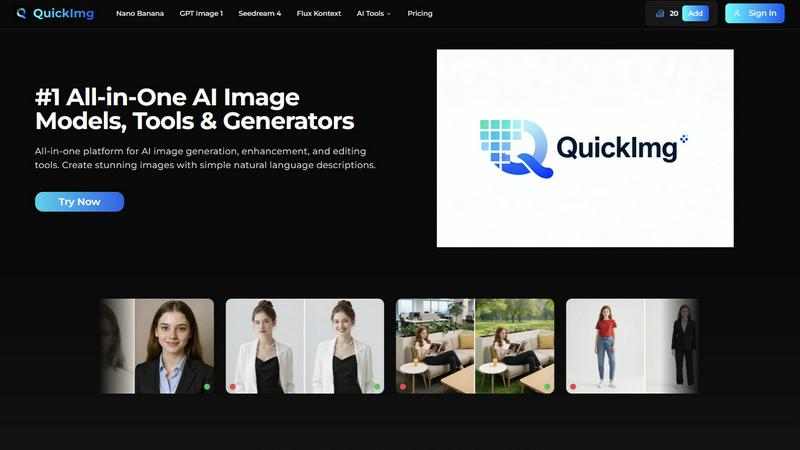
QuickImg is the elite all-in-one AI platform for generating, enhancing, and editing stunning images effortlessly.
Last updated: February 28, 2026

RemoveTexts
RemoveTexts instantly erases any text from images with professional AI precision, requiring no technical skill.
Last updated: March 11, 2026
Visual Comparison
QuickImg
RemoveTexts

Feature Comparison
QuickImg
Unified Multi-Model AI Engine
Access and leverage a curated selection of the planet's most powerful AI image models from a single dashboard. Seamlessly switch between Google's Nano Banana Pro for superior text rendering, OpenAI's GPT Image 1 for multimodal understanding, ByteDance's ultra-fast Seedream 4 for 4K output, and Flux Kontext for precise, consistent edits. This elite integration allows you to select the perfect engine for each specific task, ensuring optimal results for every creative scenario without ever leaving the platform.
Natural Language Command Interface
Command complex visual creations and edits using the simplicity of your own words. There is no need for technical jargon or elaborate prompt engineering. Describe the scene, style, or modification you desire in plain English, and QuickImg's advanced AI interprets your intent to generate or transform images with astonishing accuracy. This intuitive bridge between thought and execution empowers both novices and experts to realize their vision effortlessly.
Professional-Grade One-Click Editing Tools
Beyond generation, QuickImg offers a suite of AI-powered tools that automate sophisticated editing workflows. Execute professional tasks instantly, such as removing unwanted text or watermarks, upscaling images to 4K resolution, changing backgrounds with precision, converting photos to anime art, or even transforming pets into human characters. Each tool is engineered for flawless, high-quality output in seconds, streamlining production to an unprecedented degree.
Curated Template Library & Workflow Integration
Jumpstart any project with a premium collection of ready-to-use templates designed for high-impact scenarios like product photography, social media campaigns, and marketing materials. This, combined with the platform's all-in-one nature, consolidates your entire visual content pipeline. From initial concept via text to final enhancement and edit, every step is managed within QuickImg, saving invaluable time and resources while maintaining a consistent, professional standard.
RemoveTexts
Paint to Remove
Exercise absolute control with the precision brush tool. Simply paint over the specific text, watermark, or element you wish to erase. The AI then works exclusively on the selected areas, providing meticulous, pixel-perfect removal without disturbing the rest of your composition. This feature is indispensable for targeted edits, such as redacting sensitive information from a document or removing a single caption from a complex meme, ensuring your edits are intentional and exact.
Auto Remove All Text
Leverage fully automated intelligence for comprehensive cleanup. With a single click, our advanced AI detection scans your entire image, identifying and seamlessly erasing every text element—from subtitles and logos to embedded watermarks and date stamps. This hands-off approach is perfect for rapidly cleaning product screenshots, social media graphics, or presentation slides, delivering a perfectly clean canvas in seconds without any manual selection.
Edit & Replace Text
Go beyond mere removal to intelligent content manipulation. This groundbreaking feature allows you to alter existing text within an image. The AI not only removes the original words but also generates new text that meticulously matches the original font style, size, color, and visual context. It is the ultimate tool for correcting errors, updating pricing on a product shot, or localizing marketing materials while maintaining perfect aesthetic continuity.
Remove Objects & Watermarks
Extend the power of generative inpainting to any unwanted visual element. Whether it's an errant logo, a bystander in a photo, or an intrusive object, this feature seamlessly erases them while reconstructing a believable, high-fidelity background. It utilizes the same robust deep learning models to ensure complex backgrounds like grass, brickwork, or fabric are recreated flawlessly, leaving no trace of the original obstruction.
Use Cases
QuickImg
Marketing & Advertising Asset Creation
Marketing teams and agencies can rapidly produce a vast array of high-quality, original visual content for campaigns, social media, and advertisements. Generate unique product shots, create engaging promotional graphics, and tailor imagery for different demographics and platforms—all without costly photoshoots or extensive design resources. The ability to quickly iterate on concepts and maintain brand consistency accelerates time-to-market and boosts campaign agility.
Professional Design & Conceptual Art
Designers and concept artists use QuickImg to overcome creative block and accelerate the ideation phase. Generate multiple visual concepts, textures, and background scenes from textual descriptions to serve as foundational artwork or inspiration. The platform's advanced models provide high-fidelity starting points that can be refined and integrated into larger projects, dramatically speeding up the initial creative workflow and exploration process.
E-commerce & Product Presentation
E-commerce businesses can effortlessly create stunning, clean product imagery at scale. Use AI to generate lifestyle shots of products in various settings, remove distracting backgrounds, upscale existing catalog images to 4K, or create consistent visual styles across hundreds of items. This enables small and large retailers alike to present a premium, professional storefront that drives engagement and sales, without significant investment in photography.
Personal Creative Projects & Social Content
Content creators, bloggers, and individuals can elevate their personal projects and social media presence with custom, royalty-free visuals. Transform personal photos into anime avatars, create unique artwork for blogs and videos, design eye-catching graphics for announcements, or simply bring imaginative ideas to life. QuickImg puts powerful creative tools in the hands of anyone, enabling the production of standout content that captivates audiences.
RemoveTexts
Professional Marketing & Brand Asset Cleanup
Marketing teams and brand managers utilize RemoveTexts to maintain pristine visual libraries. Quickly strip outdated promotional text, pricing, or watermarks from product photography and campaign assets. This enables the rapid repurposing of high-quality visuals for new markets, seasonal campaigns, or different platforms, ensuring brand imagery remains consistent, professional, and uncluttered without costly reshoots or designer hours.
E-commerce Product Image Optimization
Online sellers and retailers rely on RemoveTexts to perfect product listings. Remove distracting watermarks from supplier images, erase competing logos, or clean up text overlays from promotional graphics. This results in clean, focused, and professional product photos that enhance conversion rates, improve store aesthetics, and create a trustworthy shopping experience, directly impacting sales performance.
Content Creation & Social Media Management
Creators, influencers, and social media managers leverage the tool to craft perfect visuals. Clean text from memes for reuse, remove subtitles or network logos from video thumbnails, or erase intrusive elements from photos. This streamlines content production, allowing for the creation of original, engaging, and platform-ready graphics at scale, freeing up time for creative strategy rather than tedious editing.
Legal & Document Redaction
Legal professionals, consultants, and administrators employ RemoveTexts for secure document handling. Safely and cleanly redact sensitive personal information, confidential figures, or proprietary text from scanned documents, screenshots, or evidentiary photographs. The AI ensures the redaction is complete and visually seamless, protecting privacy and complying with data protection regulations without leaving tell-tale marks.
Overview
About QuickImg
QuickImg is the definitive, elite platform for AI-powered visual creation, engineered for professionals who refuse to compromise on quality, speed, and creative control. It transcends the limitations of single-model tools by integrating the world's most advanced AI image models—including Nano Banana Pro, GPT Image 1, and Seedream 4—into one seamless, unified workspace. This is not merely an image generator; it is a comprehensive visual intelligence suite that handles the entire workflow from initial concept to final, polished asset. Users articulate their vision in simple, natural language, and QuickImg's sophisticated AI interprets and executes with breathtaking precision, generating stunning, high-resolution imagery or performing complex edits in moments. Designed for discerning creatives, visionary marketers, and forward-thinking businesses, QuickImg demystifies advanced visual production, making studio-grade results accessible without the steep learning curve or the need for multiple disparate subscriptions. It represents the new standard for visual content creation, where unparalleled power meets intuitive operation.
About RemoveTexts
RemoveTexts represents the pinnacle of AI-driven image refinement, a sophisticated platform engineered for professionals who demand flawless visual assets without compromise. It transcends basic editing by deploying state-of-the-art generative inpainting technology, the same class of neural network architecture pioneered by industry leaders like NVIDIA and Adobe. This tool intelligently analyzes and reconstructs image backgrounds, removing unwanted text, watermarks, date stamps, and objects with surgical precision while preserving the original texture, lighting, and quality. Designed for elite creators, marketers, e-commerce vendors, and legal professionals, RemoveTexts delivers studio-grade results in under 30 seconds, entirely within a browser. It eliminates the need for complex software like Photoshop, democratizing high-end image editing with an intuitive, powerful interface that processes over 100,000 images for a global user base exceeding 50,000. The value proposition is unequivocal: achieve perfect, traceless image cleanup with zero technical skill required, empowering you to maintain brand consistency, protect privacy, and enhance visual storytelling with unprecedented efficiency.
Frequently Asked Questions
QuickImg FAQ
What makes QuickImg different from other AI image generators?
QuickImg distinguishes itself as a consolidated, multi-model platform rather than a single-model tool. While others offer access to one AI, QuickImg provides a curated dashboard of top-tier models like Nano Banana Pro, GPT Image 1, and Seedream 4. This, combined with a comprehensive suite of one-click editing and enhancement tools, creates an end-to-end visual production suite. You get flexibility, optimal results for any task, and a streamlined workflow, all within a single, premium interface.
Do I need technical skills or experience with AI prompts to use QuickImg?
Absolutely not. QuickImg is engineered for accessibility and ease of use. Its core innovation is the natural language command interface. You simply describe what you want to see or edit in plain English, as if instructing a human designer. The platform's advanced AI handles the complex technical interpretation, allowing users of all skill levels to achieve professional-grade results without any prior knowledge of prompt engineering or graphic design software.
What are the output quality and resolution capabilities?
QuickImg is built for professional output. It supports the generation and upscaling of images up to 4K resolution, ensuring your visuals are crisp and suitable for both digital and print mediums. Models like Nano Banana Pro and Seedream 4 are specifically highlighted for their high-fidelity 2K/4K output and superior text-rendering capabilities, guaranteeing that the final assets meet the highest standards of quality for commercial and professional use.
Can I edit and enhance existing images with QuickImg?
Yes, extensively. QuickImg is a true all-in-one platform. Beyond generating new images, you can upload existing photos and use natural language to describe edits (e.g., "change the background to a beach," "make this look like a oil painting"). Furthermore, the dedicated one-click tools allow for instant, high-precision actions like background removal, watermark elimination, resolution upscaling, format conversion, and sophisticated stylistic transformations like photo to anime.
RemoveTexts FAQ
How does RemoveTexts ensure the background looks natural after text removal?
RemoveTexts employs advanced deep learning inpainting models, trained on millions of images, to analyze the context, texture, and patterns surrounding the removed text. It doesn't just fill in with a blur or a color patch; it intelligently reconstructs the background by generating pixels that logically continue the existing image structure, lighting, and grain. This results in a perfectly seamless integration that is virtually indistinguishable from the original, untouched background.
What image formats and sizes does the tool support?
The platform supports all standard web and print image formats, including JPG, PNG, and WebP. You can upload images up to 10 MB in size, which accommodates high-resolution photographs and detailed graphics. The output maintains the original input quality, with AI processing capable of delivering results in up to 4K resolution, ensuring no degradation of your valuable visual assets.
Can I use RemoveTexts to edit or replace text in any font?
Yes, the Edit & Replace Text feature is specifically designed for this purpose. The AI first removes the existing text and then analyzes the stylistic attributes of the original, such as font family, weight, size, color, and kerning. It then synthesizes new text that visually matches these properties, allowing you to change words, correct typos, or update information while preserving the authentic look and feel of the original design.
Is there a watermark on the images processed by the free tool?
No, RemoveTexts operates on a premium, user-centric model. Images processed through the platform, including via its free tier, are delivered without any added watermarks, logos, or branding. You retain full ownership and rights to the output, allowing for immediate professional or commercial use of your cleaned and edited images without any attribution required.
Alternatives
QuickImg Alternatives
QuickImg stands as a premier AI image generation and editing platform, designed for those who demand both creative power and effortless execution. It belongs to the elite category of AI assistants that transform natural language into stunning, professional-grade visuals, streamlining the entire creative workflow from conception to final polish. Even with such a distinguished offering, discerning users may explore the landscape for alternatives. Motivations can range from specific budgetary considerations and the need for niche features to compatibility with existing platforms or a desire for different artistic styles and model outputs. The search for the right tool is a pursuit of the perfect alignment with one's unique creative and operational requirements. When evaluating other solutions, prioritize platforms that offer a comparable level of AI sophistication and output quality. Assess the intuitiveness of the interface, the depth of editing controls, and the flexibility of the generation models. Security, scalability, and the overall elegance of the user experience are also critical markers of a top-tier service, ensuring your visual projects are both exceptional and efficiently realized.
RemoveTexts Alternatives
RemoveTexts is an elite, AI-powered image editing solution designed for the precise removal of text and objects from any image. It operates within the premium category of automated, generative AI photo editing tools, offering a sophisticated alternative to complex software like Photoshop. Users seek this caliber of technology to achieve flawless, professional results with unparalleled speed and simplicity. Even with such a powerful tool, discerning users may explore the broader market for alternatives. This search is often driven by specific budgetary considerations, the need for particular niche features beyond core text removal, or requirements for different platform accessibility. Some may prioritize integrated workflows within larger creative suites or seek solutions with distinct pricing models. When evaluating any alternative, key criteria should include the intelligence and quality of the AI's inpainting technology, the flexibility of its editing controls, and the resolution of the final output. Efficiency, user experience, and the tool's ability to handle diverse languages and complex backgrounds are paramount. The ultimate choice should align with a demand for excellence, ensuring the alternative meets the high standard of seamless, automated editing that defines this category.